

You have one link. One. And somehow it needs to point to your latest YouTube video, your online store, your Spotify, your newsletter signup, and your other three social profiles. That bottleneck is real, and it costs creators clicks every single day. This link in bio setup guide walks you through exactly what the native tools on Instagram and TikTok can do, where they fall short, and how to set up a multi-link solution that actually works for your audience, whether you have 500 followers or 500,000.
Table of Contents
- Understanding platform link limitations and prerequisites
- Preparing your link in bio setup: tools, accounts, and planning
- Step-by-step guide to setting up your link in bio on Instagram and TikTok
- Verifying your bio links and troubleshooting common issues
- Beyond the basics: enhancing your bio links with analytics and branding
- Transforming your link in bio from a list into a conversion tool
- Simplify your link in bio setup with Linkflow's free tools
- Frequently asked questions
Key Takeaways
| Point | Details |
|---|---|
| Native link limits | Instagram allows up to 5 links for creators/businesses; TikTok allows one link requiring specific account types. |
| Mobile setup only | Editing bio links on Instagram and TikTok requires using their mobile apps for immediate and effective changes. |
| Link in Bio tools advantages | Third-party tools provide enhanced branding, unlimited links, analytics, and custom themes to boost engagement. |
| Verification is crucial | Always test new or changed links immediately to avoid lost traffic or broken links. |
| Strategy converts | Treat your link in bio as a conversion tool with clear CTAs and consistent branding for maximum effect. |
Understanding platform link limitations and prerequisites
Before you follow any bio link tutorial, you need to know what each platform actually allows. Getting this wrong means you set up the wrong account type, then wonder why the link field never appeared.
Instagram gives personal accounts just one clickable link in the bio. Upgrade to a creator or business account, though, and you unlock the Links section, where creator and business accounts support up to 5 external links natively. That is a meaningful difference, and switching account types is free. Once you add multiple links, Instagram displays them as a stacked list under your bio, each one clickable.
TikTok is stricter. The clickable Website field in your bio is only available if you meet one of two conditions: you have 1,000+ followers or a Business account on personal. Below that threshold with a personal account, the field simply does not appear. Switching to a Business account bypasses the follower requirement entirely and takes about 30 seconds inside the app.
One more thing both platforms share: bio link editing is mobile-only. Desktop versions of Instagram and TikTok either hide the bio edit option or do not support link management at all. Pull out your phone before you start. If you want to understand the basics of why this matters for your overall strategy, link in bio basics is a useful starting point.
| Feature | Instagram (personal) | Instagram (creator/business) | TikTok (personal, under 1K) | TikTok (personal, 1K+) | TikTok Business |
|---|---|---|---|---|---|
| Clickable bio link | 1 link | Up to 5 links | None | 1 link | 1 link |
| Native analytics | No | Basic | No | No | Yes |
| Edit on desktop | No | No | No | No | No |
| Account switch required | No | Yes | No | No | Yes |
Key takeaways before you move forward:
- Switch to a creator or business account on Instagram to unlock multi-link support
- On TikTok, either grow to 1,000 followers or switch to a Business account
- Plan all edits from your phone, not your laptop
- Native links on both platforms allow only one destination URL per link slot
Preparing your link in bio setup: tools, accounts, and planning
With eligibility sorted, the next step is deciding whether native links cover your needs or whether a third-party tool makes more sense. That decision comes down to three things: how many links you need, whether you care about analytics, and how much you care about branding.
Native links work fine if you have two or three destinations and no need to track which link gets clicked most. But branded tools outperform native options by a significant margin when it comes to analytics, A/B testing, and custom themes, which translates directly to better decision-making about your content. The link in bio features available on dedicated platforms are simply in a different class.
Planning your link titles and order matters more than most creators realize. Visitors spend seconds scanning your bio link page. If your first link says "Click here" or "My stuff," you have already lost them. Strong calls-to-action are specific and outcome-focused. "Get my free preset pack" beats "Free stuff" every time. Think about what action you most want a new visitor to take, and put that link first.
Pro Tip: Write your link titles as micro-CTAs, not labels. "Watch my latest tutorial" outperforms "YouTube" because it tells the visitor what they get, not just where they are going.
Here is a practical comparison to help you choose:
| Criteria | Native platform links | Third-party bio link tools |
|---|---|---|
| Number of links | 1 to 5 (platform-dependent) | Unlimited |
| Click analytics | None or minimal | Detailed, real-time |
| Custom branding | No | Full color, font, theme control |
| Custom domain | No | Yes (on most paid plans) |
| A/B testing | No | Yes |
| QR code generation | No | Yes (free on many platforms) |
| Setup time | Under 2 minutes | Under 5 minutes |
For inspiration on how other creators organize their pages, bio link creative ideas covers a range of formats and layouts worth browsing before you build yours.
Step-by-step guide to setting up your link in bio on Instagram and TikTok
This is the execution part. Follow these steps exactly from your phone.
Setting up your Instagram bio links:
- Open Instagram and go to your profile page
- Tap Edit profile
- Scroll down and tap Links
- Tap Add external link
- Enter the URL and a descriptive title for the link
- Tap the checkmark or Done to save
- Repeat steps 4 through 6 to add up to 5 links total
- Drag and reorder links using the handle icon to prioritize your most important destination
- Tap the back arrow to save and return to your profile
Adding multiple links requires navigation through Edit Profile > Links > Add external link on mobile only. The whole process takes well under two minutes once your account is set to creator or business.
Setting up your TikTok bio link:
- Open TikTok and go to your profile
- Tap Edit profile
- If you do not see the Website field, go to Settings > Manage account > Switch to Business account first
- Once the Website field appears, tap it
- Enter your full URL including https://
- Tap Save
TikTok bio links must be added via mobile app, and switching to a Business account activates the Website field for accounts under 1,000 followers immediately. TikTok only allows one URL, which is why many creators point it to a multi-link bio page rather than a single destination. For a deeper look at making the most of multiple destinations, the multi link bio setup guide covers the strategy side well.
Pro Tip: After saving your links on either platform, open your own profile on a different device or in a private browser window and tap every link yourself. Do not assume a saved URL is a working URL.
Verifying your bio links and troubleshooting common issues
Links go live the moment you save them. There is no review queue or delay. Changes to bio links go live instantly on mobile apps, which means a typo in your URL sends followers somewhere wrong the second you hit save. This is why testing immediately after every edit is non-negotiable.
Common issues creators run into and how to fix them:
- Link field not visible on TikTok: Your account is a personal account under 1,000 followers. Switch to a Business account in Settings.
- URL not saving or showing an error: Make sure the URL includes "https://
at the start. Both platforms reject bare URLs likeyoursite.com` without the protocol prefix. - Links appear grayed out or unclickable: Your app version may be outdated. Update Instagram or TikTok through your device's app store.
- Changes not reflecting after saving: Log out of the app and log back in. Cache issues occasionally delay visible updates on your own device.
- Bio link suddenly disappeared on TikTok: Account type, follower count, or app version issues can remove the Website field without warning. Re-check your account status and app version.
"Test every link from a completely fresh session before you tell your audience it is live. One broken link in a Story can mean hundreds of lost clicks you will never get back."
If you run into persistent issues with your setup, troubleshooting bio links covers edge cases specific to creator accounts.
Beyond the basics: enhancing your bio links with analytics and branding
Native links handle the basics. But once you start thinking about your bio link page as a traffic destination, not just a list of URLs, the native options start showing their limits fast.
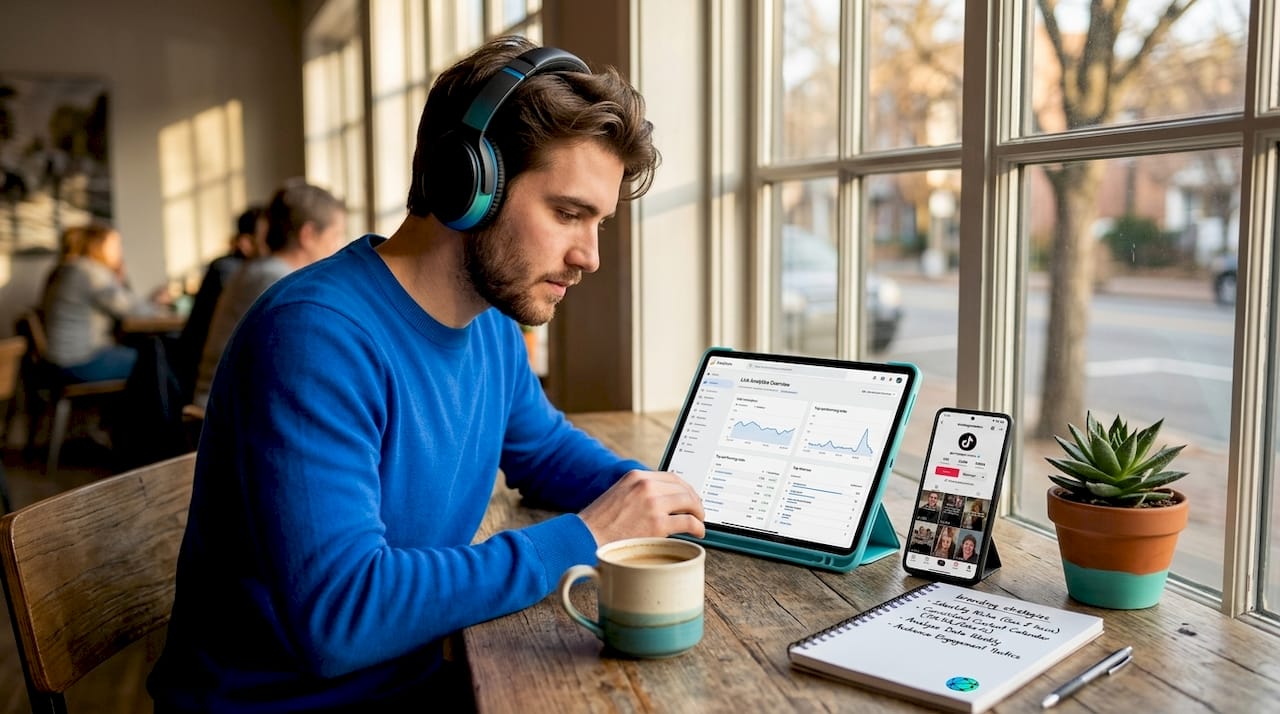
Branded tools turn your bio into a conversion layer by giving you real data on what visitors click, how long they stay, and which links underperform. Without that data, you are guessing. With it, you can make decisions. Moving your most-clicked link to the top position, changing a button color, or rewording a CTA based on actual click data is how creators build bio pages that compound over time.
TikTok Business accounts unlock these marketing advantages, though as Shopify notes, they do trade some creative freedoms for those benefits. Knowing that tradeoff upfront helps you decide whether the switch is worth it for your goals.
| Feature | Native bio links | Advanced third-party tools |
|---|---|---|
| Click tracking | None | Per-link, real-time |
| A/B testing | None | Button text, layout, order |
| Custom domain | None | Full custom domain support |
| Brand themes | None | Full color, font, logo control |
| QR code export | None | Free, downloadable |
| Mobile optimization | Platform default | Fully responsive, custom |
What actually moves the needle, based on how creators use link in bio analytics:
- Tracking which link gets clicked first tells you what your audience actually wants, not what you think they want
- Pages that match the visual style of your Instagram or TikTok profile generate more clicks because they feel like a natural extension of your brand
- Creators who test two versions of a bio page headline see measurable differences in conversion rates within the first week
Pro Tip: Review your bio link analytics every two weeks. Rotate underperforming links out or rewrite their titles. The conversion rate optimization playbook applies directly to bio link pages.
For context on where this space is headed, link in bio trends covers the formats and features gaining traction in 2026.
Transforming your link in bio from a list into a conversion tool
Most creators treat their bio link page like a bookmarks folder. They add links as they think of them, never revisit the order, and never check what gets clicked. That approach leaves a lot of traffic on the table.
The shift worth making is treating your bio link page as a mini-website with a single job: turn a profile visitor into someone who takes one specific action. Every design and copy decision on that page should serve that job. Not five jobs. One. The links below the primary CTA are secondary options for visitors who need more context before committing.
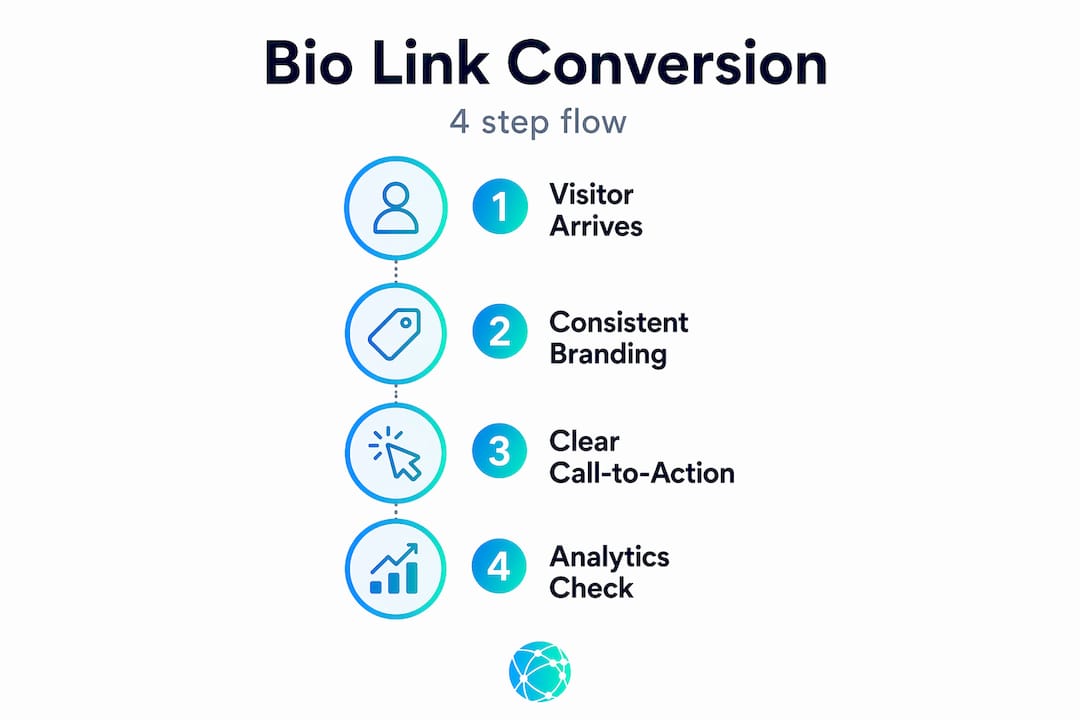
Brand consistency is not about aesthetics. It is about trust. When someone taps the link in your TikTok bio and lands on a page that looks nothing like your profile, there is a half-second of friction. That friction erodes clicks. When the page mirrors your brand colors, fonts, and tone, visitors feel like they are still in your world. That continuity matters more as your audience grows. Using bio links strategically gets into the mechanics of building that consistency intentionally.
Mobile experience is not optional. Your audience is tapping that link from their phone, probably while standing in line or lying in bed. Pages that load slowly, display buttons too small to tap, or require scrolling to find the main CTA lose those visitors immediately. Design for the thumb, not the cursor.
The creators who get the most out of their bio links treat them as living assets. They check the data, test a new headline, move a link up or down, and track the difference. That feedback loop, even a simple two-week review cycle, is what separates a bio link page that compounds over time from one that just sits there. Effective bio link examples shows exactly what that looks like in practice across different creator categories.
Simplify your link in bio setup with Linkflow's free tools
If this bio link tutorial has you ready to build something better than a basic platform link, Lflow.co is the place to start. The setup takes under two minutes, and you walk away with a fully branded page that holds all your links in one place.

Lflow.co offers unlimited links, real-time analytics, customizable themes, and free QR code generation with every account, including the free plan. You can match your page to your exact brand colors and fonts, use a custom domain, and see exactly which links your audience clicks. Browse the Linkflow bio link templates to find a starting point that fits your style, or build from scratch. Either way, your free Linkflow link in bio page is ready before your next post goes live.
Pro Tip: Download your Lflow.co QR code and add it to your Instagram Stories, YouTube end cards, or printed merchandise. Every surface becomes a path back to your full link hub.
Frequently asked questions
How many links can I add natively to my Instagram bio?
Instagram creator and business accounts support up to 5 external links natively in the bio's Links section, while personal accounts are limited to 1 link. Switching account types is free and takes under a minute.
Can I add a clickable link to my TikTok bio with fewer than 1,000 followers?
Yes, but only by switching to a Business account. TikTok requires a Business account or 1,000+ followers on a personal account to activate the clickable Website field in the bio.
Why should I use branded Link in Bio tools instead of just native platform links?
Branded tools outperform native options by providing visitor analytics, A/B testing, and custom themes, giving you the data and flexibility to actively improve how your bio converts traffic. Native links give you none of that.
Can I edit my bio links on desktop platforms?
Bio links edit only on mobile apps, and changes go live instantly. Desktop versions of both Instagram and TikTok do not support bio link management in any meaningful way.
How can I troubleshoot a bio link not showing or working properly?
Check your account eligibility and follower count, update your app, verify your URL starts with https://, and make the edit through the mobile app. TikTok bio links may not show due to account type, follower count, or app version issues, all of which are fixed by updating or switching account types.