

Your social media bio is a single line of real estate, and wasting it on a lone website URL is one of the most common mistakes creators make. The link in bio has evolved into a full landing page strategy, giving you the power to centralize your store, videos, newsletter, and social profiles in one click. Choosing the wrong platform, or ignoring the right features, quietly kills engagement before your audience even gets started. This guide breaks down the criteria, features, and comparisons you need to pick the tool that actually works for your goals.
Table of Contents
- How to evaluate link in bio platforms: Key criteria creators need
- Essential creator features: Customization, scheduling, and layout options
- Advanced analytics and tracking: CTR benchmarks and audience insights
- Monetization and engagement: Built-in stores, newsletters, and AI tools
- Feature comparison: Which link in bio platform fits your strategy?
- The hidden pitfalls: What most creators miss about link in bio features
- Take your bio link further with Linkflow's free tools
- Frequently asked questions
Key Takeaways
| Point | Details |
|---|---|
| Feature selection matters | Choosing the right link in bio features can dramatically increase audience engagement and monetization. |
| Analytics drive strategy | Per-link analytics and audience insights help creators refine their content and optimize bio link placement. |
| Customization boosts conversions | Tailoring layouts and scheduling links increases click-through rates and amplifies creator impact. |
| Monetization options abound | Top platforms offer built-in stores, email capture, and tipping for revenue and fan engagement. |
How to evaluate link in bio platforms: Key criteria creators need
Not every link in bio tool is built the same, and the differences matter far more than most creators realize. Before you commit to any platform, you need a clear framework for what actually moves the needle on engagement, growth, and revenue.
The first thing to look at is landing page customization. Your bio link page is an extension of your brand. If it looks generic or clunky, visitors lose trust before they click anything. Look for platforms that give you real control over themes, colors, fonts, and layouts. The visual experience should feel like you, not like a free template everyone else is using.
Next, examine link management capabilities. Core mechanics of top link-in-bio tools include creating a single customizable landing page accessible via one bio URL, supporting unlimited links with drag-and-drop reordering, pinning top links, hiding and scheduling links, and mobile-optimized layouts in list, grid, and swipe formats. These are not nice-to-have features. They are the backbone of a functional creator strategy.
Mobile optimization is non-negotiable. A massive share of your audience visits from their phones. If your bio link page is slow to load or breaks on mobile, you lose them. Check that any platform you consider renders cleanly across all screen sizes and connection speeds.
Finally, think about scalability. A tool that works for 500 followers should also work at 500,000. Look for platforms that grow with you, offering advanced analytics, integrations, and monetization options as your needs expand.
Key evaluation criteria at a glance:
- Visual customization depth (themes, fonts, colors, custom domain)
- Link management (unlimited links, drag-and-drop, pinning, scheduling)
- Mobile performance and layout flexibility
- Analytics and tracking integrations
- Monetization options available on free vs. paid plans
- Onboarding speed and ease of use
Pro Tip: Before signing up for any platform, open it on your phone and pretend you are a new visitor. If you find the experience frustrating in any way, your audience will too.
With a framework in place, let's explore the features that set top link in bio platforms apart.
Essential creator features: Customization, scheduling, and layout options
The visual and structural design of your link in bio page directly shapes how visitors behave. A cluttered, off-brand page sends people away. A clean, on-brand page pulls them deeper into your content ecosystem.
Start with branding. The best platforms let you upload a profile image, add a custom bio, choose a background, and apply a consistent color palette. Some even support custom domains, so your link reads as yourname.com instead of a third-party URL. That level of branding signals professionalism and builds trust with new visitors.
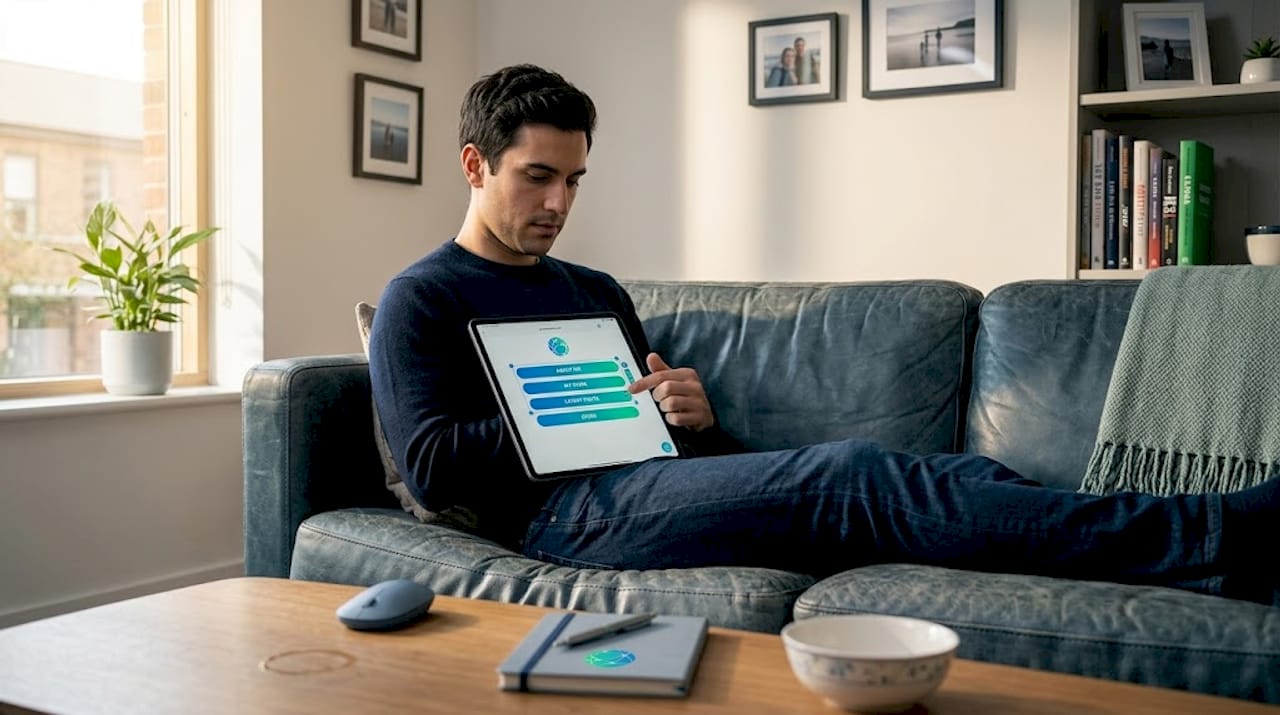
Layout choices are more impactful than most creators expect. Top link-in-bio tools support multiple layout formats including list, grid, and swipe configurations. A list layout works well for audiences that scan content top to bottom. A grid layout is more visual and suits creators in fashion, photography, or food. A swipe layout can feel dynamic and modern, especially for younger audiences on TikTok or Instagram.
Features that make the biggest difference:
- Custom profile images and bios
- Background colors, gradients, and images
- Layout switching (list, grid, swipe)
- Drag-and-drop link reordering
- Pinning priority links to the top
- Link scheduling for launches, events, and campaigns
Scheduling is one of the most underrated features available. Instead of manually hiding or showing links around a product launch or seasonal event, you can set visibility windows in advance. This keeps your page current without constant manual updates. Check out ideas for visual bio link upgrades to make your page stand out even further.
Pro Tip: Use your first link slot for the most time-sensitive or high-value action you want visitors to take. Pin it so it stays at the top even as you add new links below it.
Stat to know: Mobile devices account for the majority of social media traffic globally, which is exactly why bio link pages built without responsive design leave significant engagement on the table.
Explore the bio template gallery to see how different layouts and styles translate into real-world creator pages before you build your own.
Customization sets the stage, but tracking how audiences engage with your content is just as crucial.
Advanced analytics and tracking: CTR benchmarks and audience insights
Data is where most creators fall short. They set up a bio link page, share it everywhere, and never look at what is actually working. Analytics turn your bio link from a static page into a dynamic strategy tool.
Per-link analytics are the starting point. You want to see views, clicks, and click-through rate (CTR) for each individual link, not just your page as a whole. Knowing that your merch link gets 200 views but only 4 clicks tells you something is off, whether it is the label, the placement, or the offer itself.
Advanced tracking includes per-link analytics covering views, clicks, CTR, traffic sources, device and country breakdowns, UTM builders, multi-pixel support for Google, Facebook, and TikTok, and Excel exports. Benchmarks show that a CTR of 25 to 35 percent is considered good, while 40 percent and above is excellent. The first link on your page typically receives 40 to 50 percent of all clicks.
| Metric | Good performance | Excellent performance |
|---|---|---|
| Overall CTR | 25% to 35% | 40%+ |
| First link CTR | 40% of total clicks | 50%+ of total clicks |
| Traffic sources | 2 to 3 active channels | 4+ active channels |
| Device breakdown | Mostly mobile | Balanced mobile/desktop |
What to look for in a platform's analytics suite:
- Per-link views, clicks, and CTR
- Traffic source breakdown (which platform sends visitors)
- Device and geographic data
- UTM parameter builder for campaign tracking
- Pixel integrations (Google Analytics, Meta Pixel, TikTok Pixel)
- Exportable data for deeper analysis
Pixel integrations are especially powerful for creators running paid promotions or collaborations. You can retarget visitors who clicked a specific link but did not convert, creating more efficient ad spend and more targeted follow-up content.
Pro Tip: If your overall page gets strong traffic but your CTR is low, the issue is usually page design or link labels, not the platform itself. Try AI content for analytics optimization to test new approaches faster.
Check out the analytics features comparison to see how different platforms stack up on tracking depth and data access.
Understanding analytics is powerful, but creators also look for ways to monetize and engage their audience directly from their bio link.
Monetization and engagement: Built-in stores, newsletters, and AI tools
The smartest creators are not just collecting clicks. They are converting those clicks into revenue, subscribers, and long-term fans directly from their bio link page. The right platform makes this possible without sending your audience through a dozen additional steps.
Built-in stores are one of the biggest differentiators between platforms. Some tools let you sell digital products, courses, or services right from your bio link page, cutting out third-party storefronts entirely. Fee structures vary widely, from zero platform fees to nine percent per transaction, so read the fine print before you commit.
Monetization and engagement features in top platforms include built-in stores for digital products with fees ranging from 0 to 9 percent, email capture and newsletter tools, booking calendars, tipping options, media kits, AI content generation, and shoppable social feeds. That is a significant toolkit for creators at every level.
"Your link in bio page is not just a directory. It is your most direct path to audience monetization and retention. Every feature you add should either capture attention, build loyalty, or generate revenue."
Monetization and engagement features to prioritize:
- Digital product stores with low or no transaction fees
- Email capture forms and newsletter integrations
- Booking calendars for consultations and services
- Tipping or fan support options
- Shoppable social feeds for e-commerce creators
- Media kit integration for brand partnership outreach
- AI-powered content suggestions for link labels and bios
AI tools are becoming a genuine asset for time-strapped creators. Some platforms now offer AI-generated link labels, bio copy, and even content ideas based on your niche and audience behavior. Pair this with a strong bio link engagement strategy to make every element of your page work harder.
The AI bio generator is one example of how creators can shortcut the writing process while still producing professional, on-brand copy.
Pro Tip: Use email capture on your bio link page as a primary goal, not an afterthought. Social media algorithms change. Your email list is the one audience channel you actually own.
Having highlighted monetization, let's consolidate and compare the top features for every creator's unique needs.
Feature comparison: Which link in bio platform fits your strategy?
Choosing a platform comes down to your specific creator goals. Here is how the top platforms stack up across the features that matter most.
| Feature | Linkflow | Linktree | Beacons | Stan |
|---|---|---|---|---|
| Free plan available | Yes | Yes | Yes | Yes |
| Unlimited links (free) | Yes | Limited | Yes | Yes |
| Custom domain | Yes | Paid only | Paid only | Paid only |
| Advanced analytics (free) | Yes | Limited | Limited | Limited |
| Built-in store | Yes | No | Yes | Yes |
| AI content tools | Yes | No | Limited | No |
| QR code (free) | Yes | No | No | No |
| Transaction fees | 0% | 0% | 9% (free plan) | Varies |
Linktree excels in familiarity but limits free analytics and customization, requiring a paid upgrade for professional use. Stan and Beacons offer stronger monetization options but come with higher costs or transaction fees.
How to choose based on your creator goals:
- You are just starting out: Choose a platform with a strong free plan that includes unlimited links and basic analytics. You need room to experiment without paying.
- You are focused on content growth: Prioritize customization, scheduling, and analytics so you can optimize your page around what your audience responds to.
- You want to monetize now: Look for platforms with built-in stores and low transaction fees. Factor in whether email capture and booking tools are included.
- You are building a brand: Custom domains, advanced analytics, and professional templates matter most for credibility and tracking.
- You promote offline too: Free QR code generation is a feature most platforms charge for. It is worth seeking out for event and print promotion.
For a full breakdown, see the Linkflow vs Linktree comparison to understand exactly where the differences show up in daily creator workflows.
With core features and comparisons reviewed, let's offer a fresh perspective from seasoned creators and platform analysts.
The hidden pitfalls: What most creators miss about link in bio features
Here is something most platform reviews skip over: the biggest mistake creators make is optimizing for aesthetics instead of outcomes. A beautiful bio link page that nobody converts on is just expensive decoration.
Most creators spend the bulk of their setup time on colors and profile photos. That matters, but it should come after you have thought carefully about your conversion path. What do you want visitors to do first? Second? If you cannot answer that question before you build your page, no amount of visual polish will save your CTR.
The second hidden pitfall is ignoring scheduling. Creators who manually update their bio link page before every launch or event are losing time they could spend creating content. Scheduling lets you set visibility windows weeks in advance. Your page automatically shows the right links at the right time. It sounds simple, but almost no one uses it strategically from the beginning.
Deep analytics are also chronically underused. Most creators check total clicks and stop there. The real insight is in the per-link breakdown. Which links get views but no clicks? That is a persuasion problem. Which links get clicks but no conversions? That is a landing page problem. These are two very different issues with two very different solutions, and you only find them by digging into the data.
Finally, monetization features are only as powerful as your integration strategy. Dropping a store link on your page without context rarely converts well. Pair it with a pinned announcement, a compelling link label, and a clear call to action in your social content. Use AI-driven platform choices to test language and positioning faster than manual trial and error.
The creators who build strong bio link strategies treat the page as a living document. They update it regularly, test new layouts, track what changes, and iterate. That mindset, more than any specific feature, is what separates high-performing creators from everyone else.
Take your bio link further with Linkflow's free tools
Linkflow gives you everything covered in this article without forcing you to upgrade before you see results. The free plan includes unlimited links, real-time analytics, full customization, and a QR code you can download and use anywhere.

Getting started takes under two minutes. You can unlock unlimited links right away, pull in a professional design from the template library, and have a fully branded page live before your next post goes up. The boutique rose template is a popular choice for lifestyle and fashion creators looking for a polished first impression. And with free QR codes built in, you can extend your bio link strategy to business cards, merch, event flyers, and anywhere else your audience finds you offline. Linkflow is built to grow with you, from your first hundred followers to your first hundred thousand.
Frequently asked questions
What is a link in bio tool?
A link in bio tool lets creators place one clickable link in their social media profile that leads to a customizable landing page with multiple links, consolidating all their content in one place.
Which features drive the most audience engagement?
Custom layouts, pinning top links, advanced analytics, and scheduling are the most impactful. Drag-and-drop reordering, pinning, and scheduling combined with mobile-optimized layouts consistently boost creator engagement across platforms.
What are monetization options in top link in bio platforms?
Built-in stores, email capture, newsletters, booking calendars, tipping, and shoppable feeds are the most common monetization and engagement features available across leading platforms.
How do I measure success with my link in bio?
Track per-link analytics including views, clicks, and CTR alongside your traffic source breakdown. A CTR of 25 to 35 percent is considered good performance, while 40 percent and above is excellent.