

You work hard creating content, but when followers land on your profile, they hit a wall: one link, one shot, one chance to send them somewhere. Instagram, TikTok, and most other major platforms give you a single clickable URL in your bio, which means every product, video, newsletter, and merch drop competes for that one precious spot. Bio links solve this problem by turning your profile into a fully functional content hub. This guide breaks down exactly how bio links work, what features actually matter, and how to use them strategically to drive real engagement and long-term brand growth.
Table of Contents
- What are bio links and how do they work?
- The core benefits of using bio links
- Bio links vs. custom landing pages: Choosing the right home for your links
- Pro tips for maximizing your bio link's impact
- Our take: What most creators miss about bio links
- Get started with a better bio link
- Frequently asked questions
Key Takeaways
| Point | Details |
|---|---|
| Bio links solve link limits | Bio links let you share multiple destinations from one profile link, simplifying audience navigation. |
| Engagement and analytics | Bio link tools help you track clicks and audience behavior, so you can optimize your online presence. |
| Branding and control | Combining bio links with your own website maximizes both creative branding and long-term SEO benefits. |
| Choose the right platform | Consider speed, customization, and ownership when selecting a bio link solution for your brand. |
What are bio links and how do they work?
A bio link is a single URL you place in your social media profile that leads visitors to a custom landing page packed with multiple links, calls-to-action, and content. Instead of changing your profile link every time you post something new, you update the landing page behind one permanent URL. Your followers always click the same link, but they land somewhere dynamic, organized, and built around your brand.
The reason bio links became essential is simple: platforms like Instagram, TikTok, and Twitter/X are deliberately restrictive. They want users to stay on the platform, so they limit creators to one external link per profile. For someone promoting a YouTube channel, an online store, a Substack newsletter, and a podcast all at once, one link just does not cut it. A bio link page solves this by acting as a personal directory.
Here is what most creators use their bio link page to share:
- Latest video or content drop to push traffic immediately after publishing
- Product or merch links so followers can shop without searching
- Affiliate links grouped by category for easy navigation
- Booking or service pages for coaches, photographers, or consultants
- Newsletter or email list signup to build an owned audience
- Social platform profiles to grow across multiple channels
- Event tickets or limited-time offers for time-sensitive promotions
Modern bio link tools go far beyond just listing links. Most platforms offer analytics dashboards, click tracking, social integrations, and even revenue tools like tipping or digital product sales. As affiliate marketers have learned, bio links are essential for centralized access, analytics, and monetization, but they work best when paired with an owned website for long-term SEO and control.
"Your bio link is not just a link. It's the front door to everything you create. Make it feel like home."
Smarter creators are also exploring AI-powered bio link strategies to automate content updates and optimize link placement based on what their audience responds to most.
Pro Tip: Do not just drop your homepage URL in your bio. Create a dedicated landing page that mirrors your current content calendar and updates with your posting rhythm. A stale bio link is a missed opportunity every single day.
The core benefits of using bio links
With a clear understanding of what bio links are, let's explore their most powerful benefits for your creator brand.
The advantages go well beyond convenience. When you use a bio link strategically, you gain a direct feedback loop between your content and your audience's actions. Here is how the biggest benefits break down for working creators:
- Centralized link management. One page, all your links. You never have to choose between promoting your new video or your merch drop. Both live on the same landing page, and you control the order and emphasis.
- Deep click analytics. Most bio link tools show you which links get clicked, when, and from which device or location. This data tells you exactly what your audience cares about, so you can create more of it.
- Streamlined audience funneling. You can guide followers down specific paths, from a free resource to an email signup to a paid offer, all on one page. This is how creators build actual sales funnels from social traffic.
- Faster content distribution. When you drop new content, you update one page instead of changing links across every platform. That time adds up fast when you post daily.
- Revenue integration. Many tools let you embed digital products, payment links, or affiliate blocks directly on your bio link page, turning your profile into a lightweight storefront.
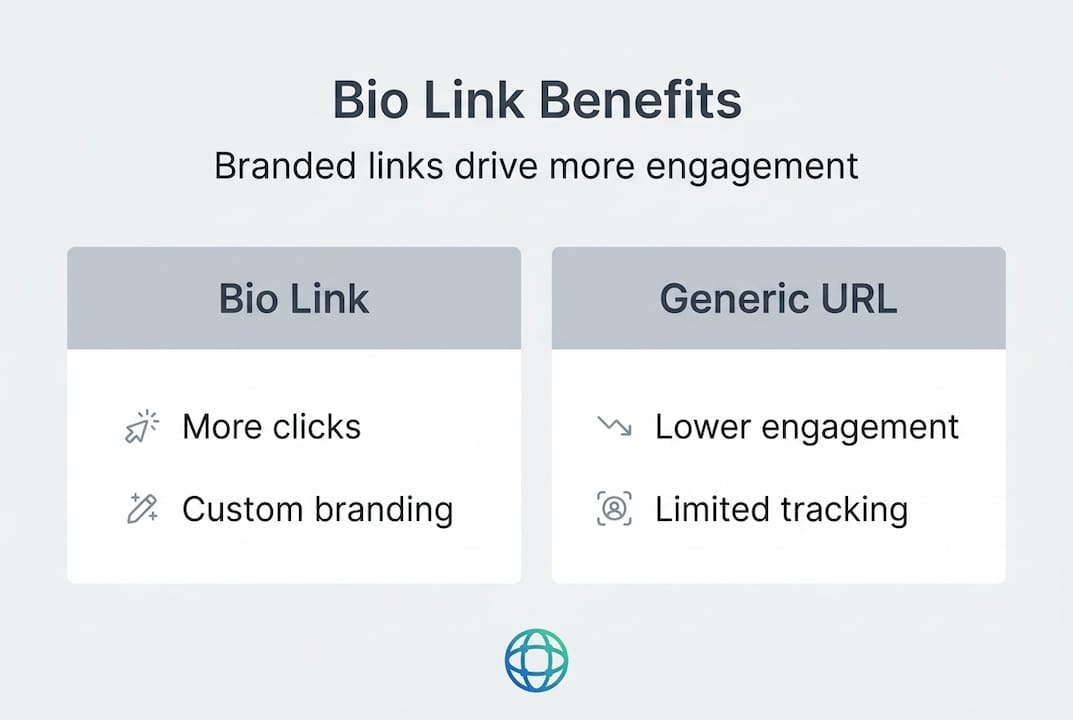
The data backs this up. Branded bio links can generate up to 39% more clicks compared to generic, unbranded URLs because they signal trust and professionalism to visitors. When your link looks like it belongs to you, people are more likely to click it.

Here is a breakdown of the key engagement metrics most bio link tools let you track:
| Metric | What it tells you | Why it matters |
|---|---|---|
| Click-through rate (CTR) | % of visitors who click a link | Shows which links resonate most |
| Visitor demographics | Age, location, language | Helps you tailor content and offers |
| Device type | Mobile vs. desktop | Informs design and load time priorities |
| Referral source | Which platform sent traffic | Shows where your audience is most active |
| Conversion rate | Visitors who complete an action | Measures real ROI from your bio link |
| Time on page | How long visitors stay | Indicates page design quality |
Tools that offer detailed click analytics including visitor demographics, device types, and conversion tracking give you the kind of data that used to require a dedicated marketing team. Now any solo creator can make data-driven decisions just by checking their bio link dashboard weekly.
Upgrading how your page looks also directly affects performance. When you invest time in upgrading bio link visuals, you signal professionalism to visitors before they even click a single link. You can also explore a bio link platform comparison to understand how different tools stack up on these features before committing.
Bio links vs. custom landing pages: Choosing the right home for your links
Now that we have seen the benefits, it is crucial to understand when to use bio links versus your own custom solution.
This is a decision many creators get wrong, and it often costs them audience trust and long-term brand equity. Here is an honest comparison:
| Feature | Bio link tool | Custom landing page |
|---|---|---|
| Setup speed | Under 2 minutes | Hours to days |
| Cost | Free to low cost | Hosting and design costs |
| Analytics | Built-in, user-friendly | Requires GA4 or custom setup |
| Branding control | Good, with limits | Total control |
| SEO benefit | Minimal to none | Strong, builds domain authority |
| Platform dependency | High (third-party) | None (you own it) |
| Mobile optimization | Automatic | Requires developer attention |
| Custom domain | Available on most paid plans | Native to your own domain |
Third-party bio links limit your SEO and domain authority gains and create platform dependency, which is why experts increasingly recommend pairing them with a custom website landing page for ownership and professionalism. That said, bio links win on speed, simplicity, and built-in features that a custom page would take weeks to replicate.
The smartest approach is not either/or. It is both. Here is a hybrid strategy that works well for most creators:
- Use a bio link tool as your primary social profile link for speed, analytics, and daily updates
- Build a custom website landing page on your own domain as the permanent home for your brand
- Link your bio link page back to your website to pass some traffic through
- Use your branded bio link page as the public-facing entry point and your website as the deeper experience
- Migrate high-performing bio link content to your website over time for SEO benefits
- Use your custom domain within your bio link tool when available, which bridges both worlds
Pro Tip: Buy your own domain name even if you are not ready to build a full website. Many bio link tools let you point your custom domain to your bio link page. This means you own the URL, visitors see your branded address, and you future-proof your presence no matter what happens to the third-party platform.
Bio links stay essential as long as social platforms restrict external links in posts, but the creators who win long-term are those who use them as a bridge to owned digital real estate, not as a permanent replacement for it.
Pro tips for maximizing your bio link's impact
Understanding where to house your bio link is just half the story. Now, let's look at strategies for creator growth that most people skip entirely.
Getting the setup right is step one. Getting ongoing results requires consistent attention and a few key practices that separate growing creators from stagnant ones.
- Design for mobile first, always. Over 80% of social media browsing happens on phones. Your bio link page needs to load in under one second and look sharp on a 375px wide screen before anything else.
- Lead with your strongest call-to-action. Your top link gets the most clicks. Put whatever is most valuable to your audience and your business goals at the very top, not buried below five other options.
- Use your brand colors, fonts, and imagery. Branded customization directly drives higher click rates. A page that looks generic signals low effort. A page that looks like your brand signals professionalism and builds trust.
- Review your analytics every week. Click data tells you which links to keep, promote, or remove. If a link has not been clicked in two weeks, replace it with something timely.
- Keep it focused. Five to seven links maximum. More links create decision fatigue. Visitors who can not decide quickly leave without clicking anything. Fewer choices drive more action.
- Update your page to match your content calendar. Every time you publish something new, your bio link should reflect it. A current page keeps followers coming back; a stale page loses them.
- Use your QR code for offline promotion. Most bio link tools generate a free QR code. Print it on packaging, event materials, business cards, or wherever your audience might see it offline.
"The creators who grow fastest are not the ones with the most content. They are the ones who make it easiest for their audience to take the next step."
One pitfall that kills engagement is overcrowding. Packing your bio link page with every affiliate link, social handle, and project you have ever worked on creates a confusing experience. Think of your page like a storefront window: you show the best stuff, not everything in the stockroom.
You can find more actionable link in bio tips on our blog, and browsing bio link templates is a fast way to see what a well-designed, high-converting page actually looks like in practice.
Our take: What most creators miss about bio links
Most creators treat their bio link as a one-time setup task. They build the page, drop the URL in their profile, and forget about it. That mindset is where growth stalls.
The creators who get real results from their bio links treat the page as a living part of their content strategy. They update it weekly, analyze what is working, and constantly refine the experience for their audience. They think about sequencing: what do they want a first-time visitor to do versus someone who has clicked through before?
There is also a risk that almost nobody talks about. When your entire audience funnel runs through a third-party platform you do not control, you are one policy change or platform shutdown away from losing everything. Platforms have gone offline, changed their terms, or pulled features without warning. Creators who had built their whole system around a single tool scrambled to recover. Pairing your bio link with a strategy around AI and smarter bio links and an owned domain gives you a backup that no platform can take away.
The deeper truth is that bio links are not just a tool for managing links. They are a reflection of your brand. A well-maintained, beautifully designed bio link page tells your audience that you take your work seriously, that you respect their time, and that you have something worth clicking. That perception compounds over time into higher trust, higher engagement, and ultimately, more revenue.
Get started with a better bio link
Ready to put these ideas into practice? Here is the easiest way to get started.
Building a professional bio link does not require design skills or a big budget. With Lflow.co, you can create a free link in bio page in under two minutes, complete with unlimited links, real-time analytics, and full design control. The setup is genuinely fast, and the results show up immediately in your engagement data.

If you want to skip the blank-page problem, explore ready-to-use bio link templates designed specifically for creators, influencers, and brands. Each template is mobile-optimized, fully customizable, and built to convert casual profile visitors into active followers, customers, and subscribers. Your bio link should work as hard as your content does.
Frequently asked questions
What is a bio link and why is it important?
A bio link is a single URL in your social profile that leads to a landing page with all your key content and offers, solving the one-link limit imposed by platforms like Instagram and TikTok. It gives your audience one simple place to find everything you create.
Do bio link tools affect SEO or domain authority?
Third-party bio link tools deliver strong engagement and analytics but rarely contribute to your own SEO or domain authority, which is why pairing them with a custom website on your own domain gives you the most long-term brand equity.
What features should I prioritize in a bio link tool?
Focus on fast mobile load times under one second, deep click analytics, and branded customization, since branded links drive up to 39% more clicks than generic alternatives. Analytics depth matters most for ongoing optimization.
Is it better to use a third-party bio link tool or my own website?
Most creators benefit from using both: a bio link tool for speed, ease, and built-in analytics, plus a custom landing page on their own domain for branding and SEO. Relying solely on bio links without owning your domain leaves your audience data and brand vulnerable to platform changes.