

Most people think a link in bio is just a plain web address sitting quietly in a social media profile. It's not. That single line in your Instagram, TikTok, or YouTube bio is one of the most powerful conversion points you control on the internet, and most creators are massively underusing it. Whether you manage content for a brand or you're building your own audience from scratch, understanding what a link in bio truly is and how to optimize it can change how your audience connects with everything you create.
Table of Contents
- Defining 'link in bio': More than a single link
- Why creators and brands need a link in bio solution
- How a link in bio works: Setup and features
- Top mistakes to avoid with your link in bio
- Why the best link in bio strategies start with audience intent
- Elevate your bio link with modern tools
- Frequently asked questions
Key Takeaways
| Point | Details |
|---|---|
| More than a link | A modern link in bio acts as a customizable hub for all your important links and content. |
| Drives engagement | Proper use turns casual followers into active fans or customers through clear calls-to-action. |
| Prioritize mobile design | High-contrast, mobile-optimized bio links boost conversions significantly. |
| Keep it dynamic | Regular updates and analytics-driven tweaks maximize ongoing opportunity. |
Defining 'link in bio': More than a single link
Let's start with the basics. Every major social platform gives you one clickable link in your profile. One. That means if you have a YouTube channel, a store, a podcast, a newsletter, and a new product launch happening at the same time, you're forced to pick just one destination for all your followers. That's the problem a link in bio solution solves.
A link in bio page is essentially a mini-website that lives at a single URL. When someone clicks your bio link, they land on a clean, branded page that holds as many links as you need. Think of it as your personal directory or control center for your online presence. Instead of swapping your link every time you want to promote something new, you maintain one permanent URL and update the page behind it.
Modern link in bio tools go well beyond basic lists of links. They function as conversion-first micro-landing pages with specific calls-to-action (CTAs), mobile-optimized layouts, and personalization options that adapt to your audience. The evolution from a static link to a dynamic hub is significant, and it's what separates creators who drive results from those who just post and hope.
Here's what a well-built link in bio page can include:
- Multiple website, store, and product links
- Social media profile buttons for every platform
- Music, video, and podcast embeds
- Newsletter sign-up forms
- Event or launch countdown CTAs
- QR code integration for offline promotion
- Custom branding with your fonts, colors, and logo
The design side matters just as much as the content. Link in bio tips consistently show that high-contrast visuals, clear button labels, and bold typography improve click-through rates significantly. Platforms like Instagram are primarily mobile experiences, which means every element of your link in bio page needs to look sharp on a phone screen first. Browsing link in bio templates designed specifically for mobile can save hours of trial and error while ensuring your page looks polished from day one.
Why creators and brands need a link in bio solution
The challenge is real. Social platforms are not built to send your followers off-platform willingly. They restrict links in posts, limit clickable URLs to the bio, and make it genuinely hard to drive traffic to your external content. For creators managing multiple revenue streams, product launches, or partnership deals simultaneously, this limitation creates friction that costs conversions.
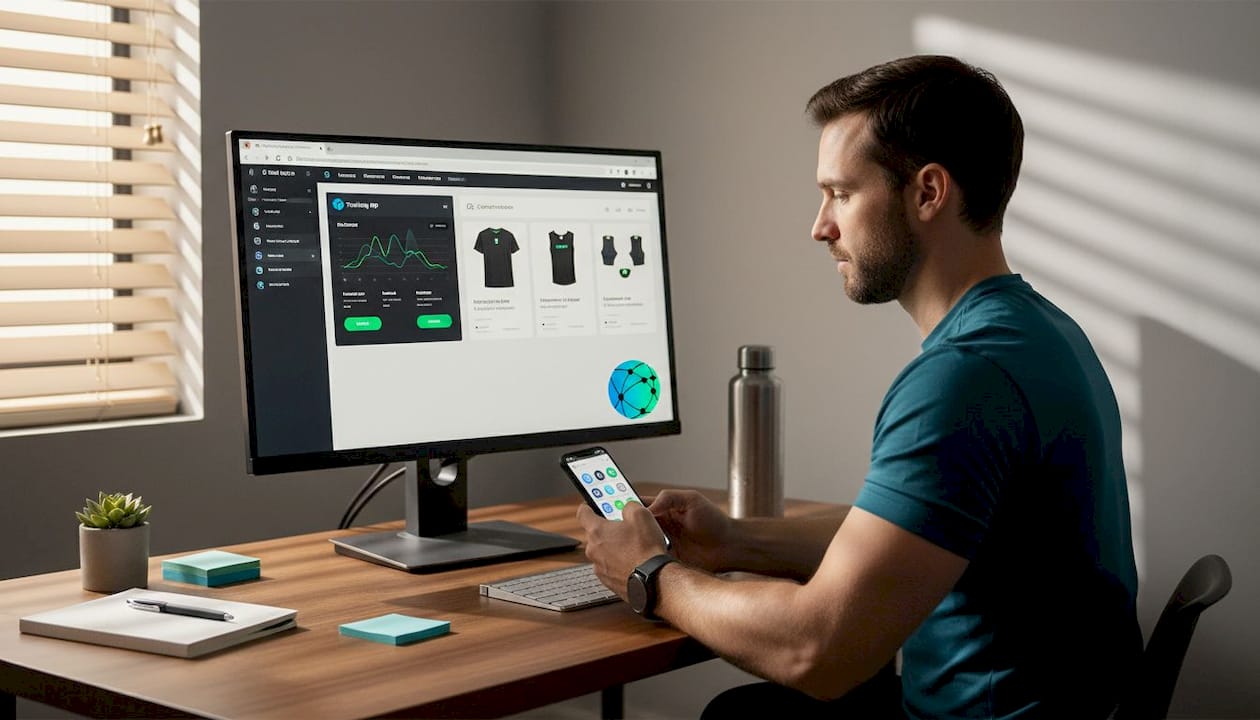
Consider a fitness creator who has a training app, a merchandise shop, a YouTube channel, a weekly newsletter, and an affiliate partnership with a supplement brand. Without a link in bio solution, they're constantly swapping out that single bio link, losing traffic to everything else every time they change it. With a proper link in bio page, all five destinations are always live and accessible.
Here's a quick breakdown of the core challenges and how a link in bio solution addresses each one:
| Challenge | Without a link in bio | With a link in bio |
|---|---|---|
| Multiple CTAs | Must choose one at a time | All visible simultaneously |
| Audience tracking | No click data | Real-time analytics per link |
| Branding | Generic platform URL | Custom domain and visual identity |
| Campaign management | Manual link swapping | Instant updates, no URL change |
| Mobile experience | Default platform profile | Optimized landing page |
The benefits extend beyond convenience. Unlimited link in bio solutions let you feature time-sensitive content like a new video drop, a sale, or an event registration, without sacrificing access to your evergreen content. That flexibility is what makes the link in bio a genuine marketing asset rather than just a navigation shortcut.
Smart creators also use their link in bio data to understand their audience better. When you can see which links get the most clicks, you learn what your audience actually cares about. That data can inform your content calendar, your product roadmap, and even your sponsorship pitch deck. AI for link in bio tools are now emerging that can surface insights from this data and suggest which CTAs to prioritize for any given week.
Pro Tip: Audit your link in bio page at the start of every campaign, product launch, or seasonal push. Swap out low-priority links and move your most relevant CTA to the top of the page. The first link a visitor sees gets the most clicks, so placement is a strategic decision, not a default.
How a link in bio works: Setup and features
Setting up a link in bio page is genuinely fast. Platforms like Lflow.co get you live in under two minutes. But knowing the steps helps you think strategically rather than just filling in fields randomly.
- Choose your platform. Pick a link in bio tool that matches your needs. Look for one that offers custom domains, real-time analytics, mobile optimization, and design flexibility. A free plan is a great starting point.
- Claim your URL. Most tools let you create a branded short link (for example, lflow.co/yourname). This is the URL you'll put in every bio across all your platforms.
- Design your page. Choose a theme, set your brand colors and fonts, and upload a profile image or logo. Consistency with your social media aesthetic builds trust instantly.
- Add your links and CTAs. Include everything your audience might want to explore. Organize links by priority, with your most important CTA at the top.
- Publish and embed. Copy your link in bio URL and paste it into your Instagram, TikTok, YouTube, Twitter/X, and LinkedIn bios. One URL works across all platforms.
- Monitor performance. Check your analytics regularly. Track total clicks, individual link performance, and traffic sources to refine your layout over time.
Using an AI bio generator can accelerate step three and four dramatically. Instead of staring at a blank page, AI tools can suggest copy for your buttons, recommend layout structures based on your niche, and even generate a short bio description that matches your tone. It's a practical time-saver that also tends to produce more conversion-friendly language than most people write for themselves.
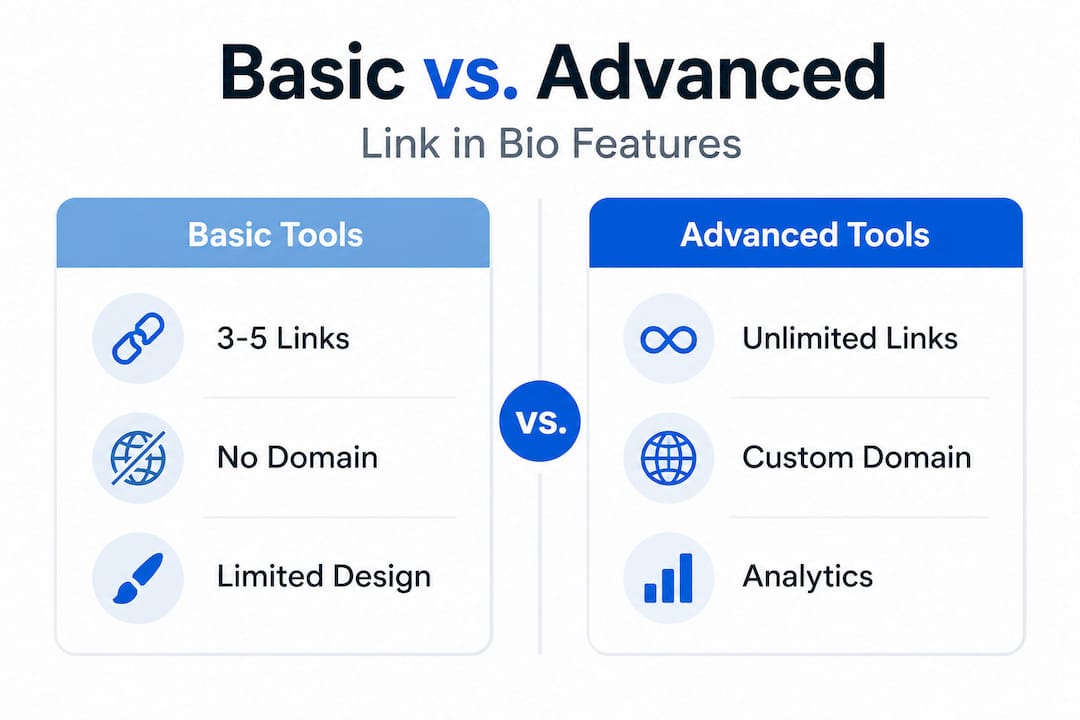
Here's a comparison of what separates basic and advanced link in bio tools:
| Feature | Basic tools | Advanced tools |
|---|---|---|
| Number of links | Limited (3-5) | Unlimited |
| Custom domain | Rarely included | Standard option |
| Analytics | None or basic | Real-time, per-link tracking |
| Templates | Few options | Niche-specific library |
| AI features | None | Content suggestions, optimization |
| Mobile design | Generic | Fully responsive, optimized |
| QR codes | Not included | Free downloadable |
Browse bio page templates sorted by creator type so you can find a starting point that fits your niche, whether you're a musician, an e-commerce brand, a podcaster, or a fitness coach.
Pro Tip: Never build your link in bio page from a completely blank canvas when templates exist. A well-designed template gives you proven structure and visual hierarchy. You customize it to match your brand rather than redesigning from scratch every time.
Top mistakes to avoid with your link in bio
Knowing how to set things up is only part of the equation. Plenty of creators go through the effort of creating a link in bio page and then undermine it with easily avoidable mistakes. These are the patterns that consistently hurt performance.
Overloading with too many links. More is not better. When visitors land on a page with fifteen buttons, they experience decision paralysis and often click nothing. Studies on CTA design show that reducing choices increases conversion rates. Keep your active links focused, ideally five to eight, and rotate them based on what's most relevant right now.
Ignoring mobile design. Over 90% of social media browsing happens on mobile devices. If your link in bio page uses tiny fonts, cramped buttons, or a desktop-centric layout, you're losing clicks. Tools that prioritize match your brand fonts and mobile-first design ensure your page feels native to the phone experience your audience is already in.
Using blurry or low-quality images. Your profile image and any visual elements on your link in bio page represent your brand. Poor visuals undermine credibility fast. Learn how to optimize bio link images to ensure everything loads cleanly and looks sharp on every screen size.
Setting it up once and walking away. A static link in bio page is a missed opportunity. Your content changes, your campaigns change, your priorities change. A page that reflects last quarter's promotions is actively sending the wrong message to new visitors.
Skipping analytics entirely. Without data, you're guessing. Which link gets the most clicks? Which ones are ignored? Analytics answer these questions precisely, and conversion-first strategies depend on iterating based on what the data actually shows.
Here are the key mistakes summarized:
- Too many links at once, creating confusion
- Weak or inconsistent visual branding
- Poor mobile optimization affecting usability
- No regular updates to reflect current content
- Zero use of analytics for data-driven decisions
"Treat your link in bio as a conversion-first micro-landing page, not a static directory. Focus on high-contrast mobile design, specific CTAs, and data-driven iteration to get the most from every visitor."
Pro Tip: Set a recurring weekly reminder to review your link in bio page. Ask yourself: does this page reflect what I'm most focused on this week? Does every button still go to a live, relevant destination? That five-minute check can meaningfully lift your average click-through rate over time.
Why the best link in bio strategies start with audience intent
Here's a perspective that most guides skip over entirely. Everyone focuses on design choices, feature comparisons, and tool recommendations. But the creators who consistently get the most from their link in bio pages are thinking about something different from the start. They're thinking about what their audience actually wants when they tap that link.
Your audience arrives at your link in bio page in a specific mindset. They just saw your latest post, your story, your video, or your comment somewhere. Something sparked enough interest for them to visit your profile and click your bio link. That moment of curiosity is extremely specific. It's rarely "tell me everything about this creator." It's usually something much more focused, like "where can I buy that?" or "how do I sign up?" or "I want to hear more of their music."
Most creators design their link in bio pages as a complete inventory of themselves. Every project, every platform, every affiliation, all at once. That approach ignores what the person clicking actually came to find. It prioritizes the creator's desire to showcase everything over the visitor's need to find one specific thing quickly.
The smarter approach is to design your link in bio page around the most common intents your audience arrives with, and then use analytics to verify your assumptions. If 70% of your Instagram followers come from fitness content, your top CTA probably should not be your merch shop. It should be your training program, your workout guide, or your community group. The merch shop can still be there, just lower on the page.
Advanced content strategies now integrate audience behavior data directly into link in bio management, making it easier to surface what specific segments of your audience respond to. This kind of personalization was previously reserved for large brands with dedicated marketing teams. Today, solo creators can achieve the same outcome with the right tools.
Audience-intent thinking also protects you from the most common link in bio mistake of all, which is treating the page as a permanent, unchanging archive. When you're thinking about intent, you're naturally more inclined to update the page because you're asking "what does my audience need from me right now?" rather than "how do I display everything I've built?" That shift in framing is what separates a bio link that quietly sits there from one that actively works for you every single day.
Elevate your bio link with modern tools
You've seen what a link in bio really is, why it matters, and the mistakes that hold most creators back. Putting this into practice is the only step left.

Lflow.co gives you everything covered in this guide in one free platform. Start with a free link in bio page that supports unlimited links, custom domains, real-time analytics, and QR codes for offline promotion. Use the AI bio generator to write high-converting button copy and build a page structure tailored to your audience in minutes. If you're considering switching from another tool, see exactly how Lflow.co stacks up by checking out how we compare Linkflow vs Linktree on features, pricing, and flexibility. Your bio link is working for or against you right now. Make it work harder starting today.
Frequently asked questions
What exactly does 'link in bio' mean on social media?
A "link in bio" is a single web address placed in your social media profile that directs followers to a customizable page hosting multiple links and CTAs, functioning as a conversion-first landing page for your audience.
Why can't I add multiple links in my Instagram or TikTok bio?
Instagram and TikTok only allow one clickable bio link per profile, which is why creators use link in bio tools to redirect that single URL to a page with multiple destinations.
What features should I look for in a link in bio tool?
Prioritize real-time analytics, mobile optimization, a strong template library, custom domain support, and AI personalization features for the best results.
How often should I update my link in bio page?
Update your link in bio page whenever your top campaigns or content change, ideally at least once a week to keep CTAs relevant and maximize engagement from every visitor.