

A social profile integration workflow is defined as a structured process that connects multiple social media accounts into a single, coordinated system for consistent content delivery and audience engagement. Digital marketers who build this workflow stop managing each platform in isolation and start treating their social presence as one connected operation. The payoff is real: unified API layers can cut content distribution time by 70% and lift viewer retention by 15–20%. That kind of efficiency gain does not come from posting harder. It comes from connecting your systems correctly. This guide covers the tools you need, the exact steps to follow, how to fix what breaks, and how to choose the right integration method for your team's resources.
What is a social profile integration workflow, and why does it matter?
A social profile integration workflow is the industry term for what marketers also call "profile connection automation" or "social account synchronization." The concept is straightforward: you map every social account, Instagram, TikTok, YouTube, LinkedIn, and Twitter/X, to a central data layer so content, analytics, and audience data flow in one direction instead of five.
The business case is clear. Organizations without integrated social data face fragmented customer experiences and slower resolution times. A follower who messages you on Instagram and then emails your support team gets treated like two different people. Integration eliminates that gap by creating a shared customer profile visible across every channel.

For digital marketers, the workflow also enforces brand consistency. When your bio, links, and profile details update in one place and push outward to every platform, you remove the risk of outdated information living on a channel you forgot to check. That is the core value of streamlining social profiles before you scale content production.
What tools and prerequisites do you need before starting?
The right tools depend on your integration depth. Most workflows fall into three categories: CRM-connected setups, automation platforms, and direct API integrations. Each requires different groundwork before you touch a single account.
Successful integration projects start with business outcome definitions. Before selecting any tool, define what you want the workflow to do. Do you want unified analytics? Automated cross-posting? CRM contact enrichment from social data? Planning requires a data dictionary and field mapping that connects social handles to CRM contact records before any automation runs.
The table below shows the most common integration tool categories and what each one handles:
| Tool category | Primary function | Best for |
|---|---|---|
| CRM platforms | Store and unify social contact data | Teams managing customer relationships |
| Automation platforms | Trigger cross-platform actions | Marketers scheduling and republishing content |
| API integration layers | Custom data flows between platforms | Developers building proprietary workflows |
| Link in bio tools | Centralize profile links and analytics | Creators and brands managing multi-platform presence |
| OAuth management tools | Secure account authentication | Any team connecting multiple social accounts |
OAuth-based connections and role-based access controls are non-negotiable for any workflow that touches live account credentials. OAuth lets your tools authenticate with social platforms without storing raw passwords, and role-based access limits who on your team can modify connected accounts. Skipping this step creates governance problems that compound as your integration grows.
Pro Tip: Build a simple flowchart showing how data moves between each tool before you write a single automation rule. A visual data map catches field-mapping errors before they become live bugs.
How do you execute a social profile integration workflow step by step?
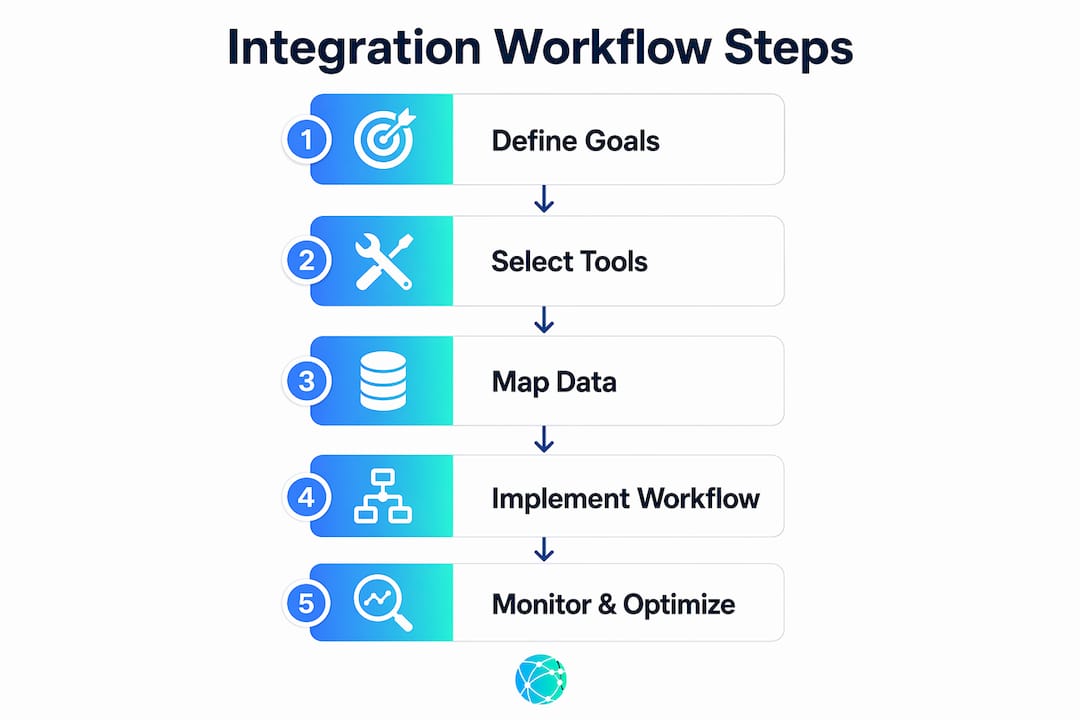
The most effective approach to executing a workflow for social profiles follows a fixed sequence. Skipping steps, especially the planning stages, is the primary reason integrations fail within the first 90 days.
- Define your goals. Write down exactly what the integration must accomplish. Examples: "All Instagram engagement events update the CRM within five minutes" or "Every new blog post publishes to LinkedIn and Twitter/X automatically."
- Audit your current accounts. List every active social profile, its login credentials, and its current audience size. Identify which platforms your audience actually uses.
- Design your data model. Create a data dictionary that maps social profile fields (username, follower count, engagement rate) to CRM fields (contact record, lead score, segment tag). Poor data-model design is the leading cause of integration failures.
- Select and connect your tools. Authenticate each social account using OAuth. Set up role-based access so only authorized team members can modify connections.
- Configure webhooks or API listeners. Webhook-driven workflows provide near-real-time CRM updates triggered by social engagement events, which is far superior to periodic polling. A comment on your Instagram post can update a CRM record within seconds.
- Set up your link hub. A centralized link in bio page acts as the public-facing anchor of your integration. It consolidates your profiles, content links, and calls to action into one branded URL.
- Test with a pilot account. Run the workflow on one platform for two weeks before connecting all accounts. This surfaces data inconsistencies before they replicate across your entire system.
- Scale and automate. Once the pilot is stable, connect remaining platforms and add automation rules for cross-posting, tagging, and reporting.
Pro Tip: Start with the lightest possible integration. Most creators fail by building overly complex setups immediately. A basic scheduling workflow is more sustainable than a custom API build you cannot maintain.
Handling multiple platforms also requires tailored content for each channel. Automation should handle distribution timing and metadata, not content formatting. A LinkedIn post and a TikTok caption serve different audiences and require different copy, even when they promote the same piece of content.
How do you troubleshoot and optimize your integration workflow?
Even well-built integrations break. The most common failure points are token expiration, data inconsistencies between platforms, and workflow bottlenecks caused by rate limits on social APIs.
Token expiration is the most frequent issue. OAuth tokens for platforms like Instagram and LinkedIn expire on a set schedule. Build a token refresh process into your workflow calendar, and set alerts for any connection that goes inactive. A dead token means your automation stops silently, and you may not notice for days.
Data inconsistencies usually trace back to the field-mapping stage. If your CRM stores follower counts as integers but your integration pushes them as strings, records will fail to update without throwing an obvious error. Audit your data types during setup and recheck them after any platform API update.
The following checklist covers the core troubleshooting techniques every marketer should run monthly:
- Verify all OAuth tokens are active and refresh dates are logged
- Check webhook delivery logs for failed or delayed events
- Compare CRM contact records against live social profile data for accuracy
- Review API rate limit usage across all connected platforms
- Test automation triggers manually to confirm they fire correctly
- Confirm that link in bio pages reflect current profile information
Monitoring tools matter as much as the integration itself. Use your CRM's activity log and your automation platform's run history to track integration health. Set up alerts for failed webhook deliveries so you catch problems before they affect audience data.
Pro Tip: Run a full integration test after every major platform update. Instagram, LinkedIn, and TikTok each update their APIs several times per year, and those updates frequently break existing webhook configurations.
Building a customer engagement workflow that accounts for these failure points from the start saves significant recovery time later.
Which integration approach fits your team's resources?
Four distinct methods exist for connecting social profiles, and each one carries a different cost, effort level, and ceiling for what it can do.
Manual integration means a team member copies content and data between platforms by hand. The effort is high, the cost is low, and the ceiling is the number of hours in a workday. This approach works for solo creators managing two platforms, but it does not scale.
Native sharing tools are the built-in scheduling and cross-posting features inside platforms like Instagram and LinkedIn. Native tools reduce repetitive posting tasks with minimal setup and near-zero cost. The trade-off is limited flexibility. You cannot customize metadata, enrich CRM records, or trigger downstream automations from a native share.
Third-party automation platforms sit between native tools and custom APIs. They connect multiple platforms through pre-built connectors and let you build multi-step workflows without writing code. The cost is moderate, the flexibility is good, and the maintenance burden is manageable for most marketing teams.
Direct API integration gives you full control over data flows, timing, and logic. The cost is high because it requires developer time, and the maintenance burden grows with every platform API update. This approach makes sense for enterprise teams with dedicated engineering resources and complex data requirements.
The comparison below maps each method to its practical trade-offs:
| Method | Effort | Cost | Flexibility | Best use case |
|---|---|---|---|---|
| Manual | High | Low | None | Solo creators, 1–2 platforms |
| Native sharing | Low | Free | Limited | Basic cross-posting, small teams |
| Third-party platforms | Medium | Moderate | Good | Growing teams, multi-platform workflows |
| Direct API | High | High | Full | Enterprise, custom data pipelines |
The right starting point for most digital marketers is a third-party automation platform paired with a centralized link hub. That combination handles 80% of integration needs without requiring developer resources. Effective multi-link strategies show that layering tools incrementally, rather than building everything at once, produces more stable and maintainable workflows.
Automation in sales prospecting follows the same principle: start with the highest-leverage connection point and expand from there.
Key Takeaways
A social profile integration workflow succeeds when it starts with clear business goals, uses OAuth-secured connections, and scales from simple scheduling to full API automation in deliberate stages.
| Point | Details |
|---|---|
| Define goals first | Write specific outcomes before selecting any tool or connecting any account. |
| Use OAuth and access controls | Secure authentication protects account credentials and improves governance across your team. |
| Start simple, then scale | Begin with native tools or a link hub before adding API complexity. |
| Webhooks beat polling | Webhook-driven sync delivers near-real-time updates that keep CRM data accurate. |
| Monitor monthly | Check tokens, webhook logs, and field mappings after every major platform update. |
Why integration strategy matters more than integration technology
The marketers I see struggle most with social integration are not the ones who chose the wrong tool. They are the ones who treated integration as a one-time technical project rather than an ongoing strategic layer. They built a workflow, declared it done, and walked away. Six months later, half the connections were broken and nobody knew why.
The shift that changes everything is treating your social presence as a connected system of social media hubs rather than a collection of separate accounts. When you think in systems, you build monitoring into the workflow from day one. You plan for token expiration. You test after platform updates. You treat the workflow as something that needs tending, not just launching.
The other lesson I keep coming back to is the value of starting at the link layer. Before you touch APIs or CRM field mapping, get your link in bio right. That single branded URL is the public face of your entire integration. If it is outdated or broken, every other connection you build is undermined. Get the foundation solid, then layer upward.
Digital marketers in 2026 who treat social media, AI content planning, and operational data as one unified system will outperform those who manage each channel separately. The technology to build that system exists today. The constraint is almost always strategic clarity, not technical capability.
— Axion
Lflow makes profile integration faster to set up
Building a solid integration starts at the link layer, and that is exactly where Lflow delivers immediate value. Lflow's link in bio pages consolidate your Instagram, TikTok, YouTube, LinkedIn, and Twitter/X profiles into a single branded URL that you can set up in under two minutes.

From that central hub, you can connect your content links, track real-time engagement analytics, and generate a free QR code for offline promotion. Lflow's free link in bio templates give you a ready-made foundation so you spend time on strategy, not setup. The platform also supports custom domains and mobile-optimized designs, making it a practical first layer for any integration workflow. Start your Lflow profile and give your audience one place to find everything you publish.
FAQ
What is social profile integration?
Social profile integration is the process of connecting multiple social media accounts to a central system so content, data, and audience information flow consistently across platforms. The goal is a unified digital presence that reduces manual work and improves audience engagement.
How do webhooks improve a social media integration process?
Webhooks trigger immediate updates in connected systems, like a CRM, the moment a social engagement event occurs. This is faster and more accurate than periodic data polling, which can delay updates by minutes or hours.
What is the biggest cause of integration workflow failures?
Poor data-model design is the leading cause. Creating a data dictionary and mapping social profile fields to CRM fields before automation runs prevents the majority of data inconsistency errors.
How do I integrate social profiles without a developer?
Third-party automation platforms with pre-built social connectors let marketers build multi-step workflows without writing code. Pairing one of these platforms with a link in bio tool like Lflow covers most integration needs for growing teams.
When should I upgrade from native sharing to API integration?
Upgrade when native tools can no longer handle your data volume, when you need CRM enrichment from social events, or when your team manages more than three platforms simultaneously. Start with a third-party platform before committing to a full API build.