

Most digital marketers and content creators spend hours crafting content but leave their links as an afterthought. That's where engagement quietly dies. Knowing how to optimize social links is the difference between traffic you can measure, attribute, and grow versus a black hole of anonymous clicks. Untagged URLs, stale bio destinations, and generic short links cost you real data and real conversions every single day. This guide walks you through every stage of the process, from the tools you need upfront to the analytics habits that compound your results over time.
Table of Contents
- Key takeaways
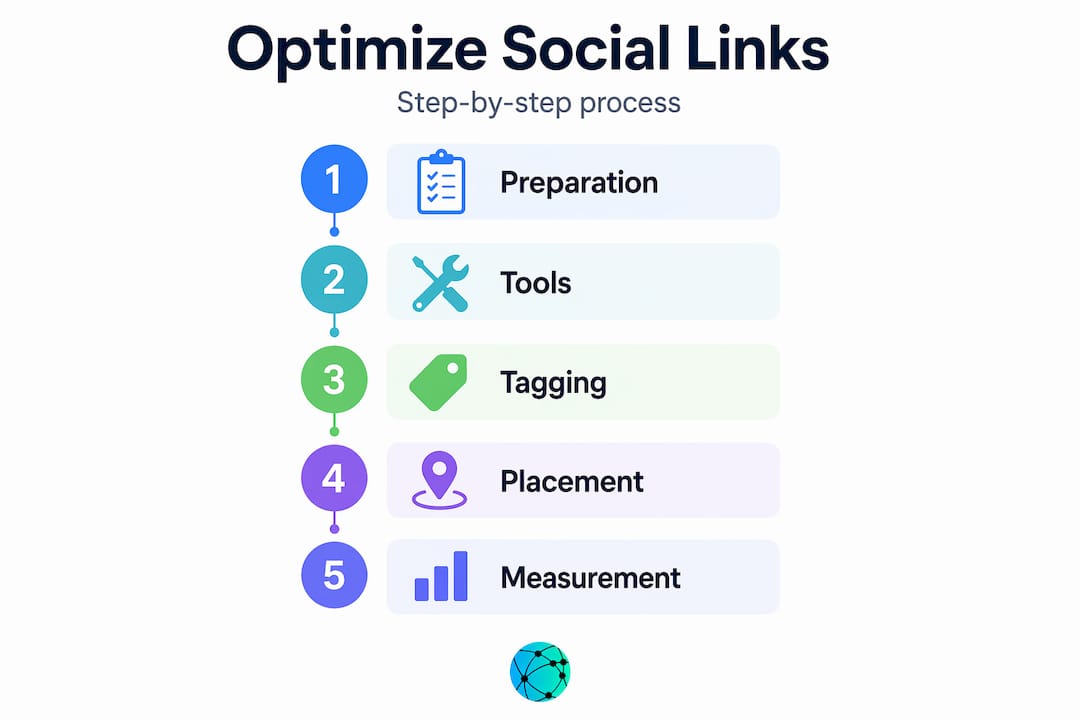
- How to optimize social links: preparation first
- Creating and tagging social links step by step
- Placement and management across platforms
- Measuring, troubleshooting, and iterating
- My honest take on link optimization
- Take your link strategy further with Lflow
- FAQ
Key takeaways
| Point | Details |
|---|---|
| UTM parameters are non-negotiable | Tag every social link with utm_source, utm_medium, and utm_campaign to accurately attribute traffic. |
| Branded short links build trust | Custom domain short URLs can increase click-through rates by up to 34% compared to generic ones. |
| Centralize your bio links | One landing page with prioritized links outperforms scattering multiple direct links across posts. |
| Review analytics weekly | Small, data-driven adjustments to placement and CTA copy produce measurably higher engagement over time. |
| Naming conventions prevent chaos | A single source-of-truth with enforced UTM naming stops broken tracking before it starts. |
How to optimize social links: preparation first
Before you touch a single URL, you need the right infrastructure. Skipping this step is exactly why most link strategies fall apart at scale.
The core tools you actually need
Three tools form the foundation of any optimized link workflow. First, a UTM builder (Google's Campaign URL Builder is free and gets the job done). Second, a link shortener that supports branded domains and preserves query strings through 301 redirects. Third, a tracking spreadsheet or link management platform where every link lives in one place.
Tagging every social link with UTMs is the single most important habit in this entire guide. The four fields you care about most are "utm_source(the platform, like instagram or linkedin),utm_medium(the traffic type, like social or paid-social),utm_campaign(the campaign name), andutm_content` (the specific creative or placement variant).
Naming conventions: the boring part that matters most
Disorganized link creation and inconsistent naming are the leading causes of broken campaign analytics. Pick a naming schema and enforce it across your entire team. For example: utm_source=instagram, never Instagram, IG, or Insta. Lowercase, no spaces, no abbreviations unless they are defined in your naming doc.
Here is a quick reference for your pre-launch checklist:
- UTM builder bookmarked and shared with all team members who create links
- Master tracking spreadsheet with columns for URL, UTM values, destination page, launch date, and owner
- Approved naming dictionary listing every acceptable value for each UTM parameter
- Branded domain set up in your link shortener for custom short URLs
- Test environment ready (incognito browser plus a mobile device) for validating redirects before publishing
Put this spreadsheet in a shared drive. One source of truth, always current. That single habit prevents more attribution errors than any tool upgrade ever will.
Creating and tagging social links step by step
With your tools ready, the actual link creation process follows a strict order. Most mistakes happen when people reverse steps two and three.
- Build the full destination URL first. Start with the exact landing page you want to send traffic to. No shortcuts here.
- Apply all UTM parameters. Use your UTM builder to append the correct source, medium, campaign, and content values. The full tagged URL will look messy. That's fine.
- Shorten the tagged URL, not a clean one. Proper URL shortening workflows require building the complete UTM URL first, then running it through your shortener. If you shorten first and tag second, you break the redirect chain and lose your data.
- Use a branded domain for your short link. Instead of a generic domain, a custom domain like
yourbrand.link/campaign-namesignals legitimacy. Branded shortened links increase click-through rates by up to 34% by improving user trust and recognition. - Apply dynamic UTM macros in paid platforms. If you run ads on Meta or LinkedIn, use their built-in URL parameter macros (like
{{ad.name}}) inside your UTM content field. This automates tagging at scale without manual entry per ad. - Validate every link before it goes live. Open the final short URL in an incognito browser on both desktop and mobile. Confirm the destination is correct. Failing to preserve UTMs through your shortener is one of the most common and silent analytics killers.
Pro Tip: Create a simple QA checklist in your tracking spreadsheet with checkboxes for: UTM values match naming dictionary, redirect lands on correct page, short link uses branded domain, and link opens correctly on mobile. Sign off before publishing anything.
Placement and management across platforms
Creating a perfect link means nothing if it sits in the wrong spot. Where you place social links is just as strategic as how you build them.

Bio links vs. in-post links
One central bio link directing to a landing page with prioritized links consistently outperforms scattering direct links across individual posts. Platforms like Instagram and TikTok restrict clickable links in post captions anyway, making your bio the highest-value real estate on your profile. Treat it like your homepage, not an afterthought.
That bio destination needs to stay current. Refreshing bio link destinations to match your active campaigns prevents conversion loss from stale URLs. If your bio still points to a holiday promotion from three months ago, you are actively eroding trust with every visitor who clicks it.
Aligning CTAs with destinations
Most conversion leaks happen before a click. Mismatched CTAs or outdated link destinations erode visitor trust before they even reach your page. If your post copy says "get your free guide" but the button on your bio page says "shop now," the mismatch creates friction that costs you the conversion. Every button label must reflect exactly what the user will find on the other side.
Pro Tip: Audit your bio page once a month with a fresh set of eyes. Ask one question about each link: does the label match what the destination actually delivers right now? If not, update one or the other immediately.
Platform-specific considerations
- Instagram: One clickable link in bio. Use a link page to house multiple destinations. Stories links (via stickers) work for campaign-specific CTAs.
- TikTok: Bio link requires a Business account. Single link only, so a link landing page is mandatory for creators promoting multiple offers.
- LinkedIn: Both your personal profile and company page support website URLs. Add UTMs to both and track them separately.
- Twitter/X: Bio link is visible and clickable. Post links are also clickable, making this the most link-friendly major platform.
- YouTube: Channel website link and up to five social links appear prominently. Video descriptions allow multiple links with full UTM support.
Well-designed social profiles also carry a secondary benefit. Active, accurate profiles with consistent brand info help Google's Knowledge Graph verify your business, which improves organic search visibility over time. Consistent link destinations are part of that signal. You can read more about how link in bio trends affect profile performance to stay ahead of what works.
Measuring, troubleshooting, and iterating
Building and placing links correctly is step one. Knowing whether they work and improving them over time is where most programs fall short.
Metrics that actually tell you something
| Metric | What it tells you | Action to take |
|---|---|---|
| Click-through rate (CTR) on bio page | Which links earn the most interest from visitors | Move top-performing links to the top of your bio page |
| Traffic source breakdown | Whether your UTM tagging is working correctly | Fix any "direct" or "unknown" source spikes that indicate broken tags |
| Device split (mobile vs. desktop) | How your audience accesses links | Prioritize mobile-optimized destinations for high-mobile platforms |
| Link click trends over time | Which campaigns drive sustained traffic vs. one-time spikes | Double down on content formats that produce sustained clicks |
Monitoring link-page CTR helps you identify top-performing links to prioritize and adjust. This is not set-and-forget work. Reviewing link analytics weekly leads to measurably higher engagement and growth compared to checking in only when something breaks.
Common mistakes that kill your data
- Inconsistent UTM values: Mixing
Instagramandinstagramsplits your data into two separate sources in Google Analytics. Lowercase everything. - Broken redirects: A 404 on your destination page after a site migration is invisible unless you test. Quality and consistency in social linking trump quantity every time.
- Over-linking posts: Pasting five links into a single caption fragments your audience's attention and often triggers platform suppression in feeds.
- Untested URLs: Never publish a link you have not personally clicked in incognito mode on a phone. Never.
The fix for most of these mistakes is the same: enforce your naming conventions, keep a living link inventory, and test before publishing. Consider a profile linking guide to help structure your testing and placement approach across platforms.
My honest take on link optimization
I've watched creators with excellent content struggle with single-digit click rates, and watched less polished accounts with half the following drive three times the traffic. The difference was almost never the content. It was the link strategy.
Here's what I've learned after years of digging into these analytics: most marketers treat link setup as a one-time task they do when they launch something. They build a bio page, add some links, and walk away. That's the wrong mental model entirely. Your link system is a living document, and every week you ignore it is a week of compounding signal loss.
The other thing I've found surprising is how much damage bad naming conventions do at scale. At scale, link tracking fails without a centralized source of truth and enforced naming. I've audited accounts where half the UTM data was split across three different spellings of the same platform name. Six months of campaign data, effectively useless.
The contrarian point I always make: do not add complexity before you have consistency. I've seen teams obsess over heatmaps and scroll depth before they've even fixed their broken UTM values. Get the basics right first. Tag everything. Name it consistently. Test every link. Then add layers. Small, disciplined tweaks applied weekly add up to a dramatically different performance curve by the end of a quarter.
Social links, done well, also contribute to brand authority signals in search. Social links help Google associate and verify legitimate businesses, which means your optimization work pays dividends beyond the social channel itself. That's the kind of compounding benefit most people don't see because they stopped looking after the click.
— Axion
Take your link strategy further with Lflow
If the steps in this guide feel like a lot to manage manually, that's because they are. Lflow was built specifically to take this friction out of the process.

With Lflow, you get pre-built link in bio templates that are professionally designed and ready to customize in under two minutes. The platform supports branded short URLs, built-in analytics dashboards that show CTR and device breakdowns at a glance, and free QR code generation for offline-to-online campaigns. Instead of juggling a spreadsheet, a separate shortener, and a third-party analytics tool, Lflow centralizes everything. You can start for free with unlimited links and QR codes, or explore premium plans built for creators and marketers who need custom domains and advanced tracking.
FAQ
What are UTM parameters and why do they matter for social links?
UTM parameters are tags added to your URLs that tell analytics tools exactly where a visitor came from, which campaign drove the click, and which creative they saw. Without them, social traffic appears as "direct" or "unknown" in your reports, making it impossible to measure what works.
How often should I update my bio link destination?
Update your bio link destination any time a campaign ends or a featured offer changes. Stale links that point to expired promotions erode trust and cost you conversions from visitors who are otherwise ready to act.
Do branded short links actually improve click-through rates?
Yes. Branded shortened links increase click-through rates by up to 34% compared to generic short URLs because users recognize and trust custom domains over random character strings.
What is the biggest mistake marketers make with social link tracking?
The most common mistake is inconsistent UTM naming, such as mixing uppercase and lowercase versions of the same platform name, which splits campaign data across multiple rows in your analytics and makes performance reporting unreliable.
Should I use one link or multiple links in social media posts?
For platforms that support clickable links in posts, use one focused link per post with a CTA that matches the destination exactly. Over-linking fragments attention and can trigger feed suppression on some platforms.