
One simple bio link used to be enough. It isn't anymore. Conversion data shows that creators using all-in-one link tools see 20 to 60% higher conversions compared to sending followers to a single URL, plus a 35% lift in mobile sales and a 40% jump in click-through rates in documented cases. If you're still dropping one lonely link in your Instagram or TikTok bio, you're leaving real audience connections and revenue on the table. This guide breaks down exactly what these tools do, what the numbers say, and how to use them without making the mistakes that hurt most creators.
Table of Contents
- What are all-in-one link tools and why do they matter?
- Real results: Conversion, engagement, and mobile performance gains
- Feature showdown: Simple vs. advanced all-in-one link tools
- Best practices: Avoiding common pitfalls and decision fatigue
- Why the right curation trumps endless features for link success
- Ready to transform your social links?
- Frequently asked questions
Key Takeaways
| Point | Details |
|---|---|
| Higher conversions | All-in-one link tools can boost conversions by 20-60% compared to single bio links. |
| Optimal link count | Including 3 to 7 curated links avoids choice overload and maximizes engagement. |
| Simple vs advanced | Choose simple tools for quick redirects and advanced ones for sales features based on your goals. |
| Regular updates matter | Updating and optimizing links regularly brings better results than constantly chasing new features. |
| Avoid common mistakes | Decision paralysis and outdated offers are the most frequent pitfalls when managing link tools. |
What are all-in-one link tools and why do they matter?
All-in-one link tools, often called "link in bio" pages, are single branded URLs that house multiple destinations in one place. Instead of choosing between your YouTube channel, your online store, your latest podcast, or your newsletter signup, you give your audience one link that leads to all of them. Tools like Linktree, Beacons, and Lflow.co pioneered this space, and the category has grown significantly as social platforms tightened their single-link restrictions.
The problem these tools solve is real. Most social platforms allow only one clickable link in a bio. That forces creators to constantly update a single URL as they launch new content, run promotions, or point to different platforms. Every update means old content loses its entry point. Traffic gets fragmented, analytics get messy, and the audience experience suffers.
All-in-one link tools typically include:
- Multiple clickable links in one organized page
- Real-time analytics showing which links get clicked most
- Customizable themes, colors, and fonts to match your brand
- Embedded media like videos, music players, and product feeds
- QR codes for offline promotion at events or on packaging
- Mobile-optimized layouts that load fast on smartphones
- Custom domain support for a fully branded URL
Understanding why multi-link pages for growth became essential comes down to one shift: audiences don't browse creator content in a straight line. They might find you on TikTok, follow you on Instagram, buy from your Shopify store, and stream your Spotify playlist. One link can't serve all those journeys simultaneously. A well-built link page can.
The conversion lift data bears this out: creators using these tools consistently report 20 to 30% conversion increases, with high-performing accounts seeing up to 60% more conversions than a single-link setup. That's not a marginal improvement. That's a category difference.

Real results: Conversion, engagement, and mobile performance gains
Defining the tools is only the start. The real question is what performance gains you can actually expect when you make the switch. The evidence is specific and worth reviewing in detail.
| Metric | Single link | All-in-one link tool | Improvement |
|---|---|---|---|
| Conversion rate | Baseline | 20 to 60% higher | Significant |
| Mobile sales lift | Baseline | Up to 35% higher | Strong |
| Click-through rate | Baseline | Up to 40% higher | Major |
| Audience retention | Low (dead ends) | Higher (multiple paths) | Qualitative gain |
The table shows a consistent story. Across conversion rates, mobile sales, and engagement metrics, all-in-one tools outperform single-link setups in every category.
"Creators using all-in-one link tools report click-through rate increases of up to 40% compared to single-link bios, with mobile sales lifting by as much as 35%." This isn't a feature benefit. It's a structural advantage.
Here's why the numbers work the way they do. When you understand the mechanics, you can replicate the results intentionally.
- Reduced drop-off at the first click. A single link forces a binary choice: click or don't. A curated link page gives visitors options, so more people find something relevant to them and stay engaged.
- Better audience segmentation. When you track which links get clicked most, you learn what your audience actually wants. That insight shapes your next content decisions.
- Mobile-first design matters. Most social traffic is mobile. A properly optimized link page loads fast and looks clean on a phone screen, reducing bounce rates significantly.
- Evergreen traffic paths. Old posts and past collaborations can continue driving traffic to your latest offers because your link page is always current, even when the post isn't.
Understanding bio link audience engagement as a system rather than a shortcut changes how you build. And using a short URL for social media makes your branded link cleaner and more memorable in captions and stories.
It's also worth noting that portfolio links for credibility matter too. Creators who include curated work samples or media kits on their link pages see higher partnership inquiry rates because brands can evaluate fit in seconds.
Pro Tip: Connect your link page analytics to your content calendar. If a specific link drives 70% of your clicks, build your next three pieces of content around that topic. The data tells you exactly where your audience wants to go.
Feature showdown: Simple vs. advanced all-in-one link tools
You've seen the impact. Now the question becomes how to choose the right tool for your specific content strategy and goals. Not every creator needs the same setup, and picking the wrong tier of tool is one of the most common mistakes in this space.
Simple vs. advanced all-in-one link tools:
| Feature | Simple tools (e.g., Linktree basic) | Advanced tools (e.g., Beacons, Lflow.co) |
|---|---|---|
| Multiple links | Yes | Yes |
| Analytics | Basic (click counts) | Real-time, detailed segmentation |
| Embeds (video, music, products) | Limited or none | Full embed support |
| Custom domain | Paid tier only | Available |
| Shoppable feeds | No | Yes |
| QR code download | Limited | Free and downloadable |
| Theme customization | Limited | Full color, font, layout control |
| Setup time | Under 2 minutes | Under 2 minutes |
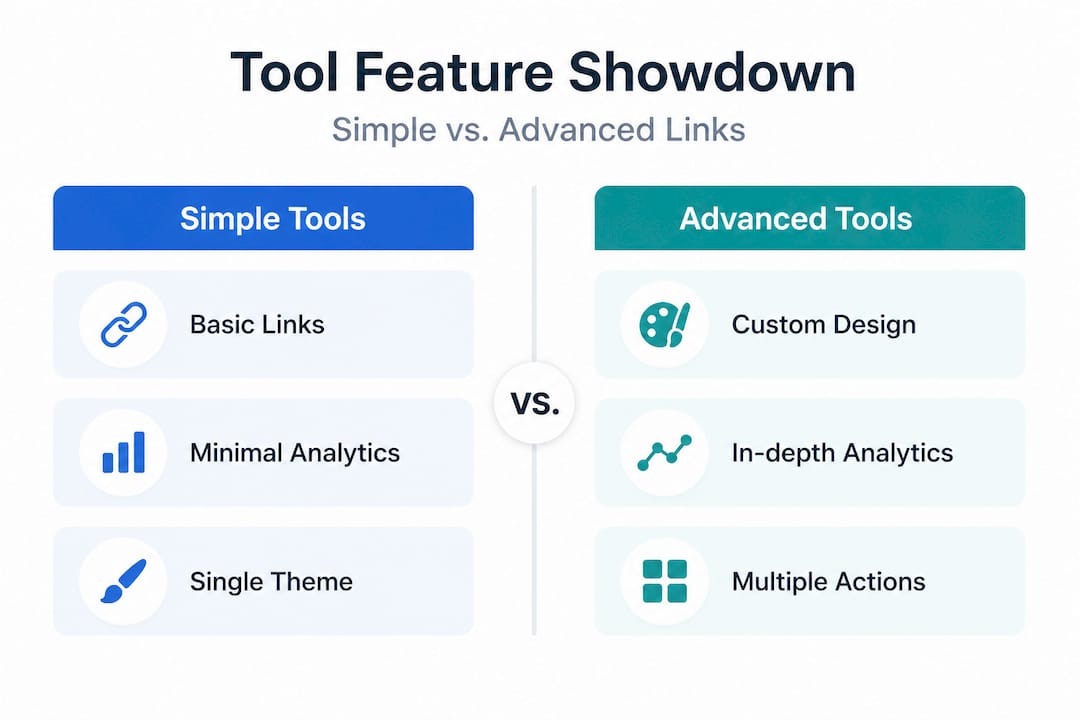
Simple tools vs. advanced platforms serve genuinely different purposes. Simple tools excel for quick redirects and low-friction campaigns like newsletter signups or single event promotions. Advanced tools are better for product launches, audience segmentation, and sales-driven campaigns where embeds and conversion tracking matter.
When a simple tool is the right call:
- You're just starting out and want zero learning curve
- Your main goal is sending followers to one or two destinations
- You don't need branded URLs or deep analytics yet
- You're running a short-term campaign with a tight timeline
When you need an advanced tool:
- You're monetizing through multiple platforms at once (merch, courses, brand deals, streaming)
- You want to track which specific links drive revenue, not just clicks
- You're running product launches that need shoppable feeds or embedded videos
- Your brand has a distinct visual identity you want reflected in every touchpoint
Comparing Lflow.co vs Linktree is a useful exercise here. Both offer core link management, but the depth of customization and analytics capability diverges quickly. Knowing the top link in bio features that actually affect performance helps you evaluate tools on the metrics that matter for your goals, not just a feature checklist.
If you're exploring options beyond the usual suspects, looking at youlinkit.com alternatives can surface platforms with better pricing, stronger customization, or more creator-specific features.
Pro Tip: Match your tool choice to your current campaign goals, not your future wishlist. A creator running one newsletter doesn't need a shoppable product grid. Start lean, then upgrade when the gap between what you need and what you have becomes a real constraint.
Best practices: Avoiding common pitfalls and decision fatigue
With a tool picked, using it well makes all the difference. The most technically capable link page in the world underperforms if the basics aren't right. And there are very predictable mistakes that cost creators traffic and conversions every single day.
Steps to optimize your link page for maximum performance:
- Limit yourself to 3 to 7 links. Research shows that too many links cause decision paralysis, reducing overall click rates. More choices don't help. Fewer, better choices do.
- Put your most important link first. Most visitors won't scroll far. Lead with the destination you most want them to visit, whether that's a new product, your latest video, or a current promotion.
- Update your page regularly. Stale links waste traffic. If your top link leads to a sold-out product or an expired offer, you're actively hurting conversions.
- Match your visuals to your platform audience. A dark, minimal aesthetic works for some creator niches. Bright, high-contrast designs work for others. Your link page should feel like a natural extension of your feed, not a generic template.
- Test your page on mobile before publishing. The majority of your audience will see your page on a smartphone. Button sizes, font readability, and load speed all affect whether they click or bounce.
- Include a clear call to action on at least one link. Don't just label a link "Shop." Try "Get 20% off today" or "Watch my latest video." Specificity drives clicks.
Common mistakes that hurt performance:
- Overloading the page with 10 or more links, forcing visitors to choose between too many options
- Leaving outdated offers or sold-out products at the top of the list
- Using heavy image grids that slow mobile load times significantly
- Ignoring analytics and never rotating underperforming links out
- Using a generic template that doesn't match your brand's visual identity
- Forgetting to add new content channels when you launch on a new platform
Learning how to drive traffic with one link efficiently comes down to curation, not volume. And investing time in link branding pays off because a branded URL builds trust with first-time visitors who might otherwise hesitate to click an unfamiliar link. Exploring how AI for link in bio tools work can also help you generate better link labels and descriptions faster.
Pro Tip: Schedule a monthly link audit in your content calendar. Review click data, remove anything that hasn't performed in 30 days, and replace it with something fresh. This single habit consistently improves CTR more than any design tweak.
Why the right curation trumps endless features for link success
Here's something most link-in-bio content won't tell you: the creators who see the biggest gains aren't the ones using the most sophisticated tools. They're the ones who curate ruthlessly and update consistently.
The pattern we see repeatedly is that a creator launches a shiny new link page, loads it with every possible destination, and then wonders why clicks are flat. The tool isn't failing. The strategy is. Adding a shoppable feed, embedded music player, and social media grid sounds powerful. But when a first-time visitor lands on a page with twelve options and no clear direction, they leave.
"Simplicity is the most underrated growth lever in creator marketing. A clean, focused link page with five strong links consistently outperforms a feature-heavy page with no clear hierarchy."
The growth lessons for creators that actually move the needle come from treating your link page like a landing page, not a sitemap. Every element should serve a specific purpose. Every link should earn its spot based on performance data, not just because it exists.
Regular audits matter more than most creators realize. Swapping out one underperforming link for a fresh, relevant destination can increase overall page CTR by 15 to 20% within a week. That's not a feature upgrade. That's a five-minute edit. The creators who win long-term with these tools aren't the early adopters of every new feature. They're the ones who show up every month, check the numbers, and make small adjustments that compound over time.
Ready to transform your social links?
All-in-one link tools aren't a trend. They're the standard infrastructure for creators who want every visitor to count. The data is clear, the tools are accessible, and the practices are straightforward once you know what to prioritize.

Lflow.co makes the whole process genuinely simple. You can create a free link in bio page in under two minutes, choose from professionally designed bio link templates that match your brand, and connect seamlessly with Instagram, TikTok, YouTube, and LinkedIn. Real-time analytics, free QR code downloads, and full design customization are all included without a complicated setup. Whether you're a solo creator or a growing brand, the Lflow.co platform gives you the tools to turn every bio click into a meaningful audience connection.
Frequently asked questions
How many links should I include in my all-in-one bio?
Aim for 3 to 7 curated links to avoid decision paralysis and maximize the overall click rate on your page.
Will using an all-in-one tool help increase my sales or engagement?
Yes, documented data shows 20 to 60% conversion increases and mobile sales lifts up to 35% when creators switch from single links to all-in-one link pages.
Are there drawbacks to all-in-one link tools?
The main drawbacks include decision fatigue from overloading with too many links, traffic waste from outdated top links, and potential slower load times if you use heavy image-based layouts.
How do I pick between a simple and advanced link tool?
If you need quick redirects with minimal setup, a simple tool works well; for e-commerce, embedded content, and detailed analytics, an advanced platform delivers significantly better results.
Recommended
- Top Ways to Drive Traffic with One Link and Boost Engagement
- Profile linking guide for creators to boost engagement
- Supercharge Your Social Media Content: How AI Can Boost Your Link-in-Bio Strategy
- Why use bio links? Boost engagement and grow your brand
- How to use portfolio links that boost your credibility