

Most creators assume link branding is just about making their URLs look prettier. Swap out a generic tracking domain for something with your brand name, and you're done, right? Not even close. Link branding is actually one of the most powerful and underutilized tools in your digital marketing toolkit. It directly affects whether your emails land in inboxes or spam folders, whether your audience trusts your links enough to click them, and whether your brand feels cohesive across every platform where you show up.
Table of Contents
- What is link branding and why does it matter?
- How link branding works: The technical foundation
- Comparing branded vs. generic links: Impact on engagement and trust
- Managing branded links: Lifespan, edge cases, and pitfalls
- Why most creators overlook link branding (and what they risk)
- Ready to elevate your links? Free tools to get started
- Frequently asked questions
Key Takeaways
| Point | Details |
|---|---|
| Brand trust boost | Branded links help grow trust and engagement by clearly showing your brand in every click. |
| Better deliverability | Using your domain for links protects email campaigns from being flagged by spam filters. |
| Technical setup essentials | Careful DNS and SSL setup is necessary for secure, reliable branded links. |
| Avoid breaking links | Deleting or changing branded settings can break links, so handle updates with care. |
What is link branding and why does it matter?
Link branding is the practice of replacing third-party or generic tracking domains in your URLs with a domain or subdomain that belongs to your own brand. Instead of sending people to something like "click.generictracker.com/abc123, your links go through a domain like links.yourbrand.com`. The destination is the same. The experience for your audience is dramatically different.
Think about what happens when a reader sees an unfamiliar domain in an email or a social post. Their first instinct is suspicion. Is this spam? Is this a phishing attempt? A branded link removes that doubt immediately. When people see your brand name in the URL, they already know where they're going before they even click.
Here's what link branding actually delivers:
- Credibility and trust: Your audience associates the link with your brand, not an unknown third party.
- Improved open rates: In email marketing, branded links signal legitimacy to both the reader and the inbox provider.
- Professional consistency: Every link you share, whether in an email, on Instagram, or in a LinkedIn post, feels like part of the same brand experience.
- Deliverability protection: Branded links improve email deliverability by using the sender's domain reputation for click-tracked links, avoiding third-party domain scrutiny by spam filters.
That last point is critical and often overlooked. Spam filters don't just scan the content of your email. They also evaluate every domain referenced in your message, including the domains used to track clicks. When you use a generic SendGrid or Mailchimp tracking domain, your email's reputation is tied to every other sender using that same domain. Some of those senders may be spammers. Your email pays the price.
"Your link's domain is a reputation signal. When you use a generic provider domain, you're borrowing someone else's reputation. When you use your own, you're investing in yours."
Beyond email, link branding matters on social media too. A well-crafted, matching bio link to your brand tells your audience that you've thought carefully about every detail of your presence. That consistency builds trust faster than any marketing copy can.
Brand consistency is not a nice-to-have. Research consistently shows that consistent brand presentation across channels increases revenue by up to 23 percent. When your links carry your brand's identity, they become part of a unified system that reinforces recognition at every touchpoint.
How link branding works: The technical foundation
Now that you know why link branding matters, here's how it actually works behind the scenes.
Setting up link branding involves three main components: a custom domain or subdomain, DNS records, and SSL/TLS certificates. The mechanics involve setting up a custom domain/subdomain, adding DNS records like CNAME to point to the link management service, and optionally SSL/TLS certificates for HTTPS to secure the connection.
Here's a simplified breakdown of the process:
- Register a subdomain. Choose something like
go.yourbrand.comorlinks.yourbrand.com. You don't need a brand-new domain. A subdomain of your existing website works perfectly. - Log in to your DNS provider. This is wherever you manage your domain settings, such as GoDaddy, Namecheap, or Cloudflare.
- Add a CNAME record. Point your chosen subdomain to the link management platform's server. For example,
go.yourbrand.comCNAMEcustom.trackingplatform.com. - Verify the record. Most platforms will prompt you to confirm that the CNAME resolves correctly. This can take anywhere from a few minutes to 48 hours depending on your DNS provider.
- Enable SSL/TLS. This ensures your links load over HTTPS. Without it, browsers and email clients may flag your links as insecure, which completely defeats the purpose.
A detailed walkthrough of using your own domain can make this process much faster if you're new to DNS settings.
Pro Tip: Use a dedicated subdomain for link branding rather than your root domain. If anything goes wrong with your link tracking setup, your main website stays completely unaffected.
Here's a quick reference table for common DNS record types and what they do in the context of link branding:
| DNS record type | Purpose in link branding | Example value |
|---|---|---|
| CNAME | Points subdomain to tracking platform | links.yourbrand.com → track.provider.com |
| A record | Points subdomain to server IP address | links.yourbrand.com → 192.0.2.1 |
| TXT record | Verification and email authentication | Used to prove domain ownership |
| SSL/TLS cert | Enables secure HTTPS connections | Issued by Let's Encrypt or similar |
When getting into the technical side, image quality and visual presentation also matter for the pages your links lead to. A strong bio link image tips strategy ensures that once someone clicks your branded link, the experience lives up to the promise your URL made.
Common pitfalls to avoid include mistyping the CNAME target value, forgetting to remove conflicting DNS records, and skipping SSL altogether because it seems optional. It's not optional. Any modern browser will display a security warning for HTTP links, which can cause your audience to abandon the page entirely before they even see your content.
For a step-by-step walkthrough tailored to beginners, the custom domain setup guide covers the process from start to finish.
Comparing branded vs. generic links: Impact on engagement and trust
Understanding the technical setup, let's see the difference branding actually makes in real campaigns.
Picture two identical emails sent to the same subscriber list. Email A contains a link that looks like https://sendgrid.net/ls/click?upn=xyzABC123. Email B contains a link that looks like https://go.yourbrand.com/summer-sale. Both links go to the exact same landing page. Which one gets more clicks?
Email B wins every single time. Here's why.
The branded link communicates several things instantly: the sender is legitimate, the destination is predictable, and the company has invested in its own infrastructure. The generic link communicates the opposite. It looks like every phishing attempt your subscribers have ever been warned about.

Branded links improve email deliverability by using the sender's domain reputation instead of a shared third-party domain, which means your messages are evaluated on your own track record rather than pooled with potentially problematic senders.
Here's how the two options stack up across the metrics that actually matter:
| Metric | Branded links | Generic links |
|---|---|---|
| Trust signal to readers | Strong, immediate | Weak or suspicious |
| Spam filter risk | Low (uses your domain) | Higher (shared domain risk) |
| Click-through rate impact | Positive | Neutral to negative |
| Brand recognition per click | High | None |
| Long-term domain reputation | Builds over time | Borrows from third party |
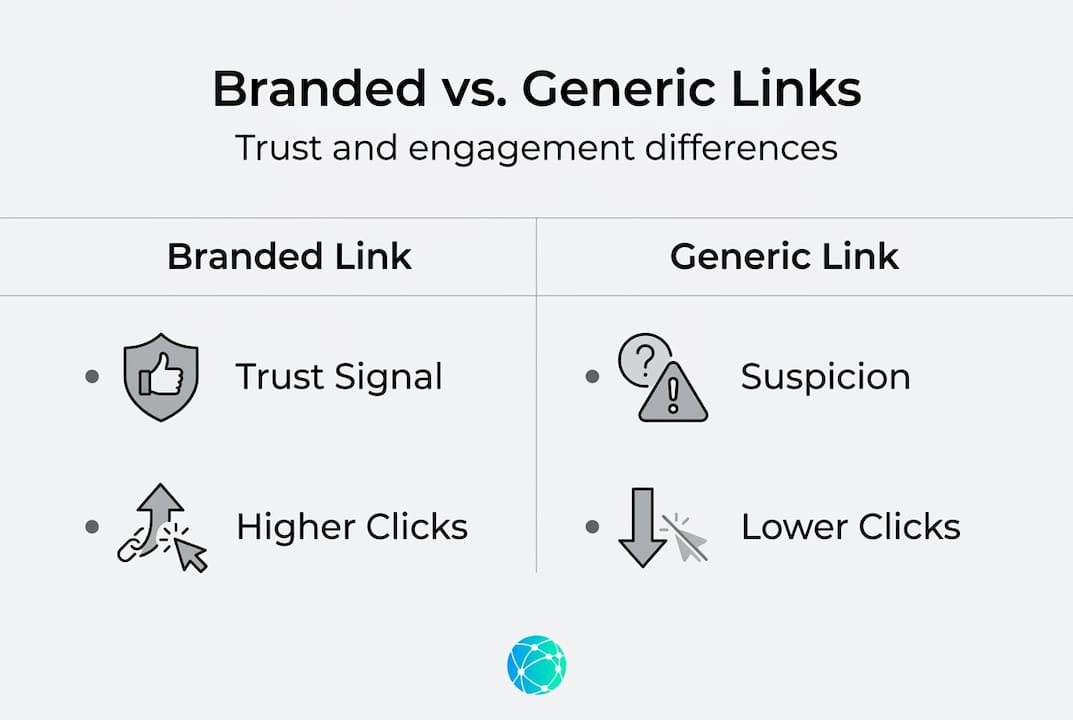
Beyond the numbers, user perception differences are significant. Surveys of email recipients consistently find that people are far less likely to click a link when they cannot recognize the domain. This is especially true on mobile, where the full URL may not even be visible until after the click. A branded subdomain like go.yourbrand.com builds trust even when the full URL is truncated.
Generic domains also frequently appear on shared IP pools alongside spammers. When inbox providers like Gmail or Outlook see that same tracking domain in thousands of unrelated emails, they start treating it as a risk signal. Your perfectly legitimate email gets caught in that crossfire.
For social media specifically, boosting social media with branded links shows how a cohesive link strategy amplifies your content's reach and credibility across platforms. And if you're evaluating your options for bio link tools, a side-by-side branded link comparison can help you see exactly what different platforms offer.
Key user perception differences between branded and generic links:
- Recognition: Audiences recognize branded domains and associate them with your business immediately.
- Safety: Branded links signal safety. Generic links trigger phishing anxiety.
- Professionalism: A branded link tells your audience you're serious about your business.
- Shareability: People are more likely to forward or share a link that looks credible.
Managing branded links: Lifespan, edge cases, and pitfalls
After comparing results, it's crucial to avoid common branding mistakes as you implement your own system.
Link branding is not a set-it-and-forget-it solution. Once you've set up your custom domain, you need to manage it actively. Errors and oversights in link management can erase the benefits you've worked to build, or worse, break links that are already live and circulating across the internet.
Edge cases include SSL errors if there's no certificate on the proxy server during email branding setup. Deleting old branding breaks existing links with no way to recover them. Platforms may throttle new accounts until you establish native value before links work at full capacity.
Here's what you need to watch for:
- SSL certificate expiration: Even if you set up HTTPS correctly at the start, certificates expire. An expired certificate will cause your branded links to display security warnings or fail entirely. Set a calendar reminder to renew at least 30 days before expiration.
- Deleting branded link configurations: If you remove your custom domain setup from your link management platform, every link that was ever generated under that domain stops working immediately. This can affect emails that were sent months ago and are still being forwarded, shared, or clicked.
- Changing subdomains mid-campaign: If you switch from
go.yourbrand.comtolinks.yourbrand.comafter a campaign is live, all existing links using the old subdomain break instantly. - Platform rate limits: Some tools place limits on how many branded links you can create per day or per month until your account reaches a certain standing. Plan your campaigns with this in mind, especially if you're launching a high-volume outreach.
"Never delete a branded domain configuration while you have active campaigns or legacy links still in circulation. The damage is immediate and irreversible."
Pro Tip: Keep a master spreadsheet of every branded link configuration you've set up, which campaigns use them, and when they were created. This makes audits fast and prevents accidental deletions.
For best practices across your full digital presence, exploring blog categories on link management gives you a structured way to stay current as platform behaviors and spam filter algorithms evolve. If you're weighing different plan levels, reviewing link branding platform limits upfront helps you choose the right tier before you build out your system.
The bottom line for link lifecycle management: treat your branded domain like a business asset. It builds reputation over time, and that reputation has real monetary value in the form of better deliverability, higher click rates, and stronger audience trust.
Why most creators overlook link branding (and what they risk)
Most creators skip link branding because they think it's a technical detail meant for enterprise marketers with dedicated IT teams. That assumption is costing them clicks, subscribers, and credibility every single day.
Here's what most guides won't say directly: your domain reputation compounds. Every time you send a properly branded link that gets clicked and not flagged, you're adding to a positive reputation history. Every time you use a generic provider domain, you're contributing to someone else's reputation instead of your own. You're renting credibility rather than building it.
The hidden risks go beyond spam filters. Broken links from poor management mean lost traffic from emails and posts that are months or years old but still circulating. One viral post with a broken or suspicious link can send thousands of would-be followers to a dead page or a browser warning.
The creators who stand out are the ones who treat every link as a brand touchpoint. Using your own domain is one of the simplest and most powerful steps you can take to protect your audience relationship and your inbox delivery rates at the same time.
The good news: link branding is no longer complicated or expensive. The tools have caught up with the need. You can have a fully branded link system running in under an hour, with no coding required.
Ready to elevate your links? Free tools to get started
With the risks and rewards clear, discover tools that make link branding effortless and effective.
Lflow.co gives you everything you need to start building a branded link presence today, for free. You can create a polished free branded link in bio page in under two minutes, complete with your own colors, fonts, and layout. Browse professionally designed link in bio templates to find a style that fits your brand instantly. You can also generate a free QR code that ties your offline promotions directly to your branded digital hub.

Real-time analytics show you exactly which links your audience clicks, so you can refine your strategy with actual data rather than guesswork. Custom domain support means your links carry your brand everywhere they go. Setup takes minutes, not hours.
Frequently asked questions
What is the main benefit of link branding?
Link branding boosts credibility, improves engagement, and protects deliverability because branded links use your own domain reputation rather than a shared third-party domain, reducing spam risk.
Do I need a custom domain for link branding?
Yes, because link branding mechanics require setting up a custom domain or subdomain along with DNS records like CNAME to route links through your brand.
Can deleting or changing branded links break old URLs?
Yes, because deleting old branding breaks any existing links that were generated under that configuration, and there is no way to recover them afterward.
What happens if I skip adding an SSL certificate during link branding?
Your branded links will likely trigger browser security warnings or fail to load, because SSL errors on proxy servers are a documented edge case that breaks the user experience entirely.
How do branded links affect spam filters?
Branded links reduce spam filter risk because they use your sender's domain reputation instead of a generic shared domain, keeping your emails separated from the reputations of other senders on the same platform.