

Your Instagram posts are getting fewer likes, fewer comments, and far less reach than they did two years ago. You're not alone. Engagement rates across the platform have been declining steadily, and many creators and small business owners are stuck chasing a strategy that stopped working. The good news: there's a clear path forward. This guide walks you through exactly how to shift your approach, from understanding which signals the algorithm actually rewards, to choosing the right formats, timing your posts strategically, and running a continuous feedback loop that turns average content into high-performing posts.
Table of Contents
- Understand engagement signals and Instagram algorithms
- Choose the best content formats for engagement
- Optimize posting times using Instagram Insights
- Implement and iterate: Feedback loops for continuous improvement
- Troubleshooting and expert shortcuts for engagement growth
- Why rote posting won't solve declining engagement—and what actually works
- Unlock more Instagram engagement with Linkflow tools
- Frequently asked questions
Key Takeaways
| Point | Details |
|---|---|
| Saves and shares drive reach | Prioritizing content that earns saves and shares will help your posts reach more people than focusing only on likes. |
| Carousel posts deliver best engagement | Carousels consistently outperform static posts and are resilient to engagement rate declines. |
| Optimal timing relies on analytics | Check Instagram Insights for your followers’ most active times, not just generic recommendations. |
| Feedback loops improve results | Iterate your post hooks, captions, and CTAs based on save, share, and DM data to boost engagement. |
| Benchmark your performance | Evaluate your engagement rate against 2026 benchmarks for your follower tier and content formats. |
Understand engagement signals and Instagram algorithms
Most people still optimize for likes. It's understandable because likes are the most visible metric, but they're also the least powerful signal you can chase. Instagram's algorithm cares far more about what people do after they see your post. Did they save it? Did they send it to a friend? Did they leave a comment that started a real conversation?
According to social media engagement tips, modern platforms prioritize depth of interaction over passive reactions. Instagram is no exception. The three signals that carry the most weight right now are saves, shares, and direct messages. These actions require more intent from the viewer, which tells the algorithm your content is genuinely useful or meaningful.
To optimize for saves and shares rather than just likes, you need to create content people feel compelled to revisit or pass along to someone else. That means educational carousels, relatable memes with real context, or step-by-step breakdowns that feel too valuable to scroll past.
There's also a signal called "sends per reach," which measures how often viewers share your post relative to how many people saw it. Sends per reach is a key Instagram ranking signal indicating whether content resonates enough for people to forward it to others. A high sends-per-reach number tells Instagram your content is connecting, which triggers broader distribution.
Here's a quick comparison of how different engagement signals stack up:
| Signal | Algorithm weight | What it tells Instagram |
|---|---|---|
| Like | Low | Passive approval |
| Comment | Medium | Active interest |
| Save | High | Long-term value |
| Share/Send | Very high | Content worth spreading |
| DM reply | Very high | Meaningful connection |
To consistently drive these higher-value signals, your captions need clear calls to action. Not "double tap if you agree," but specific prompts like "Save this for your next content planning session" or "Send this to a friend who needs to hear it." You can also explore Instagram post format comparisons to see which formats generate the most saves and shares by content type.
"The accounts that grow fastest aren't posting the most. They're creating content that people genuinely want to keep and share." This shift in mindset is what separates creators who plateau from those who build lasting audiences.
Choose the best content formats for engagement
Not all post formats perform equally. If you're still defaulting to single static images for every post, you're leaving significant engagement on the table.
Carousels generally show higher engagement than static posts, while Reels often drive reach. What that means practically: use Reels to introduce yourself to new audiences, but use carousels to create the kind of deep engagement that feeds the algorithm over time. Each swipe on a carousel is an interaction, and multiple interactions per viewer signal strong content quality.
Carousels encourage multiple interactions that translate into higher overall engagement rates because each swipe is a micro-signal. For a 10-slide carousel, a single viewer can generate 9 swipe interactions before even commenting or saving. That stacking effect is something static posts simply can't replicate.
Here's how to choose your format based on your goal:
- Growing your audience: Lead with Reels. Use trending audio, strong opening hooks, and make the first second impossible to scroll past.
- Driving saves and bookmarks: Publish educational carousels. "5 things to know before launching your first product" or "How to write a caption that converts" work well here.
- Starting conversations: Use Story polls, question boxes, and "This or That" prompts. These are underrated engagement tools that cost almost no production time.
- Building authority: Mix long-form carousels with link-in-bio references. You can use creative link in bio ideas to convert curious viewers into actual website visitors.
- Staying top of mind: Post static images for behind-the-scenes moments, product updates, or personal shares. They won't spike your engagement, but they maintain your presence in the feed.
Pro Tip: Use your first carousel slide as a "cover headline." Treat it exactly like a magazine cover. If the first slide doesn't make someone want to swipe, the rest of the content doesn't matter. Test at least three different hook styles per month and track which gets more swipes versus exits.
For content format ideas tailored to small businesses, focus on formats that solve a specific problem your audience faces. Problem-solution carousels consistently outperform lifestyle posts for creators in service-based industries.
Staying current also matters. Instagram's content landscape shifts quickly, and knowing the latest engagement trends can give you a genuine edge when others are still using last year's tactics.
Optimize posting times using Instagram Insights
There's a lot of generic advice floating around about the "best" time to post. Tuesday at 9 AM. Sunday evenings. Midweek mornings. None of it matters if it doesn't match your actual audience's behavior.
The only reliable data source for your posting schedule is Instagram Insights. Inside your Professional Dashboard, you'll find a section called "Most Active Times." This tells you, hour by hour and day by day, when your specific followers are actually online. Use "Most Active Times" in Instagram Insights to pick posting windows instead of relying on general benchmarks.
Here's how to use this data effectively:
- Open Instagram Insights and go to "Your Audience."
- Scroll to "Most Active Times" and toggle between hours and days.
- Identify your top three peak windows each week.
- Schedule your highest-effort posts (Reels, carousels) for the single best window.
- Use your second and third windows for Stories or lower-stakes static posts.
Pro Tip: Don't just look at peak hours in isolation. Look at peak hours combined with peak days. If your audience is most active on Wednesday evenings and Sunday mornings, those two slots should anchor your entire content calendar for the week.
This strategy directly connects to driving Instagram traffic from your posts to external pages. When you post at peak engagement windows, more people see your content quickly, the algorithm reads that as momentum, and it pushes the post to more accounts. More reach means more potential click-throughs to your link in bio or offers.
For time-saving social strategies, batch your content creation and schedule posts a week in advance. That way you're not rushing to post at an optimal window. You're already there, on time, every time.
Implement and iterate: Feedback loops for continuous improvement
The biggest difference between accounts that stagnate and accounts that grow consistently isn't talent or budget. It's whether they use a real feedback loop. Posting and forgetting is the single most common mistake creators and small businesses make.
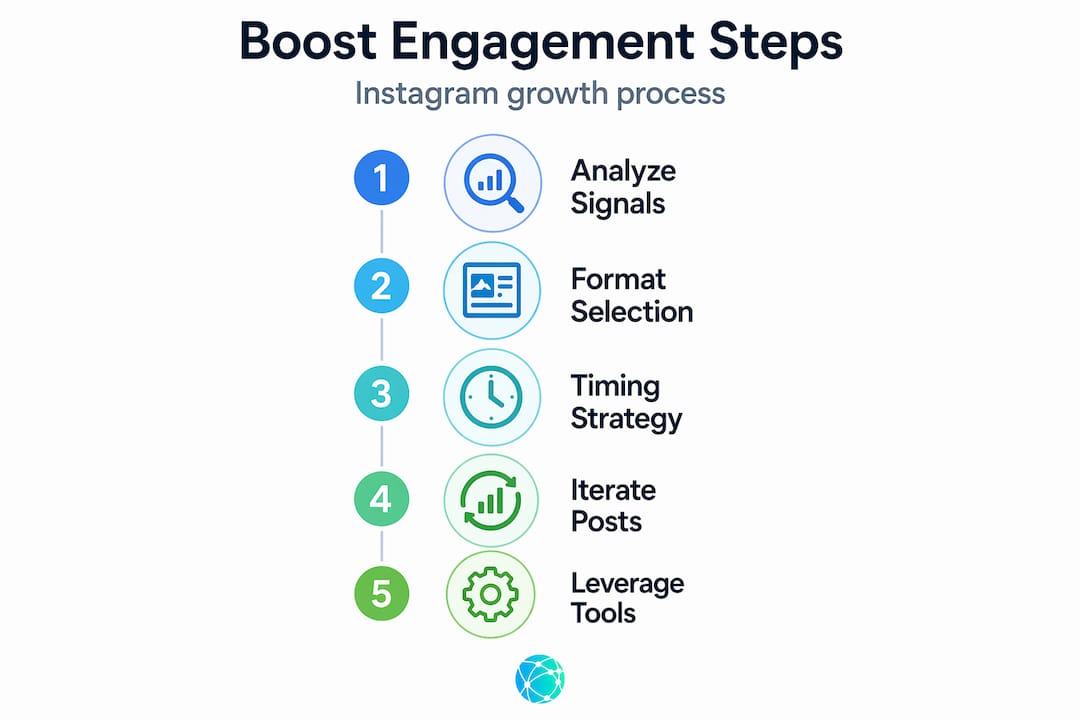
A proper feedback loop for content engagement follows three repeatable steps: publish, measure, and adjust. Every piece of content you post is a data point, not just a creative output.
Here's the exact process to run after every post:
- Publish your Reel or carousel with a specific engagement goal in mind (save rate, share count, DM responses).
- Wait 48 to 72 hours and pull the post-level metrics from Insights. Focus on saves, shares, and DMs first. Likes and comments are secondary.
- Compare against your own baseline and relevant 2026 benchmarks for your follower tier and content format.
- Identify the variable that underperformed. Was the hook weak? Did the caption lack a clear CTA? Was the content too general?
- Run a micro-iteration on your next post. Change one element at a time so you can isolate what actually moved the needle.
A practical methodology using Reels and carousels involves monitoring saves, shares, and DMs and iterating on hooks, captions, and CTAs based on the strongest post-level signals. This isn't a one-time fix. It's a system you run indefinitely.
"Every post you publish is a question you're asking your audience. Your engagement metrics are their answer. Are you actually listening to what they're telling you?"
Pro Tip: Create a simple spreadsheet tracking each post's format, hook type, CTA, and engagement metrics. After 20 posts, you'll see patterns no algorithm can tell you. You'll know exactly what your audience responds to.
For creators who want to accelerate this process, AI content strategy tools can help you generate hook variations, caption rewrites, and CTA tests faster than manual iteration alone.
Troubleshooting and expert shortcuts for engagement growth
Sometimes you do everything right and still hit a wall. High view counts, low interaction. It's frustrating, and it has a specific cause worth understanding.
If your posts get lots of views but low DMs or shares, you likely need more "sendable" moments. Sendable content has a clear takeaway, strong usefulness, or genuine relatability. Entertainment alone won't do it. People share content that either solves a problem or perfectly captures something they already feel.
For short-term fixes:
- Add a specific sendable hook. Instead of "Here's how to grow on Instagram," try "Send this to your friend who's struggling with Instagram engagement."
- Create "tag a friend" opportunities by addressing a relatable frustration or shared experience directly in the caption.
- Use the last slide of a carousel as a summary or action step. This is where saves spike because it feels like a cheat sheet worth keeping.
For longer-term performance, treat posting cadence as a testable system by comparing against 2026 benchmarks for your follower tier and format mix. Creators with 1,000 to 10,000 followers have a different engagement rate baseline than accounts with 100,000 followers. Judging your performance against the wrong benchmark creates false conclusions.
Expert shortcuts that save time without cutting quality:
- Batch creation: Record 4 to 6 Reels in one session using the same setup and outfit. It cuts production overhead by more than half.
- Content repurposing: Turn a strong carousel into a Reel script. Turn a high-performing Reel into a Story highlight with a CTA to your link in bio.
- Smart CTAs: Rotate between three CTA types per week (save, share, DM) so you're consistently generating all three high-value signals.
Pro Tip: Look at your platform differences guide to understand how content repurposed from Instagram performs on other platforms. What works as a carousel on Instagram often works as a thread format elsewhere, with minor adjustments to the copy.
Taking a multi-platform approach amplifies the effort you already put into your Instagram content. One strong carousel can fuel a week of content across multiple channels with the right workflow in place. And your profile linking guide can show you how to connect all those touchpoints back to a single destination that converts.
Why rote posting won't solve declining engagement—and what actually works
Here's the uncomfortable reality: posting more often is not the answer. Most engagement advice tells you to stay consistent, use the right hashtags, and show up every day. That advice isn't wrong, but it's incomplete in a way that wastes a lot of effort.
Consistency without feedback is just noise. If you publish three posts a week for six months and never analyze which ones drove saves or shares, you're not building a content strategy. You're just practicing a routine that may never improve.
The accounts that outperform their benchmarks in 2026 are doing something different. They're treating each post as an experiment. They're watching post-level data closely, not vanity metrics like overall follower growth or total impressions. They're making small, deliberate changes based on what their specific audience responds to.
Hashtags, for example, are still useful for discovery, but they don't compensate for content that lacks a sendable moment or a clear save-worthy value proposition. Trendy audio on Reels helps with initial reach, but it won't improve your saves-to-views ratio if the content itself doesn't deliver.
The real leverage point is what we'd call micro-iteration. Change the opening hook on your next Reel. Swap a vague CTA for a specific one. Add a summary slide at the end of your carousel. These are small changes, but over 30 days of testing, they compound into measurable performance gains.
AI content improvements can accelerate this iteration cycle significantly, helping you generate and test variations faster. But the discipline behind the process matters more than any tool. Real engagement growth comes from listening to your audience's behavior and responding to it deliberately.
Unlock more Instagram engagement with Linkflow tools
Applying these strategies is just half the equation. Converting that engagement into real audience relationships and traffic requires a smart, professional profile setup.

Lflow.co gives creators and small businesses everything they need to turn Instagram visitors into active followers and customers. Start with a free link in bio page that consolidates your links, store, content, and social profiles into one branded destination. Use professionally designed bio templates to match your visual identity and make a strong first impression on every profile visit. Add a QR code generator to bridge your offline presence with your Instagram traffic, so every flyer, packaging insert, or in-person touchpoint drives people back to your full content hub. Setup takes under two minutes, and the analytics show you exactly what's working.
Frequently asked questions
What is the most effective Instagram post format for engagement in 2026?
Carousels remain a consistently effective format because they encourage multiple swipe interactions that translate into higher engagement rates, while Reels are better suited for expanding your reach to new audiences.
How do I determine the best time to post on Instagram?
Skip the generic recommendations. Use "Most Active Times" inside Instagram Insights under your Professional Dashboard to identify your specific followers' peak activity hours and days, then post your best content during those windows.
What should I do if my posts get high views but low engagement?
You need more sendable moments in your content. Posts that get lots of views but low shares or DMs typically lack a clear, useful takeaway or relatable hook that would compel someone to forward it to a friend.
How can I benchmark my Instagram engagement rate?
Compare your performance against follower-tier and format-specific averages, not platform-wide numbers. 2026 Instagram benchmarks give you a realistic target based on your account size and the content formats you use most.
Why do saves and shares matter more than likes?
Saves and shares are stronger signals because they reflect deeper intent. A save means someone found your content valuable enough to return to it. A share means they thought it was worth someone else's time, which tells the algorithm your content deserves wider distribution.