

You spend real time crafting Instagram content, growing your following, and replying to every comment, yet your website traffic barely moves. That gap between high engagement and low clicks is one of the most common frustrations for creators and small business owners in 2026. The good news is that the problem is almost never your content quality. It is almost always how your profile, bio, and traffic strategy are set up. This guide walks you through exactly what to fix, step by step, so your Instagram presence actually moves people off the app and onto your links.
Table of Contents
- What you need to start driving traffic from Instagram
- Step-by-step: Optimize your Instagram bio for maximum clicks
- Content strategies for driving traffic without getting suppressed
- Measuring, analyzing, and improving your Instagram traffic results
- The uncomfortable truth about Instagram traffic: what works, what doesn't
- Supercharge your Instagram traffic with Linkflow
- Frequently asked questions
Key Takeaways
| Point | Details |
|---|---|
| Start with the right tools | Using proper Instagram features and external tools sets the stage for real traffic results. |
| Optimize your bio | A well-configured bio with clear, branded links drives more clicks from your profile. |
| Balance content approach | Mix engagement-focused posts with link shares to avoid algorithm suppression and maximize reach. |
| Track and refine | Continuous measurement and adjustment help sustain and grow traffic from Instagram. |
What you need to start driving traffic from Instagram
Before you start optimizing anything, you need the right foundation in place. Trying to run traffic strategies without the correct account type or tools is like trying to navigate without a map.
Account type matters more than most guides admit. Instagram offers Business and Creator accounts, and both unlock features that personal accounts simply do not have. Business accounts get access to Instagram Insights, the contact button, and category labels on the profile. Creator accounts unlock an additional feature set, including the ability to add caption links in posts, which is a powerful but often overlooked option. If you are still on a personal account, switching takes less than two minutes inside your settings and costs nothing.
Here is a quick breakdown of what each account type gives you for traffic:
| Feature | Personal | Creator | Business |
|---|---|---|---|
| Bio links (up to 5) | Yes | Yes | Yes |
| Caption links in posts | No | Select accounts | No |
| Link stickers in Stories | No | Yes | Yes |
| Instagram Insights | No | Yes | Yes |
| Contact/CTA buttons | No | Yes | Yes |
Instagram now allows up to 5 bio links and select creators can also use caption links, which opens up more surface area for driving traffic without relying on third-party workarounds.
Tools you will need outside of Instagram:
- A bio link manager to consolidate all your links into one branded URL
- A link shortener to create clean, trackable URLs for Stories and captions
- An analytics platform to measure clicks beyond what Instagram natively shows
- A scheduling tool if you post consistently across multiple days
For more ideas on what tools actually help creators grow, browse the content tools for Instagram section on the Lflow blog.
Pro Tip: Always prioritize Instagram's native features first. Link stickers in Stories, for example, require no third-party setup and perform well because they feel native to the platform. Add external tools on top, not instead.
If you want a broader perspective on how AI is reshaping social media strategy for founders and small teams, this founder's guide to AI social media gives useful context on where tools are heading.
Step-by-step: Optimize your Instagram bio for maximum clicks
With the right account setup and tools, you're ready to transform your profile into a traffic engine. Let's walk through the process.
Step 1: Add and label your bio links clearly. Instagram now lets you add up to 5 links directly to your bio. Go to Edit Profile and select Links. Add each URL individually. The key mistake most people make here is adding links without labels. Each link should have a clear, short label that tells someone exactly where it goes. "Shop fall collection," "Free download," and "Latest video" outperform generic labels like "My website" every time.
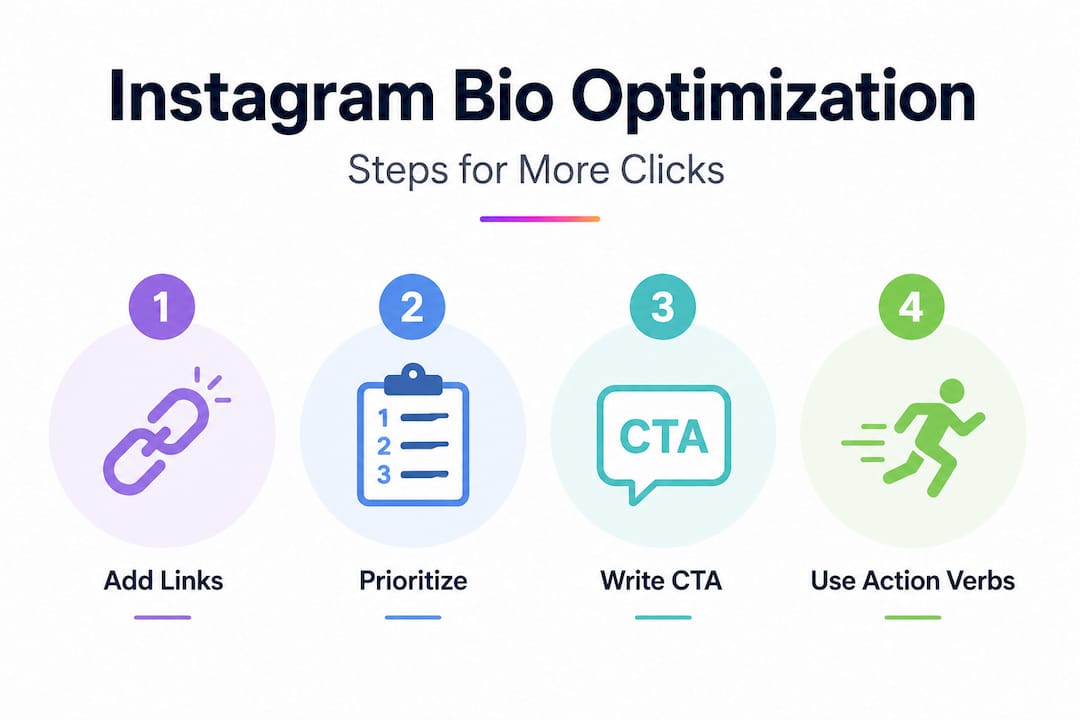
Step 2: Prioritize your links by value. Instagram displays bio links in order, and most visitors only see the first one or two before scrolling. Put your highest-value destination first. If you are running a sale, that link goes at the top. If you are launching a new product, same rule applies. Rotate the order based on your current campaign or seasonal goal.
Step 3: Write a bio CTA that earns the click. Your bio text should end with a direct call to action that points to your links. Something like "Get your free guide below" or "Shop the new drop, link below" creates intentional movement. Avoid vague phrases like "Check out my links." Tell people exactly what they get when they tap.
Step 4: Align your profile image and visual branding. Your profile image is the first visual signal visitors use to decide if your account is worth trusting. Use a high-quality, recognizable image, whether that is your logo or your face. Consistent brand colors across your bio page, highlight covers, and content feed create the kind of trust that makes people more likely to click your links. For help building a cohesive look, explore these branding tips for your bio and visual updates for bio link pages.
Step 5: Check your links regularly. Broken links are a silent traffic killer. If someone taps a link and lands on a 404 error, they leave and rarely return. Set a weekly reminder to click through every bio link and confirm it works. This takes two minutes and saves you from losing traffic you worked hard to earn.
Statistic to know: Instagram's 5-link bio feature is a significant upgrade, but native bio tools lack advanced customization and analytics that third-party link managers provide, which is why pairing the native feature with an external tool gives you the best of both worlds.
Pro Tip: Use action verbs in your bio CTAs. "Download," "Shop," "Watch," and "Book" consistently outperform passive phrases. People need a nudge, not a suggestion.
Content strategies for driving traffic without getting suppressed
Once your bio is optimized, your content strategy is the next critical lever for getting users to actually click those links.
Here is a reality that most "grow your Instagram" guides skip: Instagram's algorithm suppresses overt traffic-driving posts to keep users on the platform. Posts that read like ads or that push users off the app too aggressively tend to get lower reach. That does not mean you cannot drive traffic. It means you have to be smarter about how you do it.

The key is balancing traffic-intent posts with native engagement content. If every post says "click the link in bio," your reach will shrink. But if you mix in educational carousels, Reels that provide genuine value, and conversational captions, your overall account health stays strong, which means your traffic-driving posts reach more people.
Here is how different content formats compare for traffic vs. engagement:
| Content format | Traffic potential | Engagement rate | Algorithm favorability |
|---|---|---|---|
| Stories with link stickers | High | Medium | High |
| Reels with soft CTA | Medium | Very high | Very high |
| Feed posts with CTA | Medium | High | Medium |
| Caption links (Creator only) | High | Medium | Medium |
| Direct "click link" posts | High (intent) | Low | Low |
Formats that work well without triggering suppression:
- Educational carousels that end with "full guide linked in bio"
- Reels that tease a result and point to the bio for the full breakdown
- Stories with link stickers, especially polls or question boxes before the swipe-up
- Behind-the-scenes content that builds curiosity and naturally directs to a landing page
"The creators who consistently drive the most off-platform traffic are not the ones pushing links the hardest. They are the ones building enough trust and curiosity that clicking feels like the natural next step."
For a broader view on balancing multiple platforms without burning out, read these multi-platform strategy insights. And if you want to save time creating content that supports your link-in-bio strategy, AI content creation for link-in-bio users covers how to do that efficiently.
One more tactic worth mentioning: use your caption to build the value case before the ask. Explain what the reader gets when they click. "I put together a free checklist of everything I used to hit 10,000 monthly readers. It is linked in the bio" converts far better than "link in bio."
Measuring, analyzing, and improving your Instagram traffic results
To make sure your strategies work and evolve, you need reliable ways to measure and refine your results.
Instagram Insights gives you basic traffic data. On your profile, tap the Insights button to see profile visits, link taps, and reach data for each post. The "Link Taps" metric inside your profile view tells you how many people tapped any of your bio links. Post-level data shows impressions, reach, and profile visits per post, which helps you identify which content drives profile visits that lead to clicks.
What to look for in Instagram Insights:
- Link taps per week (trending up or down?)
- Which posts drove the most profile visits
- Story exit rate after a link sticker tap (high exit = the link delivered on its promise)
- Follower activity times (to schedule traffic-driving content when your audience is active)
The problem is that Instagram's native features lack advanced analytics compared to what third-party link managers offer. You cannot see which specific bio link got tapped, how long someone stayed on your landing page, or whether they converted. That is where external tools earn their place.
Using third-party tools to get the full picture:
| Metric | Instagram Insights | Link manager (e.g., Lflow) |
|---|---|---|
| Total link taps | Yes | Yes |
| Individual link click data | No | Yes |
| Audience location and device | Basic | Detailed |
| UTM and campaign tracking | No | Yes |
| Conversion tracking | No | Yes (with integrations) |
You can track your links with Lflow's built-in analytics to see exactly which links your Instagram audience is tapping and what they do next.
Actions to take when your traffic numbers are low:
- Rewrite your bio CTA using a stronger action verb
- Swap the order of your bio links to put a higher-value offer first
- Increase Story frequency since link stickers convert well
- Review which posts drove the most profile visits and create more of that content type
- Test a new headline or label on an underperforming bio link
Review your data weekly during active campaigns and monthly for overall trend checks. Traffic optimization is not a one-time setup. It is an ongoing habit.
The uncomfortable truth about Instagram traffic: what works, what doesn't
Most guides give you the technical steps and stop there. But after watching hundreds of creators implement these exact tactics, a few patterns stand out that are worth saying out loud.
Chasing algorithm hacks does not work long-term. Every few months, a new "trick" circulates claiming to boost reach or link clicks. Some work briefly. Most do not. Instagram is very good at identifying and suppressing behavior that games its system. The only strategy that consistently delivers traffic over time is building an account that people genuinely want to follow and that gives them real reasons to click. That takes longer, but it also cannot be killed by an algorithm update.
The most counterintuitive lesson: the posts that drive the most link clicks are often the ones that do not mention the link at all. A carousel that teaches something valuable, a Reel that solves a real problem, or a Story that shows authentic behind-the-scenes content builds the trust and curiosity that makes clicking feel automatic. Overt pushes lower your reach and your conversion rate at the same time.
Another reality worth flagging: new Instagram features reduce how much you need external tools, but they also limit customization and analytics in ways that matter for serious growth. Five bio links is a genuine improvement, but without knowing which link your audience prefers, you are optimizing blind. Native tools are a starting point, not a complete solution.
What actually moves the needle is the combination: use Instagram's native features to stay on the platform's good side, and pair them with a smart bio link strategy that gives you the data and flexibility to keep improving. Review your traffic data frequently, experiment with formats, and let actual numbers guide your decisions, not assumptions.
Supercharge your Instagram traffic with Linkflow
Ready for a simpler way to implement and track everything you've learned?
Linkflow makes it easy to put all of these strategies into practice without the guesswork. You can create your free link in bio page in under two minutes and consolidate every link your audience needs into one clean, branded URL. No coding, no design skills required.

Choose from professionally designed bio link templates built to match any brand style, then customize colors, fonts, and layouts to make it yours. Real-time analytics show you exactly which links your audience is clicking, so you can stop guessing and start optimizing. You can also shorten your Instagram links for cleaner Stories and captions, with full click tracking built in. Everything this article covers, Linkflow handles in one place, for free.
Frequently asked questions
How do I add multiple links to my Instagram bio?
Instagram lets you add up to 5 links directly to your bio by going to Edit Profile and selecting the Links section, where you can add and label each URL individually.
Does Instagram suppress posts with links?
Yes, overt traffic-driving posts can reduce your reach, so your best approach is to mix in native engagement content like educational carousels and value-driven Reels alongside any direct link promotions.
What's the best way to track link clicks from Instagram?
Instagram's native analytics are limited and do not show individual link performance, so using a link manager gives you the deeper click data and audience insights you need to optimize effectively.
Can I use caption links if I'm not a Creator account?
Currently, caption links are available only to select Creator accounts, so if you are on a Business account, your best in-post traffic option remains directing followers to your bio links.
Recommended
- Supercharge Your Social Media Content: How AI Can Boost Your Link-in-Bio Strategy
- Why Sticking to Just One Social Media Platform Could Be Hurting Your Brand (and How to Fix It)
- Blog - Link in Bio Tips, QR Code Guides & Creator Resources | Lflow
- Unlock YouTube Success: A Creator's Guide to Brand Accounts
- How to create a dessert table that looks Instagram-worthy - The Vanilla Valley