

Use one profile URL for a single destination, and a branded link-in-bio page for multiple destinations. If you only need to send followers to one place, paste that URL directly into Twitter's Website field and you're done. If you have a shop, a newsletter, a portfolio, and a booking page, a link-in-bio service like Lflow consolidates all of them behind one clean, trackable URL.
Twitter (X) draws a massive global audience, which means even a modest following can generate real traffic when your bio link is set up correctly. Here's the quick breakdown:
- Single URL: Simple, zero setup, works when you have one clear destination.
- Link-in-bio page: One URL that opens a branded page with multiple links, real-time analytics, QR codes, and custom domain support. Better for creators, businesses, and anyone juggling more than one priority.
Key Takeaways
A branded link-in-bio page outperforms a plain single URL whenever you have more than one destination to promote, and the top link on that page captures the majority of clicks.
| Point | Details |
|---|---|
| Single URL vs. link-in-bio | Use a plain URL for one destination; use a link-in-bio page when you have multiple links to share. |
| Top block is highest leverage | Place your most time-sensitive offer first; it captures the majority of taps on any bio page. |
| Label by outcome | Write "Book a free call" not "Services"; outcome-focused labels consistently outperform mechanism labels. |
| Track with UTM tags | Add UTM parameters to every link and review per-link click data regularly to know what's working. |
| Lflow for fast setup | Lflow's free plan includes unlimited links, QR codes, and real-time analytics with setup under two minutes. |
Table of Contents
- How Do You Add or Change the Twitter Bio Link?
- How to Set Up Multiple Links With a Link-in-Bio Page
- How to Make Your Bio Link Look Aesthetic
- Best Practices for Twitter Bio Links That Actually Convert
- Why Link-in-Bio Pages Drive More Clicks Than a Plain URL
- An Honest Take on What Actually Matters Here
- Lflow Gets You From Zero to a Live Bio Page in Two Minutes
- Sources
How Do You Add or Change the Twitter Bio Link?
Twitter (X) gives every profile a dedicated Website field, separate from the 160-character bio text. That field is where your clickable link lives. Don't paste URLs into the bio text itself; bio generators confirm that the bio field is for your pitch, not your link.
On desktop (web)
- Log in and click your profile picture to go to your profile.
- Click Edit profile (top right of your profile card).
- Scroll to the Website field and paste your URL.
- Click Save.
On mobile (iOS or Android)
- Tap your profile icon to open your profile.
- Tap Edit profile.
- Tap the Website field and paste your URL.
- Tap Save (or the checkmark, depending on your app version).
The full step-by-step walkthrough covers both web and mobile in detail if you want screenshots.
Pro Tip: Write a short CTA in your bio text that points to the website field, like "↓ Free guide" or "👇 Book here." Keep the bio text itself under 160 characters and leave the actual URL out of it entirely.
How to Set Up Multiple Links With a Link-in-Bio Page
When you have more than one destination, a link-in-bio page is the cleaner move. One URL in the Website field opens a mobile-optimized page with every link you want to share.
Setting up Lflow in under two minutes
- Go to Lflow and create a free account.
- Pick a template that fits your brand (colors, fonts, layout).
- Add your links: give each one a short, outcome-focused label.
- Set your most important link as the top block.
- Copy your branded Lflow URL.
- Paste it into the Website field on your Twitter (X) profile and save.
That's the whole setup. Your followers see one clean link; clicking it opens a page with everything you want to share.
Features worth prioritizing when you choose a host
- Custom domain: Your URL reads as
yourname.cominstead of a generic subdomain. - Real-time analytics: See which links get tapped and when.
- QR codes: Generate a free QR code for each link or campaign, useful for business cards, merch, or event signage.
- Responsive design: The page must look right on a phone, since most Twitter traffic is mobile.
- Link scheduling and password protection: Useful for launches, limited drops, or gated content.
Keep 3–7 links on the page. More than that and click rates drop because visitors stall on the decision. If you're migrating from an old bio URL, your Lflow page can include a redirect block so anyone who bookmarked the old destination still lands somewhere useful.
Pro Tip: Check your multi-link bio strategy every quarter and swap the top block to reflect your current priority. The top link captures the majority of taps, so it should always be your most time-sensitive offer.
How to Make Your Bio Link Look Aesthetic
There are two distinct things people mean by "aesthetic bio links": decorative emoji markers in the bio text, and Unicode or IDN (internationalized domain name) tricks that make a URL itself look stylized.
Emoji and symbol pointers (safe, copy-paste ready)
These go in your bio text to draw the eye toward your link:
↓ My linksor👇 Everything here→ New drop out now✦ Portfolio + shop ✦⬇ Book a session☆ Listen / Watch / Read
One well-placed emoji reads as intentional. Scored bio tools consistently recommend a single emoji used with purpose over a string of them, paired with a clear CTA and one proof point ("10K sold," "Featured in Forbes") within the 160-character limit.
IDN/punycode domain tricks
Some creators register Unicode domains (like 𝓁𝒻𝓁ℴ𝓌.co) that display as stylized text in a browser bar. The effect looks polished in a screenshot, but the actual URL a visitor types or taps is the punycode equivalent (xn--...), which is long, unreadable, and often flagged by link-safety filters. Twitter (X) may also display the raw punycode instead of the visual version, which defeats the purpose entirely.
Pro Tip: Skip the IDN trick for your actual profile URL. Use a clean custom domain through your link-in-bio host instead. Save the decorative Unicode characters for bio text only, where they render correctly and don't affect click behavior.
Best Practices for Twitter Bio Links That Actually Convert
Getting the link in place is step one. Getting people to tap it is the real work.
What to link and how to order it
Follow the pattern that high-converting bio pages share: immediate identity at the top, one primary CTA, supporting links below, and a capture form (email opt-in, booking widget) near the bottom. Label links by outcome, not mechanism:
- "Book a free call" beats "Services"
- "Listen on Spotify" beats "Music"
- "Get the free guide" beats "Newsletter"
Tracking checklist
- Add UTM parameters to every link (
?utm_source=twitter&utm_medium=bio). - Use short branded links so the URL stays readable in analytics dashboards.
- Check per-link click metrics weekly for the first month, then monthly once patterns stabilize.
Mobile-first and offline
Test every button label and tap target on your phone before going live. Fingers are wider than cursors. For offline promotion, a QR code tied to your bio page works on packaging, event materials, and anywhere a typed URL is impractical.

Policy note on restricted content
If you're linking to adult content, subscription platforms, or other restricted material, check Twitter (X)'s current content policies before publishing. Age-gating and platform-specific rules apply. Twitter (X) does allow links to adult content platforms for accounts that have enabled the sensitive content setting, but policies change, so verify directly with the platform's help center before relying on that.
Why Link-in-Bio Pages Drive More Clicks Than a Plain URL
A single URL in your bio is a dead end the moment your priorities shift. A link-in-bio page is a living document. The marketing case for bio links comes down to a few concrete advantages:
- Ordered blocks capture attention sequentially. Visitors read top to bottom; the first link gets the most taps.
- Analytics show you what's working. Without per-link data, you're guessing which content your audience actually wants.
- Mobile optimization reduces friction. A page built for thumbs converts better than a desktop site that happens to load on a phone.
- Custom domains build trust. A branded URL reads as professional; a generic subdomain reads as temporary.
Pro Tip: Run a quarterly audit: check which links haven't been tapped in 90 days and remove them. A shorter page with five strong links outperforms a cluttered page with twelve.
For a broader look at how bio links fit into your overall audience engagement strategy, pairing click data with your content calendar helps you see which posts actually drive profile visits.
An Honest Take on What Actually Matters Here
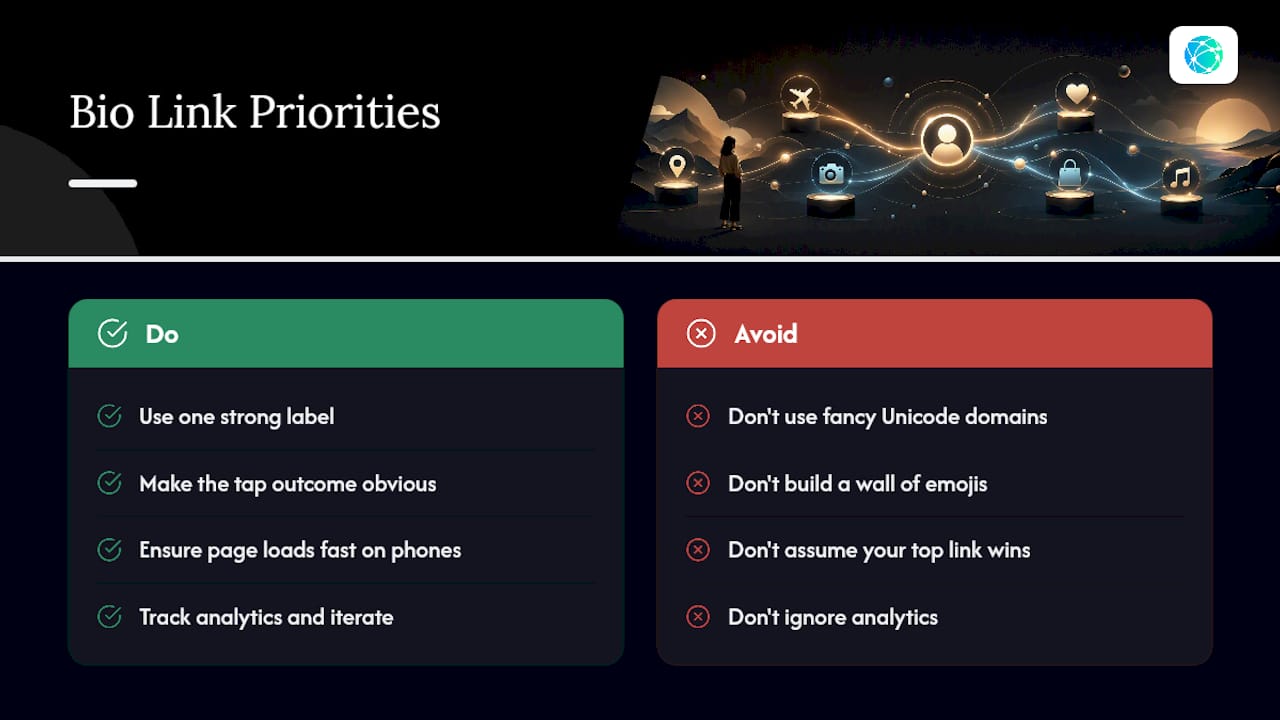
The aesthetic side of Twitter bio links gets a lot of attention, and most of it is misdirected. Fancy Unicode domains break more often than they impress. A wall of emojis signals effort, not clarity. The creators and brands that consistently drive traffic from their bios do one thing well: they make it obvious what happens when you tap the link.
That means one strong label, one clear outcome, and a page that loads fast on a phone. Analytics matter because they tell you whether your current top link is actually your audience's top interest. Often it isn't. The social profile optimization work that moves the needle is boring: swap the top block, rewrite a label, check the numbers. Repeat.
Lflow Gets You From Zero to a Live Bio Page in Two Minutes
Your Twitter bio link is one of the few places on the platform where you control the destination completely. Lflow is built to make that destination worth clicking.

With Lflow's free plan, you get unlimited links, a free QR code for every campaign, and real-time analytics that show exactly which links your audience taps. Paid plans add a custom domain, branding removal, advanced analytics, and priority support. Setup takes under two minutes: pick a template, add your top link, paste the branded URL into your Twitter Website field, and you're live.
Start your free Lflow page at Lflow and have a live, mobile-optimized bio page before you finish your coffee.
Sources
- Statista
- How to Add a Link In Bio to Your Twitter
- Link-in-bio best practices for 2026 - Formspring
- Twitter Bio Generator | Genfy
- Twitter Bio Generator: write and score your Twitter bio