

Lflow is a strong overall alternative to Linkx.ee for creators who want real analytics, custom domains, and a branded page with a quick setup process. For monetization-first creators, Beacons is the runner-up. For pure simplicity, Linktree still works. And if budget is the only constraint, Lnk.Bio gets the job done for free.
TL;DR — top picks by use case:
- Lflow — best overall: analytics, custom domains, QR codes, free tier with unlimited links
- Beacons — best for monetization: tipping, storefronts, built-in checkout
- Linktree — best for quick setup: zero learning curve, widely recognized
- Lnk.Bio — best for tight budgets: extremely low cost, no frills
- Shorby — best for branded short links and messenger-first flows
- Taplink — best for selling services or digital products via modular blocks
- Carrd — best for creators who want a full single-page site, not just a bio link
Who should pick what: Creators focused on growth and campaign tracking should go with Lflow or Beacons. Influencers who just need something live today can start with Linktree. Small businesses with a product catalog or service menu will get the most from Taplink or Beacons. If you want a page that looks like a real website, Carrd is worth the small annual fee.
Table of Contents
- What are the best Linkx.ee alternatives right now?
- Lflow: the analytics-forward pick for brand-conscious creators
- Beacons: the monetization-first choice for creators
- Linktree: still the default for creators who just need something live
- Lnk.Bio: the no-frills option for budget-conscious creators
- Shorby: built for influencers who need branded short links
- Taplink: the modular pick for creators selling services
- Carrd: when you want a real website, not just a bio page
- How do you choose the right Linkx.ee replacement?
- How to migrate from Linkx.ee to a new link-in-bio tool
- Key Takeaways
- Why branding and analytics usually win in the long run
- Lflow gives you analytics and branding without the complexity tax
- Useful sources to check before you decide
What are the best Linkx.ee alternatives right now?
The table below covers the nine platforms most worth your time, scored across the dimensions that actually move the needle for creators and small businesses. For creators, the columns that matter most are analytics depth, custom domain support, and monetization. For small businesses, weight integrations and team features more heavily.
| Platform | Best for | Free plan | Analytics depth | Custom domain | Monetization | Integrations | Short links & QR | Migration ease | Team features |
|---|---|---|---|---|---|---|---|---|---|
| Lflow | Branded analytics-forward hubs | Yes (unlimited links) | Per-link clicks, real-time | Yes | Supported | Shopify, Stripe, social | Yes (both) | Very easy | Limited |
| Beacons | Creator monetization | Yes | Per-link, campaign stats | Yes (paid) | Checkout, tipping, storefront | Stripe, social | Limited | Easy | Limited |
| Linktree | Quick setup, simplicity | Yes | Basic (paid for deep) | Paid only | Paid only | Zapier, social | QR on paid | Very easy | Paid |
| Lnk.Bio | Budget creators | Yes | Minimal | Paid | None | Minimal | No | Very easy | No |
| Shorby | Branded short links | No | Basic | Yes | None | Messenger, social | Yes | Moderate | Limited |
| Taplink | Selling services/products | Yes | Basic | Paid | Payment widgets | Stripe, PayPal | No | Moderate | Limited |
| Carrd | Custom single-page sites | Yes (limited) | None built-in | Paid | Via embeds | Manual embeds | No | Requires setup | No |
| Linkin.bio (Later) | Social scheduling + bio | No | Social-level | Yes | Limited | Later, Instagram | No | Moderate | Yes |
Callout: best analytics — Lflow and Beacons both offer per-link click data. Lflow adds real-time tracking and UTM support, which matters when you're running paid campaigns or affiliate links.
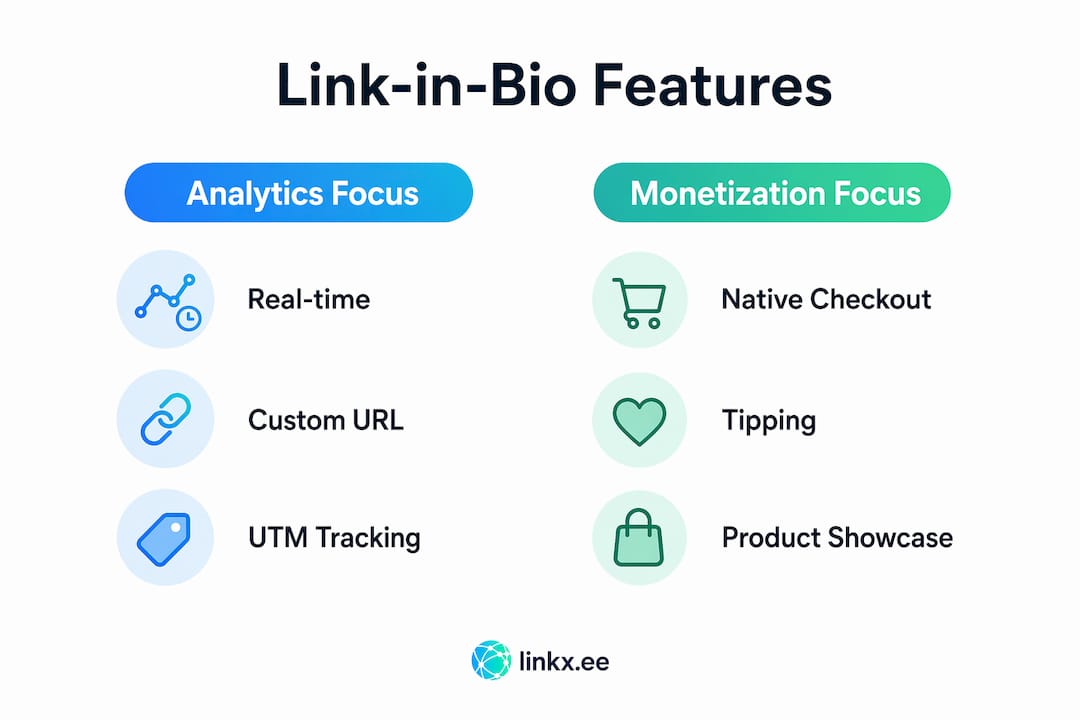
Callout: best monetization — Beacons leads here with native checkout and tipping. Taplink is close for service sellers.
Callout: simplest free option — Linktree for name recognition; Lflow for free-tier feature depth (unlimited links plus a free QR code generator).
Vendor roundups consistently flag the core tradeoff in this space: simple tools get you live fast but cap your growth, while all-in-one platforms give you the data and commerce tools to actually measure and improve performance.
Lflow: the analytics-forward pick for brand-conscious creators

Lflow is built for creators and small businesses who want more than a list of links. The pitch is a branded hub that consolidates your store, music, videos, social profiles, and any other URL into one clean page, with real-time analytics telling you exactly what's working.
Standout features:
- Real-time per-link analytics with click tracking
- Free prebuilt templates for quick brand-consistent pages
- Custom domains for a fully branded URL
- Free URL shortener integrated with your link page
- Downloadable QR codes for offline promotions
- Unlimited links on the free tier
- Mobile-optimized, responsive designs across all themes
- Themes, colors, and font customization
Pricing: The free tier includes unlimited links and a free QR code, which already puts it ahead of most competitors at the $0 level. Paid plans unlock custom domains, advanced analytics, and additional branding controls. Exact paid-tier pricing is listed on the Lflow site.
Who it's for: Creators on Instagram, TikTok, YouTube, or LinkedIn who want their bio link to do real marketing work, not just sit there. Also strong for small businesses that want a branded landing page without hiring a developer.
Onboarding: Under two minutes from signup to a live page, according to Lflow's own product claims.
- Sign up at lflow.co (free, no credit card)
- Pick a template from the free template library
- Add your links, customize colors and fonts
- Connect a custom domain (paid) or use the default Lflow URL
- Download your QR code and drop it into any offline materials
Pro Tip: If you run any paid social or affiliate campaigns, set up UTM parameters on each link from day one. Lflow's analytics will show you exactly which campaigns drive clicks, so you're not guessing when it's time to scale.
Beacons: the monetization-first choice for creators

Beacons was built with creator commerce in mind. Where most bio tools treat monetization as an add-on, Beacons makes it central: tipping, digital product sales, and a storefront are all available without needing a third-party checkout tool.
Standout features:
- Native tipping and digital product checkout
- Storefront blocks for selling merch or downloads
- Flexible page builder with drag-and-drop blocks
- Per-link analytics and campaign stats
- Custom domain support on paid plans
- Stripe integration for payouts
Pricing: Beacons offers a free plan, though the most useful monetization and analytics features sit behind paid tiers. The free plan is enough to test the interface before committing.
Best-fit audience: Creators who are actively selling something, whether that's a course, a digital download, a tip jar, or a merch drop. If you're not monetizing yet, Beacons' extra complexity isn't worth it over simpler alternatives.
Trade-off to know: The page builder is more powerful than Linktree's, but that power comes with more decisions to make. Setup takes longer than a pure bio tool.
- Create a free account at beacons.ai
- Choose a page template or start from scratch
- Add link blocks, product blocks, or a tip jar
- Connect Stripe for payouts
- Enable analytics and set up your custom domain on a paid plan
Pro Tip: Beacons' storefront works best when you lead with your highest-converting product at the top of the page. Use the analytics tab to see which blocks get clicks, then reorder accordingly.
Linktree: still the default for creators who just need something live
Linktree is the name most people recognize when they hear "link in bio," and that recognition is both its biggest asset and its ceiling. Getting a page live takes about three minutes. There's no learning curve. It works.
What Linktree does well:
- Fastest possible setup of any tool in this list
- Clean, minimal interface that almost anyone can navigate
- Broad platform recognition (your audience has seen Linktree pages before)
- Zapier integration for connecting to other tools
- QR code generation on paid plans
Where it falls short:
- Deep analytics (referrer data, UTM tracking) require a paid plan
- Custom domains are paid-only
- Monetization features exist but feel bolted on compared to Beacons
- Free-tier branding is limited; Linktree's own logo appears on your page
Who should pick Linktree: Someone who needs a bio link today and has no time to evaluate options. It's a solid starting point, but most creators outgrow the free tier within a few months once they start caring about where their clicks come from.
When to upgrade: The moment you run a campaign and need to know which link drove conversions, Linktree's free analytics won't cut it. That's the signal to move to Lflow or Beacons.
- Sign up at linktr.ee
- Add links in the dashboard
- Choose a theme
- Copy your Linktree URL into your social bios
- Upgrade when you need analytics or a custom domain
Lnk.Bio: the no-frills option for budget-conscious creators
Lnk.Bio's entire value proposition fits in one sentence: it's cheap, it's simple, and it gets you a link page with unlimited links for almost nothing. That's it. If you need more than that, you'll hit the ceiling fast.
What you get:
- Unlimited links on the free plan
- Simple, clean templates
- One-time paid upgrade option (no recurring subscription for basic features)
- Basic click counting
What's missing:
- No meaningful analytics (no referrer data, no UTM support)
- No monetization tools
- No custom domain on the free plan
- Minimal integration options
Pricing: The free plan covers most basic needs. A one-time payment unlocks a few additional features, which is unusual in a space dominated by monthly subscriptions.
Best-fit use case: A creator or small business that just needs a functional link page and has no budget at all. Lnk.Bio is also a reasonable placeholder while you evaluate more capable tools.
- Go to lnk.bio and create a free account
- Add your links
- Choose a template
- Drop the URL into your social bios
Pro Tip: Use Lnk.Bio as a temporary page while you set up a more capable platform. Because it's free and takes five minutes, you won't lose traffic during the transition.
Shorby: built for influencers who need branded short links
Shorby occupies a specific niche: it's the tool for influencers who want branded short URLs and direct messenger integrations baked into their bio page. If your audience reaches you primarily through WhatsApp, Telegram, or direct message, Shorby's contact-first design makes sense.
Standout features:
- Custom domain support for branded short links
- Messenger link blocks (WhatsApp, Telegram, Facebook Messenger)
- RSS content feed embeds (auto-updates from your blog or podcast)
- Short link creation and tracking
- Clean, mobile-optimized page design
Best-fit users: Influencers and consultants who use messenger apps as a primary channel, or creators who publish content regularly and want their bio page to auto-update with new posts via RSS.
Trade-offs: Shorby has no free plan, which immediately rules it out for budget-conscious creators. Analytics are basic compared to Lflow or Beacons. It's a specialized tool, not an all-in-one solution.
Pricing: Shorby runs on monthly paid plans. No free tier is available.
- Sign up at shorby.com (paid plan required)
- Connect your custom domain
- Add messenger link blocks and content feeds
- Set up short links for campaigns
- Add your Shorby URL to social bios
Taplink: the modular pick for creators selling services
Taplink is built around a block-based page editor that lets you stack different content types: text, images, payment widgets, forms, and links. That modularity makes it genuinely useful for creators who sell services or digital products directly from their bio page.
Core capabilities:
- Block-based page builder (text, images, links, payment widgets, forms)
- Payment integrations including Stripe and PayPal
- Localized checkout options for international sellers
- Messenger and contact blocks
- Basic analytics on paid plans
Who benefits most: Coaches, consultants, and creators selling digital products or booking services. Taplink's payment blocks let you collect money directly from the page without redirecting to a separate checkout.
Setup complexity: Higher than Linktree or Lnk.Bio, lower than building a full website. The block editor is intuitive once you understand the structure, but first-time setup takes 20–30 minutes to do properly.
Pricing: A free plan exists with limited blocks. Paid plans unlock payment widgets and analytics.
- Create a free account at taplink.cc
- Add blocks: start with links, then add payment or form blocks
- Connect Stripe or PayPal for payments
- Customize colors and layout
- Upgrade to a paid plan for analytics and additional blocks
Carrd: when you want a real website, not just a bio page
Carrd is not a bio link tool in the traditional sense. It's a single-page website builder that happens to work extremely well as a link hub. The distinction matters: Carrd gives you full layout control, which means you can build something that looks nothing like a standard bio page.
What makes Carrd different:
- Full HTML/CSS-level layout control (no rigid templates)
- Extremely low annual pricing (one of the cheapest paid options in this list)
- Custom domain support on paid plans
- Embed support for forms, videos, and third-party widgets
- No built-in analytics (you add Google Analytics or similar yourself)
- No native monetization widgets
Ideal use cases: Creators and small businesses who want a unique landing page that doubles as a portfolio, press kit, or product showcase. Carrd pages can scale into a lightweight website as your needs grow.
The real limitation: Carrd requires more manual setup than any purpose-built bio tool. There's no drag-and-drop link block system. If you want to add a tip jar or track per-link clicks without third-party tools, Carrd can't do it natively.
| Feature | Carrd | Purpose-built bio tools (e.g., Lflow, Beacons) |
|---|---|---|
| Layout control | Full (HTML/CSS level) | Template-based |
| Built-in analytics | None | Per-link click data |
| Monetization | Via embeds only | Native checkout / tipping |
| Setup time | 30–60 min | Under 5 min |
| Annual cost | Very low | Free to moderate |
| Custom domain | Yes (paid) | Yes (paid or free) |
Carrd is the right call when you want your page to look like you designed it, not like everyone else's Linktree. It's the wrong call when you need analytics or commerce out of the box.
How do you choose the right Linkx.ee replacement?
The honest answer is that most creators pick the wrong tool because they optimize for the wrong thing. They choose based on price or name recognition, then realize six months later they have no idea which links are driving traffic. Start with your actual needs, not the most popular option.
Core criteria, ranked by impact:
- Analytics depth — Do you need per-link click data? Referrer data? UTM parameter support? If yes, eliminate any tool without these features before looking at anything else. Per-link analytics and UTM support are non-negotiable for measuring campaign ROI.
- Custom domain — A branded URL (yourbrand.com/links) builds trust and keeps your audience in your ecosystem. If branding matters to your business, this is a must-have.
- Monetization — Are you selling anything from your bio page? If yes, Beacons or Taplink. If no, skip this criterion entirely.
- Integrations — Do you use Shopify, Stripe, or Zapier? Check that your chosen tool connects to them before committing.
- Price — Free tiers exist across most tools. Only pay for features you'll actually use.
- Migration ease — How long will it take to move your existing links? Most platforms take under an hour.
- Mobile templates — Your audience is almost certainly on mobile. Test every candidate on a phone before deciding.
Questions to ask during evaluation:
- Does it support UTM parameters on individual links?
- Can I see referrer data (which platform sent the click)?
- Does the free plan show per-link click counts, or just total page views?
- Can I export my analytics data?
- Is a custom domain available without a premium plan?
- How long does DNS propagation take after connecting a domain?
Red flags to walk away from:
- No data export option (you're locked in forever)
- Analytics hidden behind the most expensive plan
- No custom domain at any price point
- Opaque pricing (no public pricing page)
- No mobile preview during setup
Pro Tip: Before you sign up for anything, open the tool's analytics documentation page. If it takes more than two clicks to find what data you actually get, the analytics are probably not worth paying for.
A practical decision flow: if you need analytics and branding, go Lflow. If you need commerce, go Beacons. If you need a full custom page, go Carrd. If you need nothing fancy and have zero budget, go Linktree or Lnk.Bio. For a deeper look at structuring your link page to maximize clicks, the approach matters as much as the tool.
How to migrate from Linkx.ee to a new link-in-bio tool
Switching platforms takes less time than most people expect. The steps below keep your traffic intact and preserve campaign attribution during the move.
- Audit your existing links (15–20 min) — Export or manually list every link on your current Linkx.ee page. Note which ones carry UTM parameters. Keep this in a spreadsheet.
- Export analytics (10 min) — Download any available click data from Linkx.ee before you deactivate. Once you leave, that data may not be recoverable.
- Recreate your link structure in the new tool (20–30 min) — Build your new page with the same links in the same order. Recreate UTM tags exactly. Preserve campaign attribution by copying UTM strings character-for-character.
- Set up short-link redirects (10 min) — If you've shared short links publicly (in posts, emails, or print), set them to forward to your new page. Lflow's free URL shortener lets you create new branded short links that point to your updated destination.
- Run a dual-live period (24–48 hours) — Keep both your old Linkx.ee page and your new page active during DNS propagation. This prevents traffic drop-off while social bios update.
- Update all social bios (15 min) — Change the link in your Instagram, TikTok, YouTube, Twitter/X, and LinkedIn bios to your new URL. Don't forget scheduled posts that reference the old link.
- Test on mobile (5 min) — Open your new page on at least two different phones. Check that every link works, images load, and the layout looks right.
Estimated total time: 1.5–2 hours for a thorough migration. Most creators finish in under 90 minutes.
Pro Tip: Generate a new QR code for your link page immediately after migrating. If you've printed QR codes on merch, business cards, or event materials, the old ones will still work if you set up a redirect. Lflow's free QR code generator makes it easy to download a fresh code for any new offline materials.
- Keep your UTM audit spreadsheet for at least 90 days post-migration so you can cross-reference old and new analytics
- If your new platform supports LinkedIn profile linking, add it during setup to capture professional traffic
- Test every link individually after migration, not just the page load
Key Takeaways
Lflow is the strongest all-around Linkx.ee alternative for creators who need analytics, custom domains, and a branded page without a steep learning curve or a paid plan to get started.
| Point | Details |
|---|---|
| Best overall alternative | Lflow offers unlimited links, real-time analytics, QR codes, and custom domains on a free-to-start plan. |
| Best for monetization | Beacons leads for creators selling products, tips, or digital downloads via native checkout. |
| Best for simplicity | Linktree or Lnk.Bio work for creators who need a live page today with no setup complexity. |
| Migration takes about a couple of hours and typically involves auditing links, exporting analytics, recreating UTM tags, setting redirects, and updating bios. | |
| Lflow free tier | Lflow's free plan includes unlimited links and a free QR code, making it a strong starting point before committing to a paid plan. |
Why branding and analytics usually win in the long run
The conventional wisdom in the link-in-bio space is that simplicity is the goal. Get something live, don't overthink it. That advice made sense in 2019 when bio links were a novelty. It doesn't hold up now.
Creators who treat their bio link as a passive directory of URLs are leaving real data on the table. The bio link is often the only clickable element in a social post. It's the one place where you can actually measure what your audience does after they see your content. Treating that as an afterthought is a strategic mistake.
The platforms that combine branding with analytics give you something more valuable than a pretty page: they give you a feedback loop. You can see which links get clicked, which campaigns drive traffic, and which content types convert. That data shapes what you post next, which products you promote, and how you structure your page. Creators who use that loop consistently tend to grow faster than those who don't, because they're making decisions based on what their audience actually does rather than what they assume.
The caveat is real, though. If you're just starting out, have fewer than a few hundred followers, and aren't running any campaigns, a simple free tool is the right call. Don't pay for analytics you won't use yet. Start with Linktree or Lnk.Bio, get comfortable with the concept, and migrate when you have enough traffic to make the data meaningful. The migration itself takes less than two hours.
Lflow gives you analytics and branding without the complexity tax
Most link-in-bio tools make you choose: either you get a simple page that's easy to set up, or you get a powerful platform that takes a week to configure. Lflow skips that tradeoff.

The free tier includes unlimited links, real-time per-link analytics, and a free QR code you can download and use immediately. Custom domains, additional themes, and advanced analytics are available on paid plans, but the free plan is genuinely useful on its own. Onboarding takes under two minutes. You pick a template from the free template library, add your links, and you're live. No developer, no monthly commitment to test it.
For creators migrating from Linkx.ee, Lflow's built-in URL shortener and QR generator mean you can handle the entire migration, including short-link redirects and new offline materials, without adding another tool to your stack. Start with the free plan at lflow.co and see whether the analytics change how you think about your content.
Useful sources to check before you decide
Before committing to any platform, verify pricing and features directly on each vendor's site. Pricing in this space changes frequently, and roundup articles (including this one) can lag behind the latest plan updates.
| Source | What to look for |
|---|---|
| lflow.co/free-link-in-bio | Free tier feature list, QR code and unlimited links confirmation |
| lflow.co/templates | Template variety and customization options |
| networksolutions.com/blog/linktree-alternatives | Broad roundup comparing tools by use case and feature category |
| semrush.com/website/linktr.ee/competitors | Traffic and authority context for the major players in the space |
| wpforms.com/linktree-alternatives | Independent editorial review with per-tool verdicts |
| optimizepress.com/linktree-alternatives | Feature-focused comparison useful for small business buyers |
| Each platform's own pricing page | Always check current pricing directly; free-tier limits change without notice |
Before you migrate: Export any analytics data from your current platform first. Once you deactivate a page, historical click data is often gone permanently. Test your new page's free plan for at least a week before updating your social bios.