

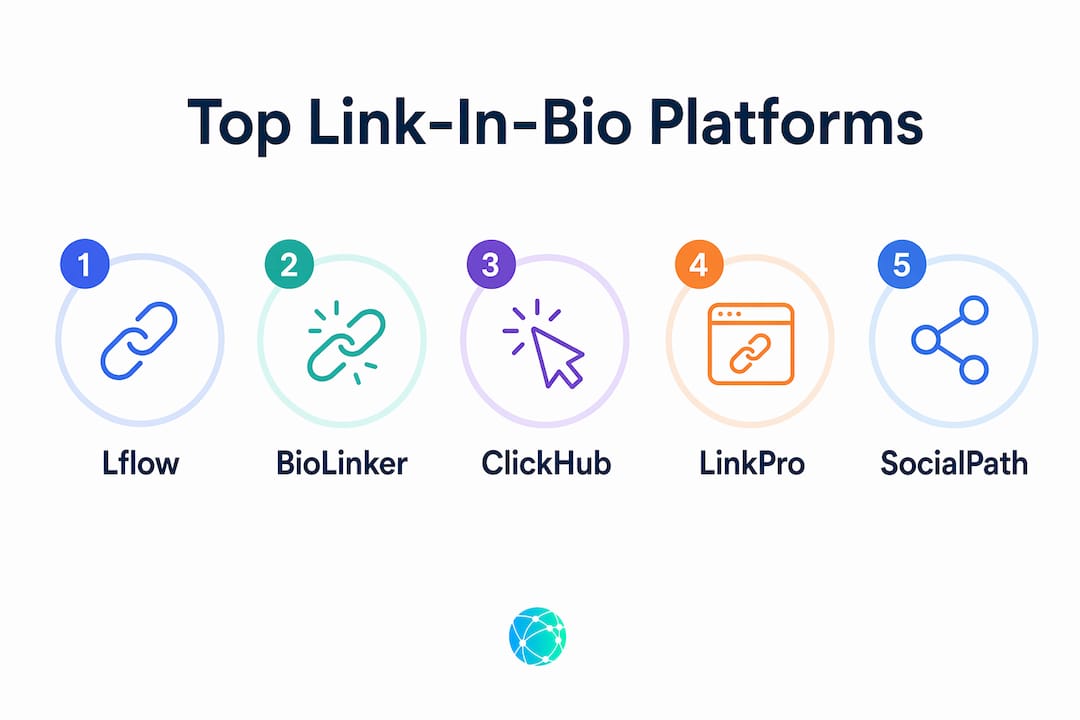
For most creators, Lflow is the right starting point. It's free, takes under two minutes to set up, gives you real-time click analytics, and generates free downloadable QR codes for every link. You get a single, stable URL you can drop into Instagram, TikTok, YouTube, X, or Pinterest and never touch again.
Here's the short version:
- Best overall: Lflow (free plan, fast setup, real-time analytics, free QR codes)
- Setup time: Under two minutes from signup to live page
- Free plan: Unlimited links, responsive templates, QR code generation
- Paid plan unlocks: Custom domains, advanced analytics, branded short links, priority support
Table of Contents
- What is a link in bio, and why do influencers need one?
- How to add your link in bio on every major platform
- How do you choose the right link-in-bio platform?
- How to set up your Lflow page in under two minutes
- Creator use cases and page templates that actually convert
- Security and privacy checks before you go live
- Key Takeaways
- Why the "best-looking" bio page is usually the wrong priority
- Your free Lflow page is ready to build right now
- Useful sources
What is a link in bio, and why do influencers need one?
A link in bio is the single clickable URL you place in your social profile. Platforms like Instagram and TikTok restrict clickable links in post captions, so that one profile URL becomes your entire traffic funnel. Instead of swapping it every time you launch something new, you point it to a multi-link landing page that holds everything at once.
"The problem is that you can often have more than one thing to promote — a new album, tour tickets, merch, other social profiles. A link-in-bio page solves that by putting everything in one place." — SiteBuilderReport
Common creator uses:
- Link to your newest YouTube video or TikTok post
- Promote a merch drop or limited-time offer
- Collect email subscribers via a newsletter signup
- Drive affiliate link clicks across multiple programs
- Accept bookings or event RSVPs
The real advantage is audience engagement: one stable URL means your followers always land somewhere current, and you control exactly what they see first.
How to add your link in bio on every major platform
The steps are short on every network. Paste your Lflow URL once and you're done.
- Open your profile and tap Edit Profile.
- Tap Links, then Add external link.
- Paste your Lflow URL and save. Instagram supports up to five external links, but one branded multi-link page is cleaner and easier to track.
TikTok
- Go to your profile and tap Edit Profile.
- Tap Website and paste your URL.
- Note: TikTok requires a Business account and typically a follower threshold to unlock the Website field. Creator account rules vary by region.
YouTube
- Open YouTube Studio and go to Customization → Basic Info.
- Under Links, add your Lflow URL with a display name.
X (Twitter)
- Go to Edit Profile on your profile page.
- Paste your URL in the Website field.
- Open your profile settings and find the Website field.
- Add your Lflow URL. Pinterest may ask you to verify the domain.
| Platform | Where to edit | Link limit / requirement |
|---|---|---|
| Edit Profile → Links | Up to 5 external links | |
| TikTok | Edit Profile → Website | Business account + ~1,000 followers |
| YouTube | Studio → Customization → Basic Info | Multiple links in About |
| X (Twitter) | Edit Profile → Website | 1 link |
| Profile Settings → Website | 1 link, verification may apply |
Pro Tip: Never change your bio URL. Instead, update the links inside your Lflow page. Add UTM parameters (e.g., ?utm_source=instagram&utm_medium=bio) to each destination link so you can see exactly which platform drives the most traffic in Google Analytics 4 or your analytics dashboard.
How do you choose the right link-in-bio platform?
Fast setup and reliable analytics matter more than design polish. A beautiful page that can't tell you which link got clicked is useless for a creator running affiliate campaigns or merch drops.
Core features to require:
- Custom domain support
- Unlimited links
- Mobile-optimized, responsive templates
- Real-time analytics (clicks, CTR, device type, traffic source)
- Free QR code generation
- Password-protected and expiring links
- CSV data export
- Integrations with Shopify, Mailchimp, ConvertKit, and GA4
- Scheduled and auto-archived links
Questions to ask before you commit:
- How fast can I go live? (Under two minutes is the benchmark.)
- Is there a genuinely free tier, or just a trial?
- Are analytics real-time, or delayed by 24–48 hours?
- Can I use my own domain on the free plan, or is it paywalled?
- Which integrations are built-in vs. locked to higher tiers?
Pricing expectations: Free plans typically include unlimited links and basic templates. Paid tiers usually unlock custom domains, pixel integrations, premium analytics, and branded short links. Watch for tools that lock analytics entirely behind a paid plan — that's a red flag for any creator who needs to measure performance.
Another red flag: some platforms bundle their bio link tool inside a broader social media management suite, meaning you pay for features you don't need just to access the link page. Lflow sells the link-in-bio product on its own, so you're not subsidizing a scheduling tool you'll never use.

How to set up your Lflow page in under two minutes
- Go to lflow.co/free-link-in-bio and create a free account.
- Pick a template from the gallery. Lflow's templates are mobile-optimized by default.
- Add your links: newest video, merch store, affiliate programs, newsletter, booking page.
- Customize colors, fonts, and profile image to match your brand.
- (Optional) Connect a custom domain on a paid plan for a fully branded URL.
- Enable analytics and paste your GA4 measurement ID or pixel if needed.
- Generate your free QR code from the dashboard and download it for offline use.
- Hit Publish, copy your Lflow URL, and paste it into every social profile bio.
Pro Tip: Use Lflow's scheduled links feature to auto-publish a merch drop link at launch time and auto-archive it when the sale ends. Your bio URL stays the same; the page updates itself.
After publishing, check your analytics dashboard within the first hour. You should see click counts and traffic sources populating in real time. If you added UTM parameters to destination links, those will surface in GA4 under Acquisition → Traffic Acquisition within a session or two.
- Monitor CTR by link position to see which placements convert best
- Check device breakdown to confirm your page renders correctly on mobile
- Export CSV data monthly to track growth trends over time
Creator use cases and page templates that actually convert
The right page layout depends on what you're selling or promoting. Here are five templates worth copying:
- Merch drop: Hero image of the product, one bold CTA button ("Shop the drop — ends Sunday"), then secondary links below. Urgency in the button label drives clicks.
- Newest video rotator: Top link always points to your latest upload. Use Lflow's scheduled links to swap it automatically on publish day.
- Multi-affiliate hub: Group affiliate links by category (beauty, tech, fitness). Label each clearly. Readers who know what they're looking for convert faster than those who have to guess.
- Email list builder: Lead with a freebie or exclusive content offer above the fold. The CTA ("Get the free guide") outperforms a generic "Subscribe."
- Event booking: Single prominent link to your booking page, with a short one-line description of what the session covers.
| Template | Best for | Top CTA pattern |
|---|---|---|
| Merch drop | Product creators, fashion influencers | "Shop [product] — [deadline]" |
| Video rotator | YouTubers, TikTokers | "Watch my latest: [title]" |
| Affiliate hub | Review creators, bloggers | "[Category] picks I actually use" |
| Email builder | Educators, coaches | "Get the free [resource]" |
| Event booking | Coaches, speakers | "Book a [session type]" |
Pro Tip: Put your highest-converting link first. Studies on landing page scroll depth consistently show the top position gets the most clicks. Don't bury your merch link below four social profile icons.
For more layout ideas, the Lflow blog covers sequencing and CTA copy in depth.
Security and privacy checks before you go live
Before you publish, run through this list:
- Data storage: Confirm whether the platform stores personally identifiable information (PII) from visitors and where that data lives.
- Pixel and GA4 integrations: Only add tracking pixels you actually use. Unused pixels slow page load and create unnecessary data exposure.
- Email capture consent: If your page includes a newsletter signup, add a visible consent checkbox and link to your privacy policy. This matters especially if any portion of your audience is in the EU, where GDPR applies to data collection regardless of where you're based.
- Password-protected links: Use these for paid content, early-access drops, or private community links.
- Link expiry: Set expiration dates on time-sensitive offers so expired links don't mislead visitors.
- Data export: Confirm you can export your click data as CSV. If a platform won't let you own your analytics, that's a problem when you switch tools or need to report campaign performance to a brand partner.
A quick note on GDPR: U.S.-based creators with EU audiences should verify how their link-in-bio platform handles analytics data and whether a cookie consent workflow is needed when collecting emails. When in doubt, consult a privacy professional for your specific situation.
Key Takeaways
The fastest path from zero to a working, analytics-enabled link-in-bio page is Lflow: free plan, under-two-minute setup, real-time click data, and free QR codes included from day one.
| Point | Details |
|---|---|
| One stable URL | Never change your bio link; update the page behind it instead to simplify tracking. |
| Free plan covers the basics | Unlimited links, responsive templates, and QR code generation are available at no cost. |
| Analytics are non-negotiable | Require real-time click data, CTR, and traffic source reports before committing to any platform. |
| UTM parameters multiply insight | Tag every destination link with UTM parameters to track campaign performance in GA4. |
| Lflow recommended for most creators | Free plan, sub-two-minute setup, real-time analytics, and free QR codes make it the practical first choice. |
Why the "best-looking" bio page is usually the wrong priority
Most creators spend their first hour choosing a color palette. The platforms that win on design often lose on the metric that actually matters: did the click happen? Fast setup, real-time data, and the ability to surface time-sensitive content beat a gorgeous layout every time. A creator running a 48-hour merch drop needs to know which link position converted, not whether the button radius looks right on desktop. Pick the tool that tells you what worked, and you'll iterate your way to a page that converts well regardless of how it started.
Your free Lflow page is ready to build right now
Lflow gives you a free, branded link-in-bio page with unlimited links, mobile-optimized templates, real-time click analytics, and a free QR code for every campaign — no subscription required to get started.

Paid plans add custom domains, advanced analytics, branded short links, and priority support when you're ready to scale. Setup takes under two minutes, and your page works across Instagram, TikTok, YouTube, X, and Pinterest from the moment you publish.
Browse the free templates to find a layout that fits your niche, or go straight to the free plan and have your page live before you finish your next coffee.
Useful sources
| Source | What it covers |
|---|---|
| Viraly: Link in Bio guide | Defines the term, explains platform behavior, and covers stable-URL best practices |
| Later: Link in Bio tool overview | Feature expectations, TikTok requirements, and free vs. paid tier breakdowns |
| Lflow free plan page | Full feature list for Lflow's free and paid tiers |
| Lflow template gallery | Ready-to-use page templates for creators across niches |
| Lflow blog | Setup guides, CTA ideas, QR code tutorials, and engagement strategies |