

Secure your link hub now by enabling authenticator-based two-factor authentication, using HTTPS on every destination, moving toward a custom domain, and running a weekly link audit. Those four moves close the paths attackers use most often to hijack a bio link and redirect your audience to scam pages.
Do this in order:
- Turn on an authenticator app for two-factor authentication and set a unique password of 16 characters or more.
- Check that every link in your hub, and every redirect behind it, loads over HTTPS with no redirects hiding the real destination.
- Spend one minute clicking your top five links in an incognito window to confirm they land where they should.
- Move to a custom domain or subdomain instead of a shared one if you have any paid links, an affiliate program, or a growing audience.
Pro Tip: Set a recurring calendar reminder for Monday morning. A five-minute link check takes less time than answering one confused comment from a follower who got redirected somewhere sketchy.
Key Takeaways
Link hub security comes down to hardening your account, verifying every link's destination, and moving to a custom domain before shared-domain reputation problems catch up to you.
| Point | Details |
|---|---|
| Harden your account first | Use a 16+ character unique password and authenticator-based 2FA on both your hub and recovery email. |
| Audit links weekly | Open your hub in incognito, click top links, and check for chain redirects hiding the real destination. |
| Watch domain reputation | Shared domains inherit other users' abuse flags; a custom domain isolates your reputation. |
| Protect QR and preview trust | Require HTTPS everywhere, preview QR destinations before printing, and add short link descriptions. |
| Use Lflow to implement all of it | Lflow pairs under-two-minute onboarding with custom domains, 2FA, and QR tools in one dashboard. |
Table of Contents
- Why link hub security matters more than most creators realize
- Account hardening: passwords, 2FA, and recovery hygiene
- Link hygiene: verify destinations, detect hijacks, and avoid redirect chains
- Domain strategy: why shared domains risk reach and how custom domains protect you
- Link-level protections: HTTPS, transparent previews, and safe QR usage
- If your link hub is hijacked: an incident-response checklist
- How Lflow supports secure link-hub practices
- Sources
Why link hub security matters more than most creators realize
A link hub is not a business card. It is the single point of failure for every sale, stream, and sign-up tied to your name. If someone takes it over, they do not just deface a page. They can redirect your entire audience to malware or phishing sites the moment they click, sometimes for hours before you notice.
Most creators think of security as something for banks or big companies. But a bio link concentrates traffic from Instagram, TikTok, YouTube, and X into one URL, which makes it a genuinely attractive target for anyone running a redirect scam. The fix is not complicated. It is a handful of habits, most of which take less time than writing a caption.
Account hardening: passwords, 2FA, and recovery hygiene
Credential reuse is the most common way attackers take over a creator's bio link account, and a compromised recovery email is usually the second step in that takeover. Fix both, and you eliminate the two easiest entry points.
- Set a unique password, at least 16 characters, generated and stored in a password manager rather than reused from another account.
- Enable two-factor authentication through an authenticator app (not SMS, which can be intercepted through SIM-swap attacks) for both your link hub account and its linked email.
- Lock down your recovery email: add 2FA there too, remove any mail forwarding rules you did not set up yourself, and confirm the recovery phone number is still yours.
- Review active sessions in your account settings and log out anything you do not recognize.
- Turn on login alerts if your platform offers them, so a new sign-in triggers a notification instead of going unnoticed.
Pro Tip: Check your recovery email's forwarding rules right now. Attackers sometimes set up a silent forward first, then use it days later to reset your password without you seeing a thing.
Link hygiene: verify destinations, detect hijacks, and avoid redirect chains
Run a one-minute audit before you trust any link on your page. Open your hub in an incognito browser window, click each of your top links, and confirm the landing page, the URL slug, and the certificate all match what you expect. If a link that used to go to your merch store now redirects twice before landing somewhere unfamiliar, that is your signal to investigate.
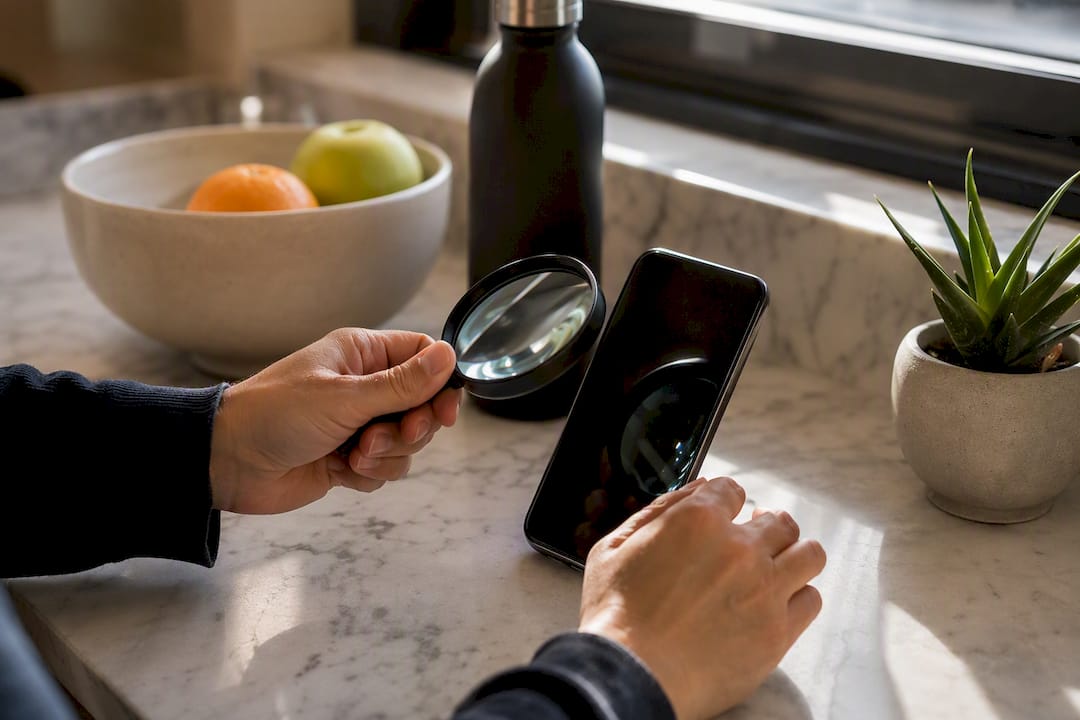
Chain redirects are the real danger here. Attackers often hide malicious final destinations behind multiple redirect hops, so a link that looks fine on the surface can still route through a compromised intermediary. Collapse redirect chains wherever you control them, and replace any third-party shortener you did not set up yourself.
Before you publish or share a new link, run it through a scanner:
- Google Safe Browsing flags known malicious sites in seconds.
- VirusTotal checks a URL against dozens of security engines at once.
- Bitdefender's Link Checker adds a consumer-friendly layer for spotting phishing patterns.
Security researchers recommend weekly dashboard checks for active links, with a deeper monthly review for anything tied to affiliate revenue or paid partnerships, since those links change hands and terms more often than a static portfolio link.
Domain strategy: why shared domains risk reach and how custom domains protect you
Platforms don't just evaluate your individual links. They rate entire domains, and a shared link-in-bio domain inherits the reputation of every other account using it. If even a small percentage of users on that shared domain get flagged for abuse, the whole domain can trigger safety warnings on platforms like TikTok, even for accounts that did nothing wrong.
Some of what creators call "shadowbanning" is actually this exact mechanism at work. The Federal Trade Commission's own reporting on shadowbanning notes that much of the visibility loss attributed to mysterious algorithm penalties has more mundane, traceable causes, and domain reputation filtering is one of them.
A custom domain or subdomain isolates your reputation from every other user on a shared platform. Here's how to move:
- Register or point an existing domain (or a subdomain like links.yourbrand.com) at your link hub provider.
- Update the DNS records your provider specifies, usually a CNAME or A record.
- Keep your old shared link active as a backup redirect for a few weeks during the transition.
- Confirm HTTPS is active on the new domain before you switch your bio link over.
If you're just starting out with a handful of followers and no monetized links, a shared domain is fine for now. Once affiliate links, merch, or ticket sales enter the picture, move.
Pro Tip: Keep your old link live as a silent redirect for at least a month after switching domains. Cached links in old posts and screenshots don't update themselves.
Link-level protections: HTTPS, transparent previews, and safe QR usage
HTTPS is not optional on any destination link. Any page still running plain HTTP should never collect an email address, payment detail, or login, and you should not link to it from your hub at all. Check for the padlock icon and a valid certificate before adding any new link.
Give your audience context. A short description under each link, even just three or four words, tells followers what to expect before they click, which makes it much harder for an impostor link to blend in. Branded short links reinforce this trust because a recognizable domain is far tougher for a scammer to convincingly replicate than a generic shortener string.
QR codes need the same scrutiny:
- Preview the destination URL before printing a QR code on merchandise, flyers, or packaging.
- Point QR codes at your branded landing page, never directly at a third-party checkout.
- Regenerate the code and reprint materials if your hub is ever compromised, since a static QR code keeps pointing at the old destination forever.
If your link hub is hijacked: an incident-response checklist
Speed matters more than anything else here. Every minute a compromised hub stays live is a minute your audience gets redirected somewhere dangerous.
- Disable the hub or remove suspicious links immediately, even if that means your page goes temporarily blank.
- Change your password and revoke all active sessions the moment you regain access.
- If you're locked out, secure your recovery email first, then contact your platform's support team and post a warning on any social account you still control.
- Check your devices: disconnect from public networks, run antivirus, rotate passwords on connected accounts, and watch bank or payment activity for a few days.
- Tell your audience plainly: what happened, what you've fixed, and what they should ignore if they saw a bad link.
Pro Tip: Write your incident-response message now, before you ever need it. A calm, direct post goes out faster than one composed in a panic, and it does far less damage to audience trust.
How Lflow supports secure link-hub practices
Lflow was built around the idea that security shouldn't be a separate project bolted onto your link hub. Onboarding takes under two minutes, which means the setup steps above, password, 2FA, domain connection, aren't a weekend project.
- Connect a custom domain directly from your dashboard to escape shared-domain reputation risk.
- Generate free, downloadable QR codes for offline promotion, and regenerate them instantly if anything changes.
- Review per-link analytics to spot a sudden traffic drop or unexpected click pattern before it becomes a bigger problem.
- Use the fully responsive, mobile-optimized layout so audience-facing previews stay clear on every device.
Pro Tip: Pair your weekly link audit with a glance at your analytics dashboard. A sudden spike in clicks on a link you rarely promote is often the first sign something's wrong.
Author note from Axion on making security part of your growth workflow
Security is not a chore you do once and forget. It protects the revenue and trust you've spent months building, and the creators who treat it as a five-minute weekly habit almost never end up writing a damage-control post. Build the audit into your routine the same way you schedule content, and let your platform's own features, custom domains, analytics, QR regeneration, do the repetitive checking for you.
— Axion
Get started with Lflow: free link hub and QR tools
There's no reason link hub security should require a separate subscription, a developer, or a security consultant. Lflow gives you the tools this article just walked through, custom domains, 2FA, branded QR codes, click analytics, built into the same dashboard where you already manage your links, and the free plan includes unlimited links with no credit card required.
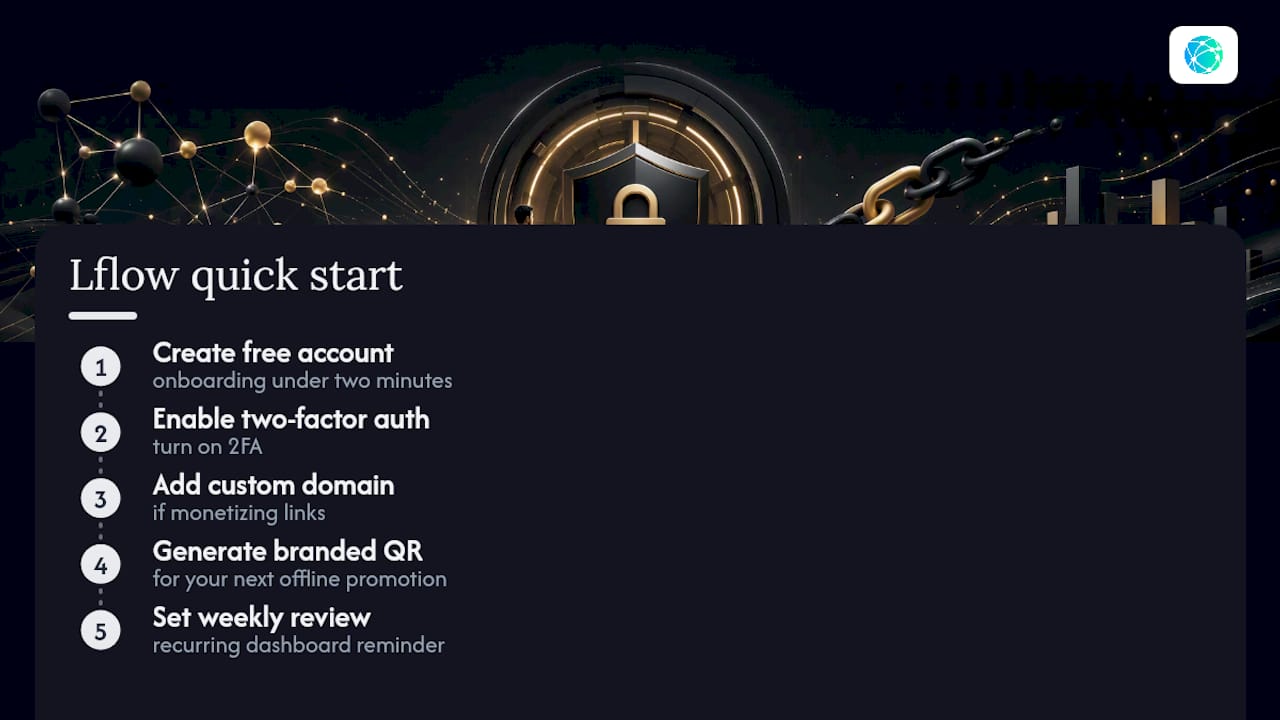
Start by signing up for a free account, then work through the checklist: turn on two-factor authentication, connect a custom domain if you're monetizing links, generate a branded QR code for your next offline promotion, and set a recurring reminder to review your dashboard weekly. The onboarding takes under two minutes, so there's no excuse to keep putting it off.
Sources
Check any link before you trust it with Google Safe Browsing or VirusTotal, both of which scan URLs against known malware and phishing databases in seconds. Bitdefender's consumer-facing link checker offers a similar layer of protection for creators who want a quick second opinion before sharing a link publicly.
For deeper reading on the mechanics covered here, Bitdefender's breakdown of link-in-bio scams explains how attackers exploit creator trust, while Bitly's guide to link safety covers the domain inspection and certificate checks worth building into your routine. Lflow's own guide to designing branded URLs that build trust walks through the design choices that reinforce audience confidence once your security basics are already in place.
- Link-in-bio scams: how scammers exploit creators (Bitdefender)
- How to tell if a link is safe (Bitly)
- How to secure your Linktree account from hackers (CreatorSecurityStack)