

A link hub is a centralized, branded web page that groups your most important links into organized clusters, giving your audience one place to find everything you offer. Content creators on Instagram, TikTok, and YouTube face a real problem: each platform allows only one clickable link. A well-built link hub solves that instantly. It also gives you something social media profiles never can, which is owned infrastructure you control completely. This guide walks you through every step of building a link hub that works for your brand, your audience, and your long-term growth.
How to create a link hub: what you need first
Before you build anything, you need a clear plan and the right tools. Skipping this step is the single most common reason link hubs end up cluttered and ineffective.
Platform choices: hosted vs. self-hosted
Your first decision is where your link hub lives. Hosted vs. self-hosted options vary significantly by control, cost, and ease of use. Hosted platforms like Lflow handle design, hosting, and mobile optimization for you. Self-hosted options like WordPress or GitHub Pages give you more control but require technical setup and ongoing maintenance.
| Platform type | Cost | Flexibility | Best for |
|---|---|---|---|
| Lflow (hosted) | Free tier available | High customization, no code | Creators, marketers, brands |
| WordPress (self-hosted) | Hosting fees apply | Full control, plugin-dependent | Developers, bloggers |
| GitHub Pages | Free | Developer-level control | Technical users |
| Squarespace | Monthly subscription | Design-focused, limited links | Visual brands |
The table above shows a clear pattern. Hosted platforms win on speed and ease. Self-hosted wins on control. Most creators and marketers get better results faster with a hosted solution.
Map your links before you build
Mapping your link clusters before touching any platform saves hours of rework. Write down every destination you want to send visitors to: your store, your newsletter, your latest video, your social profiles, and any affiliate pages. Then group them by purpose. A creator might have clusters for "New Content," "Shop," and "Connect With Me." This pre-planning shapes your entire page structure.
Pro Tip: Think about SEO and branding at this stage, not after. Your hub's section headings and anchor text will influence how search crawlers read the page.
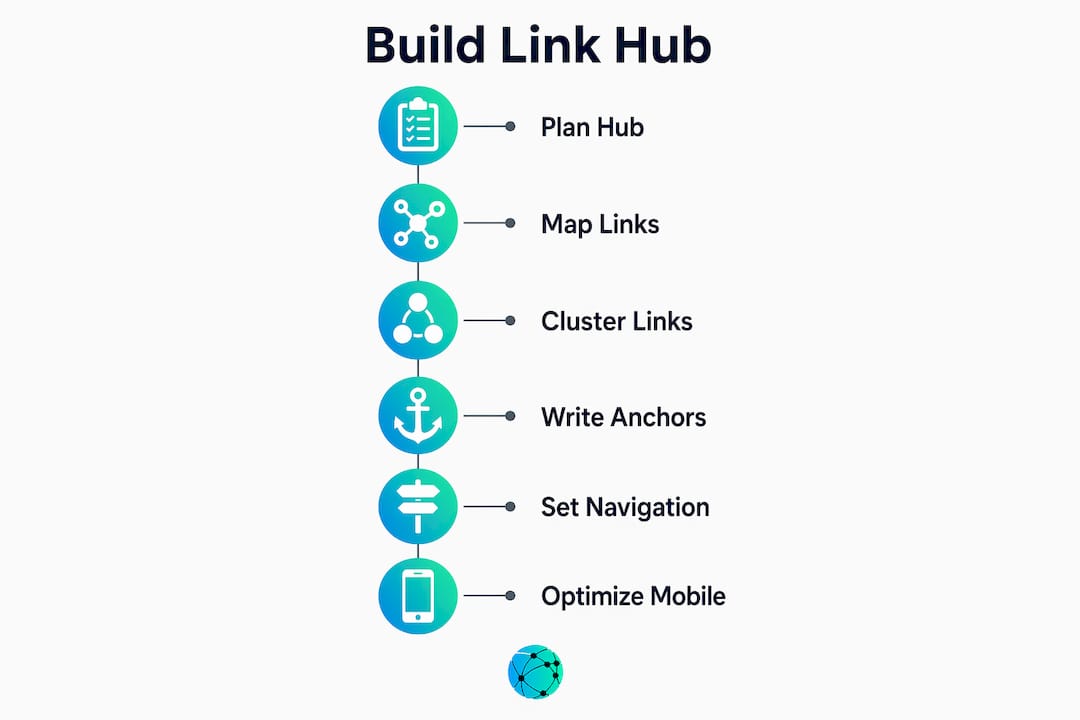
Step-by-step process to build your link hub
A strong link hub is built in a specific order. Rushing the structure creates a page that confuses visitors and underperforms in search.
Step 1: Define your page promise
Your page promise is the single sentence that explains what your hub does for visitors. Write it at the top of your page. "Everything from [Your Name]: videos, shop, and community" is a page promise. It tells visitors immediately that they are in the right place and sets expectations for what follows.
Step 2: Build your link clusters
Grouping links into clusters of 3–5 with descriptive headers is the most effective structural approach for both users and search algorithms. A flat list of 20 links overwhelms visitors. Clusters with clear labels like "Latest Videos" or "Shop My Favorites" guide attention and reduce decision fatigue. Each cluster should serve one clear audience intent.

Step 3: Write descriptive anchor text
Descriptive anchor text is one of the most overlooked factors in link hub performance. "Watch my latest tutorial on Lightroom" tells both the visitor and the search crawler exactly what the link leads to. "Click here" tells neither. Every link on your hub should have anchor text that describes the destination clearly and specifically.
Step 4: Set up navigation and visual hierarchy
If your hub has more than three clusters, add a simple navigation bar or anchor links at the top. Visitors should never have to scroll blindly. Use font size, color contrast, and spacing to make cluster headings stand out from individual links. Lflow's theme editor handles this automatically, but if you are building on WordPress, use heading tags (H2 for clusters, H3 for sub-links) consistently.
Step 5: Optimize for mobile
Mobile responsiveness is not optional. The majority of social media traffic arrives on phones. Test your hub on at least two different screen sizes before publishing. Tap targets should be large enough to press without zooming. Text should be readable without pinching.
Here is the full build sequence in order:
- Write your page promise
- List all destination links
- Group links into clusters of 3–5 by intent
- Write descriptive anchor text for each link
- Add cluster headings that reflect user goals
- Set up navigation if you have more than three clusters
- Apply consistent visual hierarchy
- Test on mobile before publishing
Pro Tip: Use keyword-informed section headings like "Free Photography Resources" instead of "Links." Crawlable copy in your headings helps search engines understand your hub's topic.
How to optimize and maintain your link hub for growth
Building the hub is only the beginning. Link hubs benefit from continuous review, including adding new links, fixing broken ones, and refining structure based on real engagement data.
Track clicks and engagement
Every link on your hub should be tracked. Lflow provides real-time analytics showing which links get clicked, when, and by which audience segment. This data tells you what your audience actually wants, not what you assume they want. A link that gets zero clicks in 30 days should be removed or replaced.
Audit your links regularly
Set a monthly reminder to audit every link on your hub. Check for broken URLs, outdated offers, and links that no longer reflect your current brand. A dead link on a hub page signals neglect to both visitors and search crawlers. Replacing stale links with fresh, relevant destinations keeps your hub performing.
Align CTAs with audience intent
Specific CTA text like "See plans" or "Try it now" converts better than vague phrases like "Get started." Each call to action on your hub should tell visitors exactly what happens when they click. Match the CTA language to the cluster it lives in. A "Shop" cluster should use "Buy now" or "See the collection," not generic button text.
Maintenance best practices at a glance:
- Review all links monthly for accuracy and relevance
- Replace zero-click links within 30 days
- Update cluster headings when your content focus shifts
- Add seasonal or campaign-specific clusters and remove them after the campaign ends
- Test mobile display after every structural change
Pro Tip: Place your highest-converting link in the first cluster. Visitors read top to bottom, and the first cluster gets the most attention and clicks.
Common link hub mistakes and how to fix them
Cluttered links, vague anchor text, and poor navigation are the three most damaging mistakes creators make. Each one reduces both user engagement and SEO value.
| Mistake | Why it hurts | Fix |
|---|---|---|
| Too many links (20+) | Overwhelms visitors, dilutes clicks | Cap at 15 links max, use clusters |
| Vague anchor text ("Click here") | Confuses crawlers, lowers SEO | Write destination-specific anchor text |
| No visual hierarchy | Visitors can't scan the page | Use heading levels and spacing |
| Broken or outdated links | Damages trust and crawl quality | Audit monthly |
| No mobile testing | High bounce rate on phones | Test on two screen sizes before publishing |
The pattern here is consistent. Every mistake comes back to a lack of intentional structure. A hub built with clear clusters, descriptive text, and regular maintenance avoids all five problems.
Pro Tip: Run your hub URL through Google's Mobile-Friendly Test tool before launch. It flags tap target issues and font size problems that are easy to miss during desktop design.
Key Takeaways
A link hub built with intentional clusters, descriptive anchor text, and regular maintenance outperforms a flat link list on every metric that matters: clicks, SEO discoverability, and audience retention.
| Point | Details |
|---|---|
| Structure before you build | Map link clusters by audience intent before choosing a platform or design. |
| Use descriptive anchor text | Specific link labels improve both user experience and search crawler understanding. |
| Group links into clusters | Limit each cluster to 3–5 links with a clear heading to reduce decision fatigue. |
| Maintain and audit monthly | Remove broken or zero-click links within 30 days to keep your hub performing. |
| Track every click | Use analytics to learn what your audience actually wants and iterate accordingly. |
Why I treat link hubs as owned infrastructure, not social media tools
Most creators build a link hub once, forget about it, and wonder why their traffic never converts. The mistake is treating it like a social media profile, which is something you set up and leave alone. Top SEO experts view link hubs as lasting digital assets that demand deliberate strategy and continuous improvement.
My perspective is blunter: your link hub is the most underused conversion asset you own. Every platform you post on, whether it is Instagram, TikTok, or LinkedIn, is rented land. The algorithm changes, the platform declines, and your audience disappears with it. Your link hub is yours. It does not disappear when a platform pivots.
Link hubs serve as audience ownership tools that let you control routing and measure engagement in ways no social profile allows. That means you can see exactly which content drives real action, not just vanity metrics like follows or impressions. That data is worth more than any follower count.
The creators I have seen grow consistently are the ones who treat their hub like a product. They update it when their offers change, they test new cluster structures, and they connect it to their email list and analytics. They do not wait for a platform to tell them their content worked. They know because their hub tells them.
Build your link hub like you are building a business asset. Because you are.
— Axion
Build your link hub faster with Lflow
Lflow makes the entire process described in this guide available in under two minutes. You get a free, fully branded link in bio page with unlimited links, real-time analytics, and a built-in QR code generator for offline promotion. The platform handles mobile optimization automatically, so your hub looks sharp on every device without any code.

Lflow's free link in bio templates give you a professionally designed starting point you can customize with your own colors, fonts, and domain. If you want to go further, Lflow's free URL shortener keeps your links clean and trackable. Start free, build in minutes, and own your audience from day one.
FAQ
What is a link hub?
A link hub is a single, branded web page that groups multiple links into organized clusters, giving your audience one place to access your content, store, and social profiles.
What is a single link hub?
A single link hub is one URL that replaces the need for multiple separate links across platforms. It is the page you put in your Instagram or TikTok bio to direct followers to all your destinations at once.
How many links should a link hub have?
Keep your hub to 15 links or fewer, organized into clusters of 3–5 links each. More than 15 links overwhelms visitors and reduces click-through rates on individual destinations.
Do link hubs help with SEO?
Yes. A link hub with descriptive anchor text, keyword-informed cluster headings, and crawlable copy signals page purpose to search engines and improves discoverability over time.
How often should I update my link hub?
Audit your link hub monthly. Remove broken or zero-click links, update CTAs to reflect current offers, and add new clusters when your content focus changes.