

What is a branded URL, and what makes one well designed?

A branded URL is a shortened link that uses your own custom domain instead of a generic third-party one. Where bit.ly/3xYz9k tells your audience nothing, nike.com/spring tells them everything. The difference is the domain in the middle, and that single swap is the entire point of link branding.
Every branded URL has three parts:
- Protocol:
https://— always secure, always required - Custom domain: your brand name plus a TLD, such as
yourbrand.linkorgo.yourbrand.com - URL slug: the path after the slash, like
/springor/free-trial
The domain is the primary branding element. Your slug is where clarity and memorability live. A well-designed branded URL is short enough to type from memory, free of confusing characters, and immediately recognizable as yours. The goal is not just aesthetics. It is trust, recall, and consistent brand presence across every channel where your links appear.
Table of Contents
- Why branded URLs outperform generic short links
- How to create a branded URL from scratch
- Which platforms help you build branded URLs?
- Advanced design tips that most guides skip
- Lflow gives you a branded URL hub in under two minutes
- Key takeaways
Why branded URLs outperform generic short links
Branded short links consistently earn 30–39% more clicks than generic shortened URLs across multiple peer-reviewed studies. Readers recognize your domain before they click, which removes the hesitation that kills conversions on unfamiliar links.
The practical uses go well beyond social media:
- Email campaigns: branded domains improve deliverability because spam filters treat recognized domains more favorably than generic shorteners
- Offline materials: flyers, business cards, and billboards need URLs people can type from memory after seeing them once
- Affiliate and influencer programs: partners share links that still carry your domain, keeping brand equity intact
- Event tracking: offline-to-online promotion via print or broadcast works best when the URL is pronounceable and short
- SEO value: 301 redirects from branded short links pass link equity to your destination, and branded mentions in AI search results cite clean domains more readily than generic ones
Branded URLs also centralize your analytics. Platforms that support them can automate UTM parameters, so every campaign gets accurate attribution without manual tagging.
Pro Tip: Design your URL slugs differently by channel. For offline use, skip hyphens and capitalize each word (e.g., /SummerSale) so the link reads cleanly on a poster and sounds natural when spoken aloud. For online use, add hyphens between keywords (e.g., /summer-sale) so search engines can parse them correctly.

How to create a branded URL from scratch
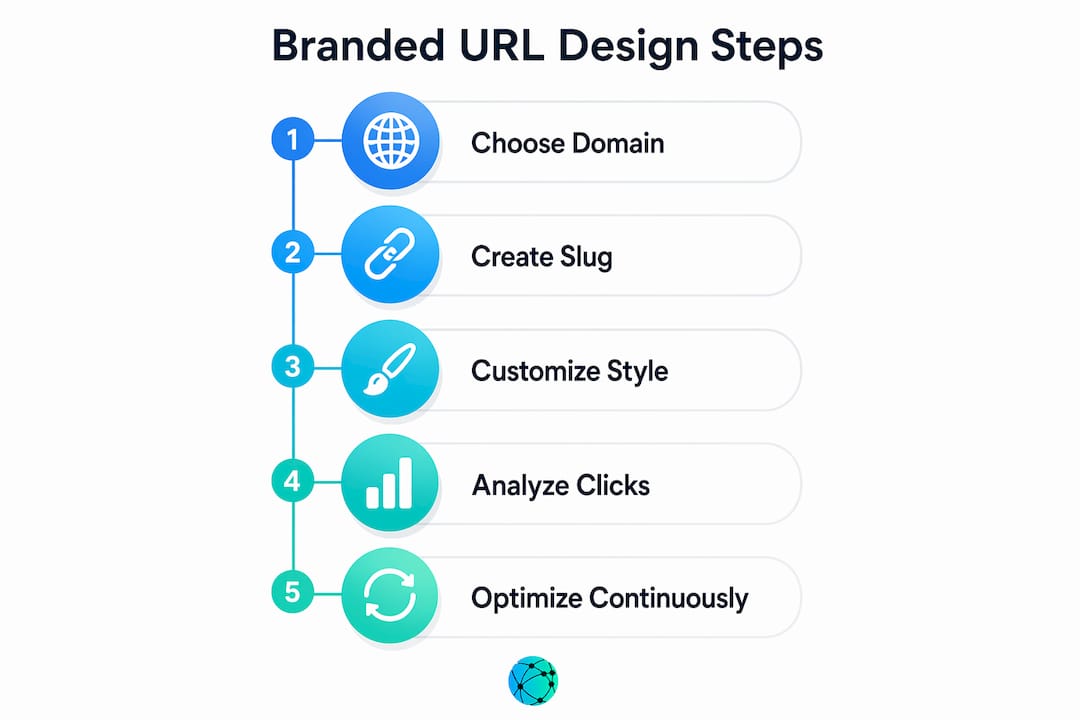
- Purchase a custom domain. Choose a short, recognizable domain tied to your brand. Options include a fresh short domain (
yourbrand.link), a subdomain of your main site (go.yourbrand.com), or a path on your main site. Most teams pick one of the first two. - Select a link management platform that supports custom domains and SSL. The platform handles redirects, analytics, and certificate management.
- Configure your DNS records. Add a CNAME record at your domain registrar pointing your subdomain to the platform. If you want an apex domain (no subdomain), your registrar must support ANAME or ALIAS records. Many registrars lack this support, so a subdomain like
go.yourbrand.comis the safer default. - Verify domain ownership. The platform detects your DNS record and triggers SSL provisioning automatically via Let's Encrypt.
- Define your slug conventions. Decide on a naming system before you create links. Organize by campaign (
/holiday2025), channel (/email,/social), or product. Keep slugs under 20 characters and document the format so your whole team follows it. - Test on multiple devices. Click every new link from a phone on cellular data, a desktop browser, and at least one tablet. Confirm the redirect lands correctly and the HTTPS padlock appears.
- Maintain and renew. Set renewal reminders for your domain registration. Platforms using automated certificate management renew SSL silently, but a failed renewal breaks every link on that domain until it is fixed.
Which platforms help you build branded URLs?
Several platforms support custom domain setup, analytics, and SSL management. Here is how the main options compare:
| Platform | Custom domain | Analytics | SSL automation | Best fit |
|---|---|---|---|---|
| Rebrandly | Yes (apex + subdomain) | Yes, with UTM builder | Yes, automated | Marketing teams needing deep link management |
| Adjust | Yes | Yes, mobile-focused | Yes | Mobile app campaigns and attribution |
| Lflow | Yes, with custom domain | Real-time analytics | Yes | Creators and brands managing a link-in-bio hub |
Key features to evaluate across any platform:
- Ease of domain setup: look for a clear CNAME walkthrough and automatic SSL provisioning
- Analytics depth: click counts alone are not enough; you want device, geography, and referral source data
- UTM automation: manual tagging is error-prone at scale; the platform should handle it
- CTA overlays: some platforms let you attach a branded call-to-action to any link, turning a redirect into a marketing touchpoint
- Pricing tiers: domain registration is the primary cost; platform fees vary by link volume and feature access
Advanced design tips that most guides skip
The design decisions that separate high-performing branded URLs from forgettable ones:
- Pick a TLD that signals credibility.
.link,.co, and.iowork well. Avoid.click,.zip, and.top, which carry high abuse rates and get flagged by spam filters and email gateways. - Never share a domain across multiple clients or brands. One phishing complaint against any user on a shared domain poisons the reputation for everyone on it.
- Set a custom 404 page. When someone miskeys a slug, they should land on a branded page with navigation options, not a generic error screen.
- Use one domain per brand, consistently. Standardize your URL format in your team's brand guidelines so every marketer creates links the same way. Inconsistency across campaigns fragments your analytics and dilutes recognition.
- Migrate DNS to Cloudflare if your registrar does not support ANAME or ALIAS records and you need an apex domain. Cloudflare's free DNS tier solves this without switching registrars entirely.
- Plan for certificate renewals. Platforms using ACME protocols renew certificates automatically, but choose a provider with a public SLA on renewal and an alert channel so you know immediately if something fails.
- Audit your links monthly. Retire slugs that are no longer active, check for broken redirects, and reuse clean slugs thoughtfully to avoid clutter.
Lflow gives you a branded URL hub in under two minutes
If you manage multiple links across Instagram, TikTok, YouTube, or LinkedIn, a single branded URL that consolidates everything is more useful than a collection of individual short links. That is exactly what Lflow is built for.

Lflow lets you create a custom branded link-in-bio page with your own domain, real-time click analytics, and a free downloadable QR code for offline promotion. Setup takes under two minutes. You get full control over colors, fonts, and themes without touching any code. Every link you add is tracked, every QR code is ready to print, and the whole page is mobile-optimized by default. Start with a free template or build from scratch using Lflow's URL shortener. No monthly contract required.
Key takeaways
Branded URLs earn more clicks, build more trust, and give you cleaner analytics than generic short links because your domain does the credibility work before anyone clicks.
| Point | Details |
|---|---|
| Click-through lift | Branded short links earn 30–39% more clicks than generic shortened URLs. |
| Domain is the core element | Your custom domain, not the slug, is what makes a URL "branded" and builds recognition. |
| Slug style varies by channel | Use camel case without hyphens for offline readability; use hyphen-separated keywords online for SEO. |
| DNS setup matters | If your registrar lacks ANAME/ALIAS support, use a subdomain or migrate DNS to Cloudflare for apex domain functionality. |
| Lflow for link hubs | Lflow consolidates multiple links under one branded URL with real-time analytics and free QR codes. |