

Monitoring link clicks is the practice of recording every user interaction with a hyperlink, capturing behavioral and contextual data that reveals how audiences engage with your content and campaigns. Without this data, decisions about budget, content placement, and channel strategy rely on guesswork. Tools like Google Analytics, Google Tag Manager, and UTM parameters make click tracking accessible to any marketer, regardless of team size. The benefits of monitoring click data extend far beyond counting visits: you gain attribution accuracy, identify friction in the user journey, and connect audience behavior directly to revenue outcomes.
Why monitor link clicks and what does it actually tell you?
Click tracking is the process of logging a user interaction the moment someone clicks a hyperlink, then routing that event data to a reporting dashboard. The sequence works like this: a user clicks a link, the click event fires through a tracking script or redirect, and the platform records the interaction alongside contextual metadata.
Here is what a single click event typically captures:
- Device type (mobile, desktop, tablet)
- Referral source (the page or platform where the click originated)
- Geographic location (country, city, or region)
- Timestamp (date and time of the click)
- Campaign context (UTM parameters tied to the link)
That combination of data points is what separates click tracking from a simple page view count. Every click generates a data event with source, device, location, referral, and timing information, enabling informed decisions across multiple channels. A page view tells you someone arrived. A click event tells you where they came from, what they were using, and what they chose to do next.
UTM tagging and link tracking are related but distinct. UTM parameters are structured tags appended to a URL that carry campaign information into Google Analytics or similar platforms. Link tracking, by contrast, happens at the redirect or script level and captures the raw click event. UTM parameters carry structured campaign info that populates analytics reports and connects clicks to specific sources and media. Used together, they give you both the behavioral event and the campaign attribution in one data stream.
Pro Tip: Set up a UTM naming convention document shared across your team before you launch any campaign. Inconsistent naming like "Email" versus "email" versus "e-mail" creates separate data rows in your reports and obscures true performance.
What are the real benefits of monitoring click data?
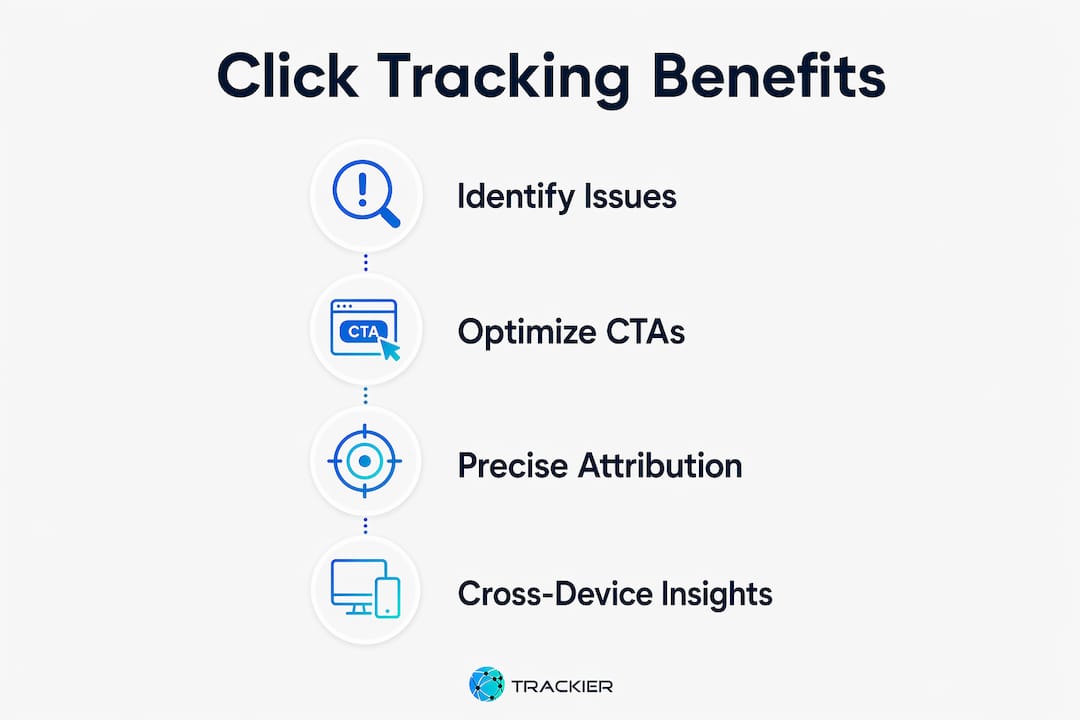
Moving beyond vanity metrics to monitor actual user interactions drives deeper optimization and better campaign ROI. Page views and bounce rates describe what happened at a surface level. Click data explains the intent behind the visit.
The most direct benefit is identifying user friction. Click tracking reveals patterns that aggregate metrics hide entirely:
- Dead clicks: Users clicking on non-interactive elements, signaling they expect a link or button that does not exist.
- Rage clicks: Repeated rapid clicks on an element, indicating frustration with a slow or broken interaction.
- Device-specific drop-offs: A CTA that performs well on desktop but receives almost no clicks on mobile, pointing to a layout or sizing issue.
- Channel quality gaps: High click volume from one source paired with low conversion rates, suggesting the audience arriving from that channel is misaligned with the offer.
Click tracking identifies dead clicks, rage clicks, and device-specific behavior to pinpoint areas needing improvement and increase conversions. That level of specificity is impossible to reach with session-level data alone.
The second major benefit is CTA and layout optimization. When you know which links receive clicks and which are ignored, you can reposition elements, rewrite anchor text, or change button colors based on observed behavior rather than assumptions. A content creator who sees that 70% of their bio link clicks go to their YouTube channel but only 5% go to their newsletter signup can restructure their link page to surface the newsletter higher and test whether placement was the barrier.

Pro Tip: Segment your click data by device type before making any layout changes. A CTA that underperforms overall may be performing well on desktop and failing only on mobile, which points to a design fix rather than a messaging problem.
The third benefit is precise attribution. Link analytics paired with UTM tagging allows traffic to be correctly attributed to campaigns and channels, providing clarity on which sources drive clicks and conversions. Without this, platforms like Instagram, TikTok, and LinkedIn all appear as "direct" traffic in your analytics, making it impossible to evaluate which channel deserves more budget.
Common pitfalls when tracking link performance
The most damaging mistake in click tracking is not a technical failure. It is tracking clicks without linking conversions, which leads to misinformed budget decisions because clicks alone do not reveal which channels generate revenue. This is known as the "clicks tracked, conversions not" problem, and it is widespread among teams that set up basic tracking but never wire the conversion side.
A second critical error involves internal UTM tagging. Internal UTM parameters on site navigation overwrite session source data and corrupt attribution in GA4, leading to inaccurate reports. If you tag a link from your homepage to your pricing page with UTMs, GA4 treats that click as a new session originating from your own site, erasing the original traffic source. The rule is absolute: UTMs belong only on inbound external links.
"Inconsistencies in UTM tagging cause analytics to split data incorrectly, obscuring true campaign performance." — Linked.Codes
Privacy regulations and browser changes add another layer of complexity. Despite cookieless tracking and privacy changes affecting sessions, direct click event data is increasingly critical for channel measurement. First-party click data captured at the link level is more durable than session cookies, which browsers like Safari and Firefox now restrict aggressively.
Best practices that prevent the most common failures:
- Use unique tracking links per channel so that email, Instagram, and TikTok traffic never merge into a single unattributed bucket.
- Apply consistent UTM naming conventions across every team member and campaign.
- Implement server-side postbacks for conversion tracking when browser-based pixels are blocked by privacy tools.
- Audit your tracking setup quarterly to catch broken links, expired UTMs, or misconfigured events before they corrupt months of data.
How to use click data to sharpen your marketing strategy
Effective campaign optimization requires linking click data with conversion and retention metrics. Clicks are the input. Conversions are the output. The relationship between the two is where strategy lives.
Here is a practical four-step process for applying click monitoring to real decisions:
- Establish a click baseline. Run your current links for two to four weeks without changes. Record click volume, click-through rate, and device breakdown per channel. This baseline is your control group for every future test. For more on building this foundation, the link tracking guide from Lflow covers the setup process in detail.
- Connect clicks to conversions. Map each tracked link to a downstream conversion event in Google Analytics 4 or your CRM. A click that does not lead to a purchase, signup, or other defined action is a data point about audience mismatch, not a success.
- Run A/B tests on CTAs and placements. Use click patterns to form hypotheses. If your top link in a bio page receives 60% of all clicks, test whether moving your second-priority link above the fold increases its share. Tools like Google Optimize or VWO let you run these tests without engineering support.
- Allocate budget by conversion-weighted clicks. Rank your channels by cost per conversion, not cost per click. A channel with half the click volume but double the conversion rate deserves more budget, not less.
The comparison below shows how two channels can look identical on click volume but diverge sharply on value:
| Metric | Channel A (Instagram) | Channel B (Email) |
|---|---|---|
| Monthly clicks | 1,200 | 400 |
| Conversion rate | 1.5% | 9.0% |
| Conversions | 18 | 36 |
| Cost per conversion | $28 | $8 |
Email delivers twice the conversions at less than a third of the cost per conversion. Without click-to-conversion tracking, the budget would follow Instagram's larger click volume and produce worse results.
QR code scans generate the same behavioral data as digital clicks, enabling cross-channel insights that connect offline campaigns to online performance. A flyer, product packaging, or event badge with a tracked QR code feeds the same data stream as a social media link, giving you a complete picture of where your audience actually comes from.
Key takeaways
Monitoring link clicks without connecting that data to conversions produces misleading reports and wastes marketing budget on high-traffic but low-performing channels.
| Point | Details |
|---|---|
| Click data beats page views | Click events capture device, source, location, and timing, revealing intent that session metrics miss. |
| UTMs belong on external links only | Applying UTM tags to internal navigation corrupts GA4 attribution and erases original traffic sources. |
| Connect clicks to conversions | Clicks without conversion wiring lead to budget decisions that favor volume over revenue. |
| Unique links per channel | One tracking link per channel prevents traffic from merging and keeps attribution clean. |
| QR codes extend tracking offline | QR code scans produce the same behavioral data as digital clicks, closing the offline measurement gap. |
The attribution trap most marketers walk right into
I have reviewed tracking setups for dozens of content creators and marketing teams, and the same problem appears almost every time. The click data looks clean. The UTMs are in place. The dashboards show healthy numbers. But when I ask "which channel drove your last 20 paying customers," nobody can answer with confidence.
The issue is that most teams stop at the click. They celebrate a high click-through rate on an Instagram campaign without ever checking whether those clicks converted at a rate worth the spend. Click reporting without conversion wiring leads to noisy data that favors high-traffic but not necessarily high-performing channels. That bias quietly redirects budget toward channels that look productive but underdeliver on revenue.
The second thing I see constantly is UTM chaos. Three people on the same team tag the same campaign three different ways, and the analytics report shows five versions of the same source. The fix is not a better tool. It is a shared naming document that everyone uses before a link goes live. Discipline in setup prevents hours of cleanup later.
Privacy changes are making first-party click data more valuable, not less. As third-party cookies disappear and browser restrictions tighten, the click event captured at the link level becomes one of the few reliable signals you still own. Teams that invest in link management practices now will have a structural advantage as session-based attribution degrades further.
My honest recommendation: treat your tracking setup as a product, not a one-time configuration. Audit it regularly, document every convention, and always ask what happened after the click.
— Axion
Track every click with Lflow

Lflow gives content creators and digital marketers a single platform to manage, brand, and track every link they share. With real-time analytics built into every link in bio page, you see exactly which links your audience clicks, on which devices, and from which platforms. The setup takes under two minutes, and you get free QR code generation with the same click-level tracking for offline campaigns. If you want to go further, Lflow's free URL shortener adds tracking to any link you share across email, social, or paid campaigns. No complicated integrations. No analytics expertise required. Start tracking what actually matters.
FAQ
What does monitoring link clicks actually measure?
Click monitoring records the moment a user interacts with a hyperlink, capturing device type, referral source, location, and timestamp. This data reveals user intent and campaign performance at a level that page views and session metrics cannot match.
Why track URL clicks instead of just page views?
Page views confirm arrival. Click data explains the path: where the user came from, what they chose to engage with, and whether they moved toward a conversion. Tracking link performance at the click level gives you the behavioral context needed to optimize layouts, CTAs, and channel spend.
How do UTM parameters relate to link click tracking?
UTM parameters tag a URL with campaign information that flows into analytics platforms like Google Analytics 4. They work alongside click tracking to connect a behavioral event to a specific source, medium, and campaign name. Apply them only to inbound external links, never to internal site navigation.
What is the biggest mistake in click tracking?
The most costly error is tracking clicks without connecting them to conversions. High click volume from a channel that produces no revenue is a warning sign, not a success metric. Always map your tracked links to a downstream conversion event to measure true channel value.
Can you track offline campaigns the same way as digital links?
Yes. QR codes generate the same behavioral data as digital link clicks, including device, location, and timing. Placing a tracked QR code on print materials, packaging, or event signage connects offline audience interactions to the same analytics dashboard as your digital campaigns.