

The best link-in-bio choice for most influencers is a mobile-first, analytics-enabled page with a custom domain — and Lflow lets you publish one in under two minutes. That setup time matters because your audience is almost entirely on phones: Roughly 90% of bio-link visits come from phones — mobile-first design is non-negotiable, which means a page that loads slow or forces awkward taps costs you real clicks. If you're ready to skip the research, start your free Lflow page now and come back for the details.
Table of Contents
- What features should you look for in a top link page builder?
- How do you create a working link page in under 2 minutes?
- How does Lflow.co meet every item on that checklist?
- What do creators actually pay for — free vs. paid trade-offs?
- Best practices you can apply to your link page today
- Key Takeaways
- What the best link pages actually get right
- Your free Lflow page is ready when you are
- Useful sources and further reading
What features should you look for in a top link page builder?
The link-in-bio tool category splits into three shapes: mainstream link aggregators, creator storefronts with built-in commerce, and single-page builders focused on visual branding. Knowing which shape fits your goals saves you from paying for features you'll never use.
Here's the checklist that actually matters, prioritized by impact:
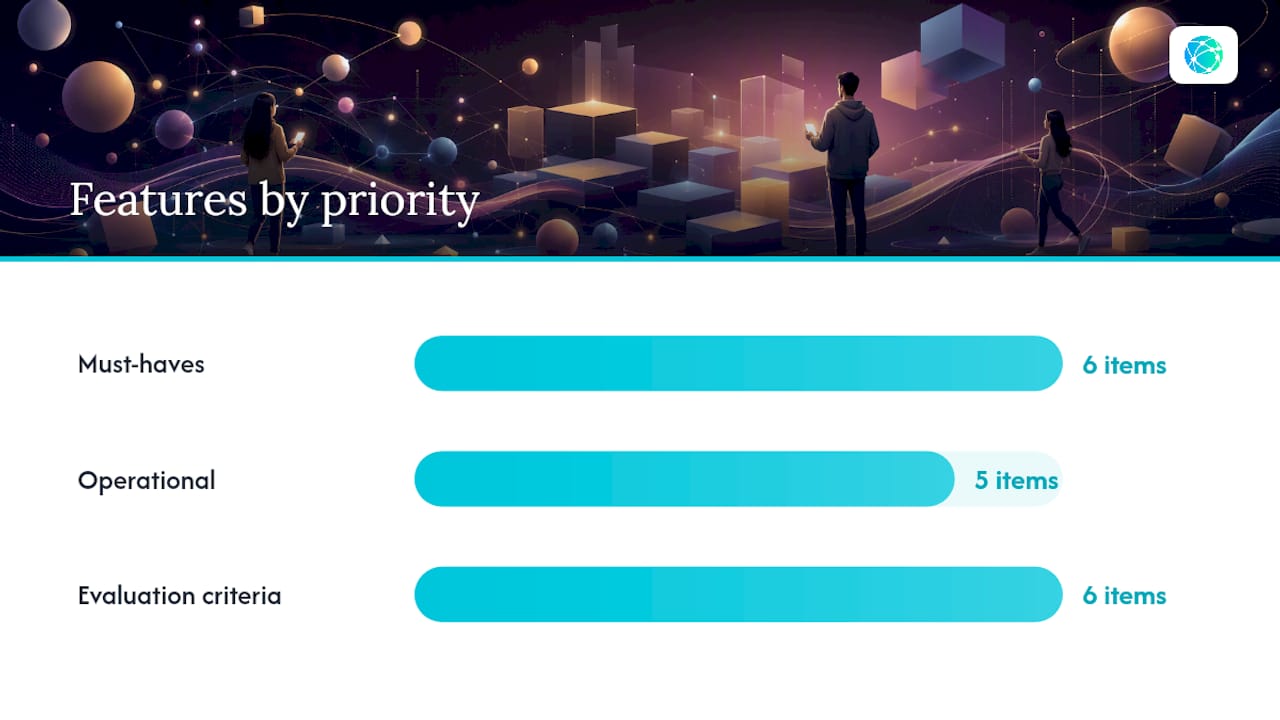
Must-haves for every creator:
- Mobile-first templates with tap targets meeting recommended minimum size guidelines
- Unlimited links (no artificial cap forcing an upgrade)
- Custom domain support for brand consistency
- Real-time click analytics per link
- QR code generation for offline promotion (merch tables, print ads, event signage)
- Branded short links
Operational features worth checking:
- Onboarding under five minutes — ideally under two
- Scheduled links (auto-publish and auto-archive for time-limited offers)
- Password protection for exclusive content drops
- CSV data export for reporting to brand partners
- Social platform integrations
Pro Tip: If you primarily sell digital products, prioritize tools with 0% transaction fees on paid plans. A flat monthly subscription becomes cheaper than a percentage-based fee once your monthly sales pass a modest threshold — run the math before you commit.
The evaluation criteria most roundups agree on: easy setup, mobile-first templates, analytics, clickable buttons, custom domains, and a clean free plan. Use that list as your baseline, then weight the commerce features more heavily if monetization is your primary goal.
How do you create a working link page in under 2 minutes?
The goal: a live link page with your primary CTA above the fold and analytics tracking active before you finish your coffee.
Before you open the signup page, gather:
- Your profile photo or logo (square, at least 400×400 px)
- The URL for your primary offer (course, merch store, booking page)
- A payment link if you're selling directly
- Your email capture URL if you're building a list
Then follow these steps:
- Sign up at lflow.co — no credit card required on the free plan.
- Choose a mobile-first template that matches your brand aesthetic; preview it on the mobile view before committing.
- Add your primary CTA first, above the fold, with a short label (five words or fewer).
- Set your custom domain or branded short link so the URL reflects your name, not the platform's.
- Generate a QR code for your link page to use on merch, flyers, or event materials.
- Publish, then open the link on your phone inside the Instagram and TikTok in-app browsers.
In those first five minutes, check three things: does the page load without a blank flash in the in-app browser, are the CTA buttons easy to tap without zooming, and does the first meaningful content appear before two seconds? Speed-focused changes to first meaningful paint — like inlining critical CSS and lazy-loading images — consistently outperform cosmetic tweaks for conversion.
How does Lflow.co meet every item on that checklist?
Lflow was built specifically for creators who need a professional link hub without a learning curve. Here's how it maps to the checklist above:
| Feature | What Lflow delivers |
|---|---|
| Mobile-first templates | Fully responsive layouts, previewed in mobile view during setup |
| Tap target sizing | minimum touch areas with comfortable vertical spacing between CTAs |
| Custom domains | Available on paid plans; branded short links on free |
| Real-time analytics | Per-link click tracking and QR scan data, updated live |
| QR code generation | Free downloadable QR for every link or campaign |
| AI bio generator | Writes your bio copy from a short prompt |
| Scheduled links | Auto-publish and auto-archive for drops and limited offers |
| Password protection | Lock pages or individual links for exclusive access |
| CSV export | Download your analytics data for brand partner reports |
| Onboarding time | Under two minutes from signup to published page |
Lflow's onboarding is designed to complete very quickly — from account creation to a live, mobile-optimized link page with analytics active.
The freemium model means you can publish a working page today at no cost. The upgrade triggers are clear: custom domain, branding removal, advanced analytics, and priority support. For creators who want a deeper look at how Lflow compares across the top link-in-bio platforms for influencers, the blog covers feature trade-offs in detail.
What do creators actually pay for — free vs. paid trade-offs?
Pricing in this category follows three common shapes, and the right one depends entirely on how you make money.
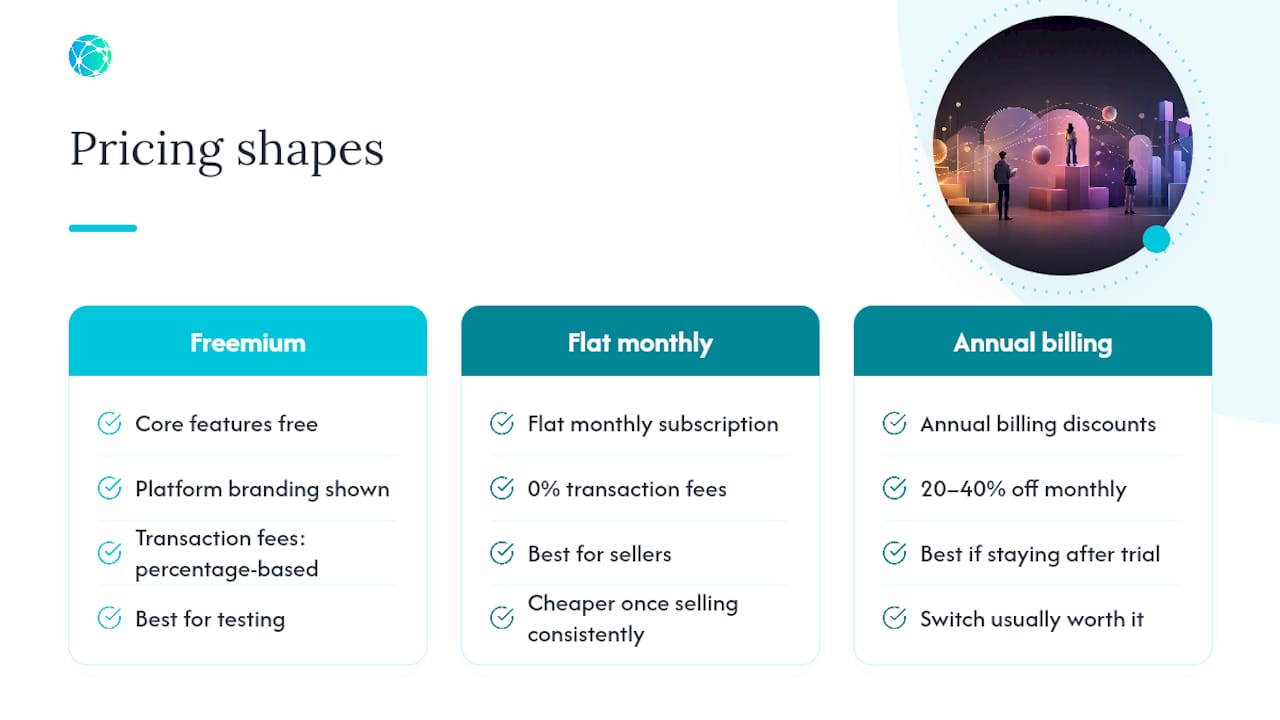
Free freemium with platform branding is where most creators start. You get the core features but the platform's logo sits on your page. Fine for testing; not ideal once you're pitching brand deals.
Flat monthly subscription with 0% transactions is the model that pays off fastest for sellers. Pricing comparisons show that percentage-based transaction fees on free tiers can erode margins quickly as sales volume grows. A flat subscription with no per-sale cut becomes cheaper once you're moving product consistently.
Annual billing discounts typically run 20–40% off the monthly rate. If you've used the free plan for a month and know you're staying, the annual switch is usually worth it.
The upgrade triggers to watch for: custom domain (almost always paid), removing platform branding (always paid), advanced per-link analytics, and priority support. For creators who work with brand partners and need clean reporting, CSV export and advanced analytics alone often justify the upgrade cost. Evaluating these trade-offs against your actual use case — traffic versus sales volume — is the fastest way to pick the right tier.
Best practices you can apply to your link page today
Link order and copy:
- Place your single most important offer prominently near the top of the page. Visitors who scroll are already more engaged; the ones who don't need to see your best offer immediately.
- Keep button labels to five words or fewer. "Shop the collection" outperforms "Click here to visit my online store."
- Use progressive disclosure: primary offer first, secondary links below, social profiles last.
UX and performance:
- Full-width CTA cards tap better than narrow centered buttons on phones.
- Maintain comfortable vertical spacing between stacked links to prevent accidental taps.
- Inline critical CSS and lazy-load images to hit a fast first meaningful paint — heavy scripts kill conversion before the page even renders.
- Always test in the Instagram and TikTok in-app browsers, not just Safari or Chrome.
Measurement and iteration:
- Track clicks per link weekly. A link nobody taps is a link taking up prime real estate.
- Run simple A/B tests: change one CTA label, wait a week, compare click rates.
- Use your free QR code on physical materials — merch, event tables, print ads — and track offline-to-online conversion separately from your social traffic.
For creative layout ideas that go beyond the basics, this guide on link-in-bio engagement tactics is worth bookmarking. And if you're working with brands on influencer campaigns, understanding how to route social traffic to offers makes your link page a stronger pitch asset.
Key Takeaways
A mobile-first link page with a custom domain, real-time analytics, and a single primary CTA above the fold is the highest-leverage setup for most influencers and creators in 2026.
| Point | Details |
|---|---|
| Mobile traffic dominates | Roughly 90% of bio-link visits come from phones — mobile-first design is non-negotiable. |
| Primary CTA placement | Put your most important offer above the fold; secondary links follow in order of priority. |
| Flat fees beat percentages | For active sellers, a flat subscription with 0% transactions saves money as sales volume grows. |
| Speed over style | Inlining critical CSS and lazy-loading images improves conversion more than most visual tweaks. |
| Lflow as your starting point | Lflow publishes a mobile-optimized link page with analytics and QR codes in under two minutes, free. |
What the best link pages actually get right
Most creators spend too long picking a color palette and not long enough on tap-target sizing and load speed. The research is consistent: design decisions that increase visible tap area — larger text, taller buttons, more padding — outperform minor aesthetic changes for mobile conversion. Your audience is scrolling fast on a 6-inch screen. They're not admiring your font choice.
There's also a category mistake worth naming. A link-in-bio page is a shallow funnel, not a website. Treating it like one — loading it with ten links, a bio essay, and embedded media — defeats the purpose. One primary offer, fast load, clean tap targets. That's the formula. Everything else is secondary.
The tools that win for creators are the ones that enforce this discipline through their defaults: mobile preview during setup, tap-target warnings, and analytics that show you immediately which links nobody clicks. Lflow's platform is built around exactly those constraints, which is why it's the starting point worth recommending here.
Your free Lflow page is ready when you are
Lflow gives you a mobile-optimized link page with unlimited links, real-time analytics, and a free QR code — published in under two minutes, no credit card required. The free plan covers everything a creator needs to start routing social traffic to real offers: a branded short link, mobile-first templates, and per-link click tracking from day one.

When you're ready to add a custom domain, remove platform branding, or export analytics for a brand deal, the paid plan is there. But the free plan is a complete starting point, not a crippled demo.
Create your free link page at lflow.co and have it live before your next post goes up.
Useful sources and further reading
- Best Link In Bio Tools: The Best Link In Bio Tool Options — RocketLink
- Best Link in Bio Tools in 2026: Linktree vs Beacons vs Stan Store — RateTheTool - Software Reviews
- Best Link-in-Bio Tools of 2026 · Subrupt
- Linktree vs. Beacons vs. Stan: Link-in-Bio Tools… — Prelink
- Free Link App for Instagram & TikTok Bio | Linkflow
- Best Link in Bio Platforms for Influencers in 2026