
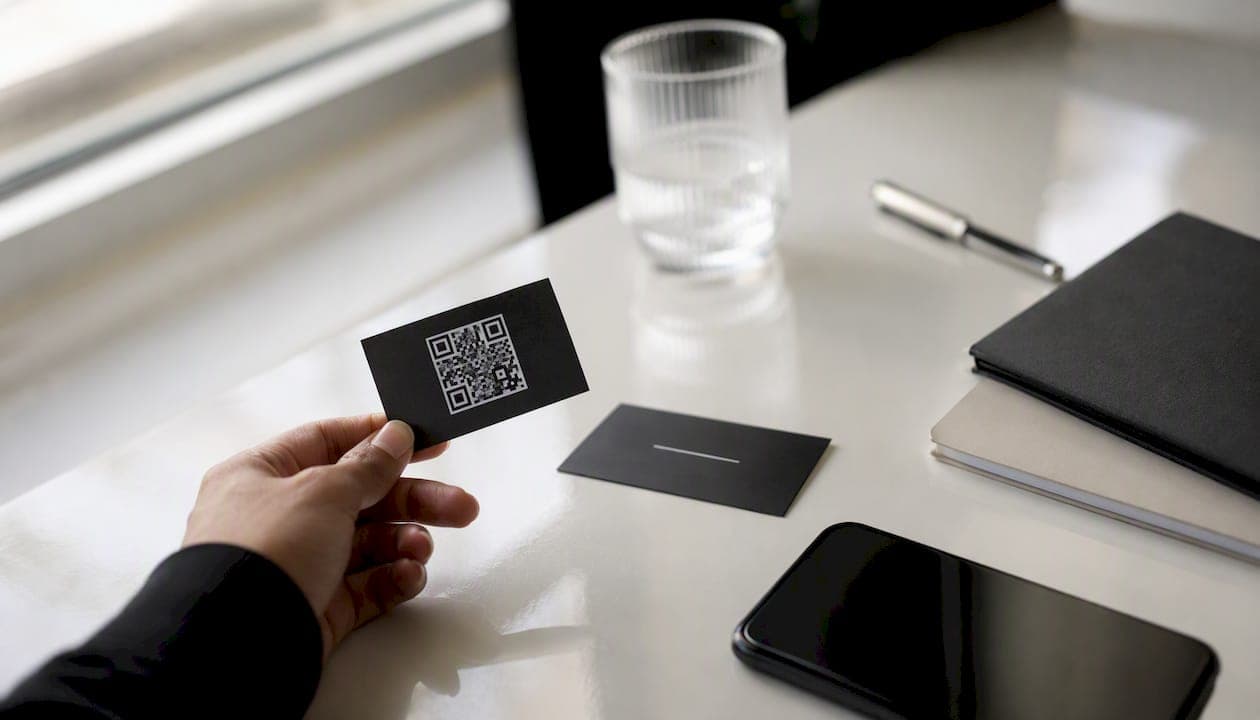
Use QR codes for physical touchpoints and short links for screens. That's the short answer. When you're running an omnichannel campaign, use both together and point them to the same destination so your analytics stay unified and your audience always has a way in, regardless of device.
The logic is simple: QR codes require a camera. Short links require a tap or a keyboard. Match the format to what your audience can actually do in that moment.
Three things you can act on right now:
- Print a QR code on any physical asset and display the short URL directly below it.
- Use only the short link in email, SMS, and social posts where the reader is already on the device they'd scan from.
- Make every QR code dynamic so you can update the destination without reprinting.
Pro Tip: On a flyer or poster, the short URL below the QR code isn't a backup. It's a second conversion path. Treat it like one.
Key Takeaways
The most effective approach to QR codes vs. short links is to treat them as complementary formats, match each to its channel, and point both to the same branded short URL for unified analytics.
| Point | Details |
|---|---|
| Match format to channel | QR codes for physical touchpoints; short links for screens where the audience can tap or type. |
| Always pair QR with a short URL | Print a human-readable short URL beside every QR code as a fallback and a second conversion path. |
| Use dynamic QR codes | Dynamic codes let you update the destination and track scans without reprinting any physical asset. |
| Instrument every link with UTMs | Unique short links per placement plus UTM parameters give you clean, attributable analytics across formats. |
| Lflow unifies both tools | Lflow generates dynamic QR codes and branded short links in one platform, with shared real-time analytics and exportable data. |
Table of Contents
- What are QR codes and short links, exactly?
- How do QR codes vs. short links compare across channels?
- When are QR codes the better choice?
- When are short links the better choice?
- How do you measure QR code and short link performance?
- How do you create short links and QR codes for a campaign?
- Real-world scenarios: which format fits which situation?
- How Lflow handles both short links and QR codes in one place
- A practical take on the QR vs. short link debate
- Lflow: short links and QR codes, built for creators and brands
- Sources
What are QR codes and short links, exactly?
A QR code is a two-dimensional barcode a smartphone camera reads and converts into a URL. Static QR codes encode the destination URL directly into the pattern, so the URL is permanent once printed. Dynamic QR codes encode a short redirect URL instead, which means the destination can be changed after printing and every scan can be tracked. For most marketing use cases, dynamic is the right default.
A short link (also called a shortened URL or branded short link) is a condensed URL that redirects to a longer destination. A generic shortener produces something like bit.ly/3xK9mQ. A branded short link uses your own domain: yourbrand.co/menu. Branded links carry far more trust and click-through potential than anonymous ones, and they're readable aloud, which generic links are not.
Here's the connection that matters for marketers: a dynamic QR code almost always wraps a short link. So the two formats aren't really competitors. They're layers. The short link is the infrastructure; the QR code is one access point to it.
Key distinctions at a glance:
- Static QR: permanent destination, no tracking, no updates after print.
- Dynamic QR: editable destination, full scan analytics, requires a redirect service.
- Generic short link: trackable, not memorable, lower trust.
- Branded short link: trackable, memorable, higher trust and CTR.
How do QR codes vs. short links compare across channels?
| Dimension | QR Code | Short Link |
|---|---|---|
| Best for (channel/context) | Print, packaging, signage, in-venue, second-device scans | Email, SMS, social posts, bios, podcasts, desktop |
| Ease of access | Scan with camera | Tap (digital) or type (print fallback) |
| Speed / attention required | 5–10 seconds to open camera and align | Instant tap; ~15+ seconds to type manually |
| Trackability & analytics | Scan count, device, geo, time (dynamic only) | Clicks, device, geo, referrer, UTM attribution |
| Branding & customization | Logo embed, color, shape (with design tools) | Branded domain, custom slug, readable text |
| Maintenance / update destination | Dynamic: update anytime; Static: reprint required | Update redirect anytime via shortener dashboard |
A few practical consequences worth calling out:
- You cannot scan a QR code on the same phone you're reading it on. If your audience is on mobile, use a short link. This applies to mobile email, SMS, and social feeds.
- For roadside billboards or any exposure under roughly 15 seconds, a short, memorable URL outperforms a QR code because people can read and retain text faster than they can stop, open a camera, and scan. Nielsen Norman Group's QR research makes this point directly.
- Dynamic QR codes add one redirect hop, which is a negligible delay in practice, but worth knowing if you're stacking multiple redirects.
When are QR codes the better choice?
QR codes win whenever the audience is physically present with a printed or displayed object and has a second device in hand. That covers a wide range of real marketing situations.
Primary use cases:
- Restaurant table tents and menus
- Event badges, conference lanyards, and presentation slides
- Retail product packaging and hang tags
- Outdoor signage, trade show booths, and wayfinding
- Direct mail pieces and catalogs
- Billboards where the audience has time to scan (transit stops, not highway)
- Second-screen scans: a QR on a projector slide that attendees scan with their phones
QR design and placement best practices
The physical environment is unforgiving. A QR code that's too small, too low-contrast, or printed on a reflective surface simply won't scan. Follow these specs:
- Minimum size: 1 inch × 1 inch (2.5 cm × 2.5 cm) for close-range scanning; scale up proportionally for distance.
- Quiet zone: maintain a white border of at least four modules (the small squares) around the code.
- Contrast: dark modules on a light background. Avoid printing on colored or textured stock without testing.
- Error correction level: use Level H (30% damage tolerance) for codes that will appear on packaging or outdoor surfaces where wear is likely.
- URL complexity: shorter destination URLs produce less dense QR patterns, which scan faster and more reliably. The U.S. Department of Energy's QR standards specifically recommend keeping URLs short before encoding.
- Test before printing: scan the proof at the intended viewing distance under realistic lighting, including dim restaurant lighting if that's the venue.
Always print a human-readable short URL directly below the code to boost conversions with strong CTAs, as effective calls to action increase scan-to-action rates and campaign success (CTA importance: boost conversions with strong CTAs). Nielsen Norman Group notes that QR codes carry almost no information scent on their own. A label like "Scan for today's menu" and a URL like cafe.co/menu tell the user what they're getting before they commit to scanning.
Static vs. dynamic: which should you use?
Use static QR only for permanent, low-stakes destinations: a personal portfolio, a Wi-Fi password card, a one-time event flyer. Use dynamic QR for anything that might need updating or that you want to measure. The service dependency is real: if the redirect provider shuts down, every printed code goes dead. For long-running assets like product packaging, choose a provider with a stable track record or self-host the redirect on a domain you own.
Accessibility and fallbacks
Not every user has a QR scanner. Older devices, accessibility needs, and simple user preference all create gaps. Print the short URL beside every code. For QR codes embedded in PDFs or websites, add alt text describing the destination and include a clickable hyperlink version of the URL nearby.
Pro Tip: Test your QR code in the worst-case lighting condition of the actual deployment environment, not at your desk. A code that scans perfectly under office fluorescents can fail completely in a dimly lit bar or under direct sunlight on glossy paper.
When are short links the better choice?
Short links are the right format any time the audience is already on the device they'd use to act. That's most of digital marketing.
Primary use cases:
- Email campaigns (clickable hyperlinks or visible URLs)
- SMS and text message marketing
- Social media posts, captions, and bios
- Video descriptions on YouTube or TikTok
- Podcast show notes and verbal mentions during episodes
- Desktop-first content where camera access is awkward
- Paid ads where the display URL is visible
Combining a short URL with a QR code on print materials consistently improves conversion rates compared to either format alone, but in purely digital contexts, the short link is the primary tool and the QR is irrelevant.
Why branded short links matter
Branded short links increase trust and CTR compared with anonymous shorteners. A URL like brand.co/sale tells the recipient exactly who sent it and where it goes. An anonymous bit.ly/3xK9mQ tells them nothing, which is a real problem in SMS and email where phishing awareness is high.
Branded links help save characters in SMS messages, which have a character limit per segment, making space for more message content.
Short link best practices
- Create one unique short link per campaign placement, not one link for the whole campaign. This is how you know which channel drove results.
- Always append UTM parameters before shortening:
utm_source,utm_medium,utm_campaign, andutm_contentat minimum. - Use a branded domain when the link will be visible to customers. Reserve generic shorteners for internal tracking only.
- Set up a redirect rather than a direct link when the destination might change. This way you update the redirect, not every place the link appears.
- Avoid chaining multiple redirects. Each hop adds latency and can trigger spam filters in email clients.
For desktop-first audiences or users without smartphones, a short, readable URL is the only viable format. A QR code on a desktop screen is essentially useless.
Pro Tip: Use a unique short link for every podcast episode mention, even if the destination is the same page. The per-episode data tells you which episode drove the most traffic, which is far more useful than a single aggregate number.
How do you measure QR code and short link performance?
Measurement is where the combined approach pays off most clearly. When your QR code points to a branded short link, you get one analytics stream for both scan and click traffic.
Essential metrics to track
- Scans vs. clicks: total volume by format and placement.
- Unique users: filter out repeat scans from the same device.
- Conversion rate: scans or clicks that complete the target action (purchase, signup, form fill).
- Time to conversion: how long after the first scan or click does the conversion happen? This matters for retargeting window decisions.
- Device breakdown: mobile vs. desktop, OS, browser.
- Geographic distribution: especially useful for out-of-home campaigns with multiple placements.
- Session behavior: bounce rate, pages per session, and exit page from your web analytics tool.
For a deeper look at which analytics dimensions matter most for creators and brands, this analytics guide for creators covers link, QR, and engagement metrics together.
How to instrument your links
- Build the destination URL with UTM parameters first.
- Shorten it into a branded short link.
- Generate a dynamic QR that points to that short link.
- Use a unique short link for each placement (billboard vs. flyer vs. email).
- Connect your short link analytics to Google Analytics 4 via UTM so sessions are attributed correctly.
A/B testing checklist
- Test one variable at a time: QR placement (top vs. bottom of flyer), CTA label ("Scan for menu" vs. "See today's specials"), or short URL slug readability.
- For print assets, run tests across comparable exposure windows. A flyer at a coffee shop needs at least two to four weeks; a billboard needs longer.
- For digital, standard A/B test sample sizes apply. Don't call a winner on fewer than a few hundred clicks per variant.
Privacy and attribution pitfalls
Redirect-based tracking captures device and IP data. Disclose this in your privacy policy if you're collecting it. For GDPR-adjacent audiences, check whether your shortener's data handling meets the applicable standard.
Common attribution errors to avoid:
- Double counting: if your QR and short link both fire a pageview, and you're counting both scan events and web sessions, you may count one visit twice. Reconcile at the session level, not the event level.
- Missing cross-device users: a user who scans on mobile and converts on desktop won't match in most analytics tools without a login or email capture step.
- Untagged links: any link without UTM parameters lands in "direct" traffic in GA4, making it invisible for attribution.
How do you create short links and QR codes for a campaign?
Follow this workflow for every campaign asset, whether it's a social post or a product label.
- Define the destination and UTM parameters. Write out the full URL with
utm_source,utm_medium,utm_campaign, andutm_contentbefore touching any tool. - Create a branded short link. Use a URL shortener with branded domain support so the visible URL reflects your brand, not a third-party service.
- Generate a dynamic QR code that points to the branded short link. Never encode the raw long URL directly into a QR code. The shorter the encoded URL, the cleaner and more scannable the pattern.
- Display the short URL visibly next to the QR code. This is both a usability requirement and a trust signal. Per U.S. Department of Energy QR standards, the human-readable URL should always accompany a printed code.
- Test on multiple devices and lighting conditions before sending to print or publishing. Scan with at least two different phones and in the actual environment where the asset will live.
- Publish and monitor. Check analytics within the first 48 hours of a new campaign to catch broken redirects or tracking gaps before they compound.
Operational checklist for long-run assets
For anything printed in volume or displayed for months (packaging, permanent signage, trade show materials):
- Use a branded short domain your organization controls, not a third-party shortener you don't own.
- Prefer dynamic QR codes so you can update the destination if a product page changes or a campaign ends.
- Document the redirect mapping in a shared internal record so the link doesn't go dead when someone leaves the team.
- Set a calendar reminder to test the QR scan and redirect every 90 days for assets with a lifespan over six months.
For mission-critical assets, self-hosting the shortener or using a stable branded domain eliminates the risk of a third-party provider shutting down and breaking every printed code in the field.
Pro Tip: Export your analytics data to CSV at the end of each campaign and store it independently of the shortener platform. If you ever migrate providers, you won't lose historical scan and click data.
Connecting link and scan data to your CRM is straightforward when UTM parameters are consistent. Pass the utm_campaign value through your landing page form as a hidden field, and your CRM can attribute every lead to its source placement without manual matching.
Real-world scenarios: which format fits which situation?
Here's how the channel-first logic plays out across the most common marketing situations.
Restaurant table tent or menu:
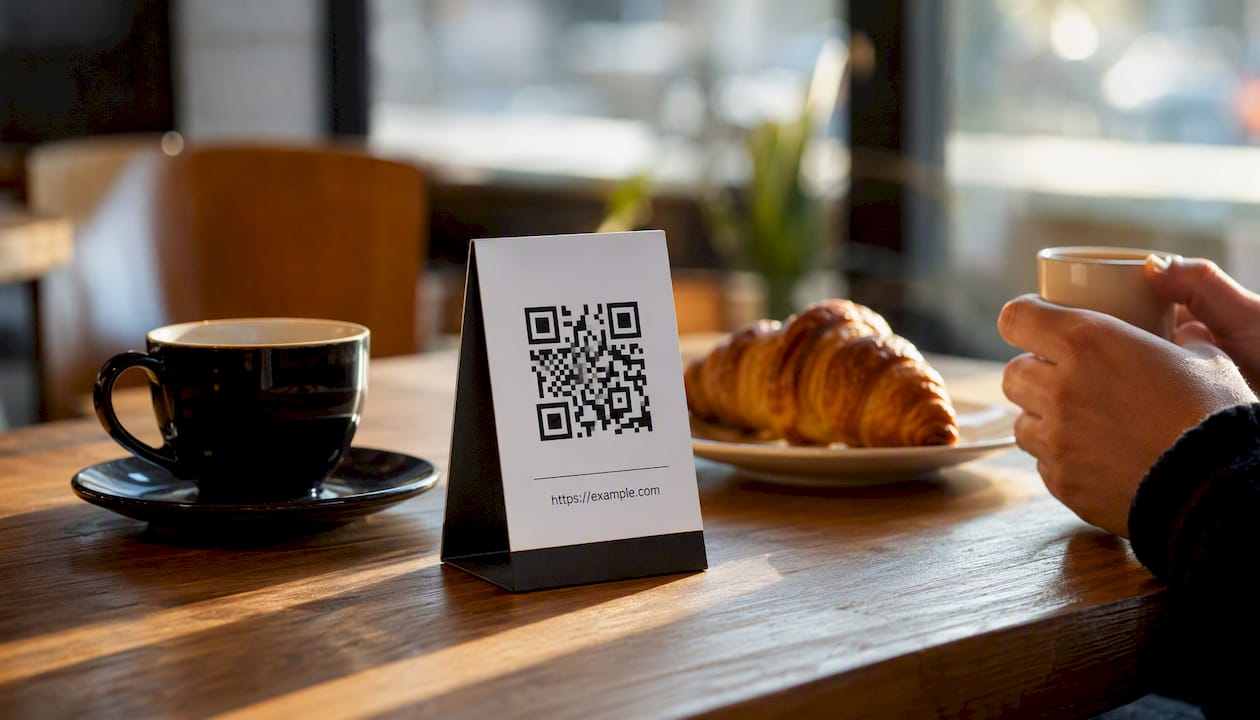
Use a dynamic QR code as the primary format. The customer has their phone in hand and the table is a natural scanning surface. Print the short URL (cafe.co/menu) below the code for guests who prefer to type. Use a unique short link per location if you have multiple venues.
Event badge or conference slide: QR on the badge, short URL on the slide. Attendees scan badges during networking; they scan slides during sessions. On slides, place the QR in the bottom corner and the short URL in readable text beside it. Anyone who misses the scan can type it later. For influencer and creator events, QR codes on event materials can drive significant post-event engagement when the destination is a curated link page.
Retail product packaging: Dynamic QR code, always. Packaging has a long shelf life and destinations change (seasonal promotions, updated product pages). Print the short URL in small but readable type near the code. Use error correction Level H given the handling and environmental exposure packaging endures.
Billboard or roadside signage:
Short URL only if the exposure time is under 15 seconds (highway speeds). QR code if the audience has dwell time (transit shelter, parking lot). For highway billboards, keep the URL to five to seven characters after the domain: brand.co/sale is the ceiling for memorability at speed.
Social bio and podcast episode notes: Short link only. A QR code in a social bio is invisible to the audience already on their phone. Use a link in bio page to consolidate multiple destinations behind one short URL, then update the destinations without changing the URL. For podcast episodes, use a unique short link per episode so you can see which episode drove the most traffic to a given offer.
How Lflow handles both short links and QR codes in one place
Managing short links and QR codes across campaigns gets messy fast when they live in separate tools. Lflow brings both into one platform, along with the analytics to connect them.

What Lflow gives you out of the box:
- A free QR code generator that produces dynamic, trackable codes for any link or campaign.
- Branded short links on a custom domain so your URLs reflect your brand, not a third-party service.
- Real-time analytics covering clicks, scans, device type, geography, and referrer, all in one dashboard.
- Exportable CSV data for CRM integration and campaign reporting.
- Custom domains, scheduled links, password protection, and an AI bio generator on paid plans.
Here's what a typical campaign setup looks like in Lflow: you create a branded short link for your campaign destination, append your UTM parameters, and generate a dynamic QR code pointing to that same short link. Both the scan traffic and the click traffic flow into the same analytics view. If the destination changes mid-campaign, you update the redirect once and every printed QR code and every published short link follows automatically, with no reprinting and no broken links.
Lflow's pricing plans start free, with paid tiers unlocking custom domains, advanced analytics, and branding removal. For a creator or brand running more than one active campaign at a time, the paid plan pays for itself in the time saved managing links across tools.
Pro Tip: Use Lflow's link in bio page as the canonical destination for your QR codes. When you update the page, every QR code and short link pointing to it reflects the change instantly, with no reprinting and no broken links.
A practical take on the QR vs. short link debate
The framing of QR codes versus short links is a false choice, and most marketers who've run omnichannel campaigns know it. The real question is always: what can this audience physically do in this moment?
The one pitfall worth a specific warning: don't rely on a static QR code for any campaign asset with a lifespan longer than the campaign itself. Product packaging, permanent signage, and printed catalogs outlive their original campaigns by months or years. A static QR pointing to a discontinued page is dead traffic. A dynamic QR pointing to a branded short link you control is an asset you can redirect to whatever's current, indefinitely.
Lflow: short links and QR codes, built for creators and brands
Every short link and QR code you create should work together, not live in separate dashboards with separate data. Lflow is built for exactly that: one platform where you create branded short links, generate matching dynamic QR codes, and watch both streams of data in real time.
If you're a creator, brand, or marketer who's been managing links in one tool and QR codes in another, Lflow cuts that to one. The free plan includes unlimited links, a free QR code generator, and a mobile-optimized link in bio page. Paid plans add custom domains, advanced analytics, and branding removal for professional campaigns.
Start with a free link in bio page and generate your first branded short link and dynamic QR code in under two minutes.
Sources
- QR code standards and best practices — U.S. Department of Energy
- QR code guidelines — Nielsen Norman Group
- QR Codes vs Short Links Which to Use | Complete Strategy Guide 2026 — QR Insights
- QR Code Best Practices: Sizes, Error Correction, Tracking, and Use Cases in 2026 — JR Trove