
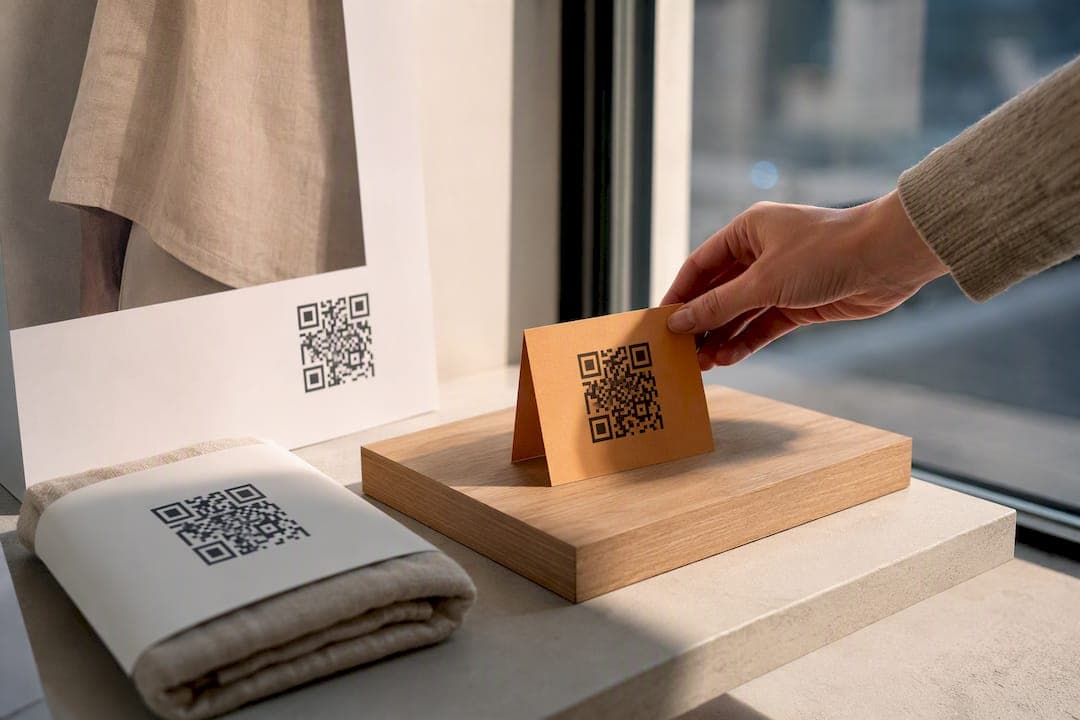
QR code tracking logs every scan of a dynamic QR code, capturing the timestamp, approximate location, and device behind it. Pair that with UTM parameters and you can trace a scan from a billboard or product label all the way to a completed purchase in Google Analytics. The catch: this only works with dynamic codes generated and tagged correctly before you print anything.
TL;DR:
- Dynamic QR codes enable real-time tracking of scan timestamp, location, device type, and operating system, while static codes cannot be monitored or edited after printing.
- Using UTM parameters with dynamic codes ensures accurate attribution of scans to specific campaigns, but they must be added before code generation, not afterward.
- Domestic or permanent information, like safety warnings, benefits from static codes, while marketing campaigns benefit from dynamic codes for measurement and flexibility.
- Proper setup requires assigning one code per placement, adding UTM tags beforehand, and testing on multiple devices to ensure accurate data collection.
- Relying on discipline to follow best practices and avoid operational mistakes is crucial because technology alone does not guarantee successful QR tracking campaigns.
Table of Contents
- How QR Code Tracking Works
- Dynamic Vs Static QR Codes: When to Use Each
- What Metrics Actually Matter for QR Campaigns
- How to Set Up Trackable QR Codes Step by Step
- Turning Scan Data Into Campaign Decisions
- Best Practices, Pitfalls, and Privacy Limits
- Where Lflow Fits Into This Workflow
- The Real Bottleneck Isn't Technology, It's Discipline
- Get Trackable QR Codes Without the Learning Curve
- Sources
How QR Code Tracking Works
QR code tracking runs on a redirect model, not the QR code itself. A dynamic QR code points to a short link controlled by your tracking provider. When someone scans it, the provider's server logs the event, then forwards the person to your actual destination URL. Static QR codes skip this middleman entirely. They encode the destination URL directly into the code's pattern, so there's nothing to log and nothing to update once printed. That's why static codes can't be tracked or edited after the fact, even if you desperately need to change a broken link.
What gets recorded during that split-second redirect:
- Scan timestamp, down to the second
- IP-derived location data (typically country or city level)
- Device type and operating system
- User-agent details that hint at browser or app used to scan
The redirect itself adds under 100 milliseconds of latency, which nobody notices in practice. Your audience experiences a normal scan-to-page transition while the system quietly builds a data trail behind it.
Dynamic Vs Static QR Codes: When to Use Each
The decision between dynamic and static codes comes down to three practical differences: whether you can edit the destination, whether you can measure scans, and how much you depend on a provider's servers staying online. Static codes work offline forever once printed, with zero dependency on anyone's infrastructure. Dynamic codes require the provider's redirect service to stay up, but they give you tracking and editability in exchange.
Here's a simple decision framework:
- Use static codes for safety-critical or permanent information — emergency contact numbers, product warnings, or anything that must work even if a vendor's servers go down.
- Use dynamic codes for anything you want to measure — ad campaigns, event signage, packaging inserts, and any placement tied to a marketing goal.
- Keep a static fallback for critical destinations — if a QR code links to something like safety documentation or a warranty page, consider a printed backup URL alongside it in case the redirect service ever fails.
For deeper technical differences, our breakdown of static vs dynamic QR codes walks through the editability tradeoffs in more detail. Most marketing use cases point toward dynamic by default. Static only makes sense when tracking doesn't matter and permanence does.
What Metrics Actually Matter for QR Campaigns
Raw scan data means nothing until you know which numbers to watch. Total scans count every single scan event, including repeat visits from the same phone. Unique scans estimate distinct people, usually through cookies or device fingerprints, and that distinction changes how you read a report. A poster with 500 total scans but only 80 unique scans tells you a small group is scanning it repeatedly, maybe out of confusion about where it leads.
Beyond scan volume, four data points shape most campaign decisions:
- Location: approximate city or country, derived from IP address, not GPS
- Device and OS: tells you whether to optimize a landing page for mobile or desktop
- Referrer or scan source: helps separate app-based scanners from native camera scans
- Timestamp patterns: reveals peak scan windows for time-sensitive offers
Realtime dashboards typically show scans, locations, and devices as they happen, with CSV export available for deeper reporting once you need to slice the data further. Unique-scan counts are heuristic rather than exact. Cookie clearing, shared devices, and private browsing all introduce noise, so treat unique scans as a trend indicator, not a precise headcount.
How to Set Up Trackable QR Codes Step by Step
Getting this right takes about ten minutes of setup discipline before you ever hit "generate." Skip a step here and you'll be reprinting materials or staring at analytics that don't match reality.
- Pick one destination URL per placement. A billboard, a flyer, and an Instagram story each need their own link, even if they all point toward the same landing page.
- Add UTM parameters to the destination URL first. Something like
?utm_source=billboard&utm_medium=offline&utm_campaign=spring_launchneeds to exist before you generate the code, not after. UTMs added post-print never make it into the tracked link, because the redirect destination is locked in at creation. - Generate the dynamic QR code using a tool that creates a short redirect link rather than embedding the raw URL; learn more about ideal print placements in our guide to print marketing materials for events.
- Test the scan on at least two different phones (one iOS, one Android) and confirm the scan event shows up in your dashboard within seconds.
- Check that GA4 is receiving the UTM-tagged session, not logging it as direct traffic.
- Deploy the printed or digital placement, then monitor the realtime feed for the first 24 to 48 hours to catch anything broken early.
Pro Tip: Screenshot your UTM string before generating the QR code. It sounds unnecessary until you've reprinted 3,000 flyers because someone fat-fingered "utm_campaing" instead of "utm_campaign."
Once live, export scan data to CSV or pull it through an API if you need to merge it with campaign spend for a full ROI picture.
Turning Scan Data Into Campaign Decisions
Dashboards are useful for quick comparisons. Pull up scans by placement and you'll immediately see which locations are earning attention and which ones are dead weight. But the real analytical power shows up when you connect scan data to conversions instead of just counting taps.
Three things make that connection possible: dashboard comparisons for speed, exports for depth, and UTM-tagged links for attribution. CSV or API exports let you join scan logs to a CRM or BI tool, matching scan timestamps against lead records or sales data. Because your UTM parameters were baked in from the start, GA4 attributes downstream sessions and conversions directly to the QR campaign that generated them rather than lumping them into "direct traffic."
A few reporting angles worth building into a regular routine:
- Compare scan volume across placements to reallocate print budget toward what's working
- Break down scans by hour to find when your audience is actually engaging
- Cross-reference device type against landing page bounce rate to spot mobile rendering issues
| Report type | What it reveals | Data source |
|---|---|---|
| Placement comparison | Which physical locations drive the most scans | Dashboard scan counts |
| Time-of-day analysis | Peak engagement windows for scheduling promotions | Timestamp data |
| Device-based testing | Whether mobile landing pages need optimization | Device/OS field |
Best Practices, Pitfalls, and Privacy Limits
A few operational habits separate clean, reportable QR campaigns from confusing ones. Assigning one code per placement is the single biggest lever here. Combine two locations under one code and you lose the ability to tell them apart later, no matter how good your dashboard is.
- Use consistent naming conventions across every campaign (placement, date, campaign name)
- Lock in UTM parameters before printing, never after
- Archive your CSV exports before downgrading or canceling a plan, since historical data often disappears with the account tier
- Filter for automated scanner traffic; link-preview bots and messaging apps can inflate scan counts, so compare relative performance between placements rather than chasing an absolute scan target
- Keep a printed static fallback for anything where availability can't depend on a server staying online
Location data is approximate, derived from IP address rather than GPS, so don't report it as precise geolocation to clients or stakeholders. For a closer look at what QR codes can and can't reveal about the people scanning them, see this guide on QR code safety and privacy.
Pro Tip: If a placement report shows an unexplained spike in scans at 3 a.m. with no unique-scan increase, that's almost always bot traffic, not a viral moment. Check total versus unique before you celebrate.
Where Lflow Fits Into This Workflow
Everything in the setup checklist above maps directly onto a free QR code generator built for marketers who need more than a static image. Lflow's dynamic QR codes redirect through a tracked short link, so every scan logs a timestamp, location, and device automatically.
- Free dynamic QR generation with no code limit on the base plan
- UTM parameter passthrough so tagged links reach GA4 intact
- Realtime analytics dashboard for scan monitoring during live campaigns
- CSV export for merging scan data with CRM or spend reports
- Custom domains for branded short links instead of generic redirect URLs
That covers the generate, test, monitor, and export stages from the setup section without needing a separate tool for each step.
The Real Bottleneck Isn't Technology, It's Discipline
Most marketers treat QR tracking like a feature they'll figure out later. That's backward. The technology has been solved for years. What actually breaks campaigns is operational sloppiness: forgetting to add UTMs before printing, reusing one code across three placements, or never checking whether GA4 is actually receiving tagged sessions.
Conventional advice spends too much time comparing platform feature lists and not enough time on sequencing. The order matters more than the tool. Add UTMs first, generate the dynamic code second, test on real devices third. Skip that order and no dashboard, however polished, will save the data.
If you take one thing from this guide, make it the one-code-per-placement rule. It's tedious to set up ten separate codes for ten separate posters. It's far more tedious to explain to a client why you can't tell them which poster actually worked. Treat measurement as part of the campaign brief, not an afterthought bolted on after the print run ships.
— Axion
Get Trackable QR Codes Without the Learning Curve
Lflow gives you dynamic QR codes and UTM tracking built into the same free plan that already handles your link-in-bio page, so you're not juggling a separate tool just to measure a poster campaign.

If you've been generating static QR images from a free online tool, you've likely lost the ability to track a single scan or fix a broken link after printing. Lflow replaces that with a dynamic QR generator that logs every scan in real time, passes UTM parameters straight through to GA4, and lets you export the raw data as CSV when you need to report results. Setup takes under two minutes, and the QR generator sits alongside your link-in-bio page so scan analytics and click analytics live in one dashboard instead of three. Generate your first trackable QR code and watch the scan feed update the moment someone tests it on their phone.
Sources
For technical depth on redirect-based tracking, see Uniqode's overview of QR tracking and EZQR's breakdown of scan attribution. To start building trackable codes directly, visit Lflow's QR generator or explore creative QR use cases for inspiration.
- QR Code Tracking — Track Scans Free, Real-Time Analytics | Uniqode
- QR Code Analytics — Track Scans & Attribution | EZQR
- Most users fail to realize that QR code tracking only works with dynamic codes | GetTrack