
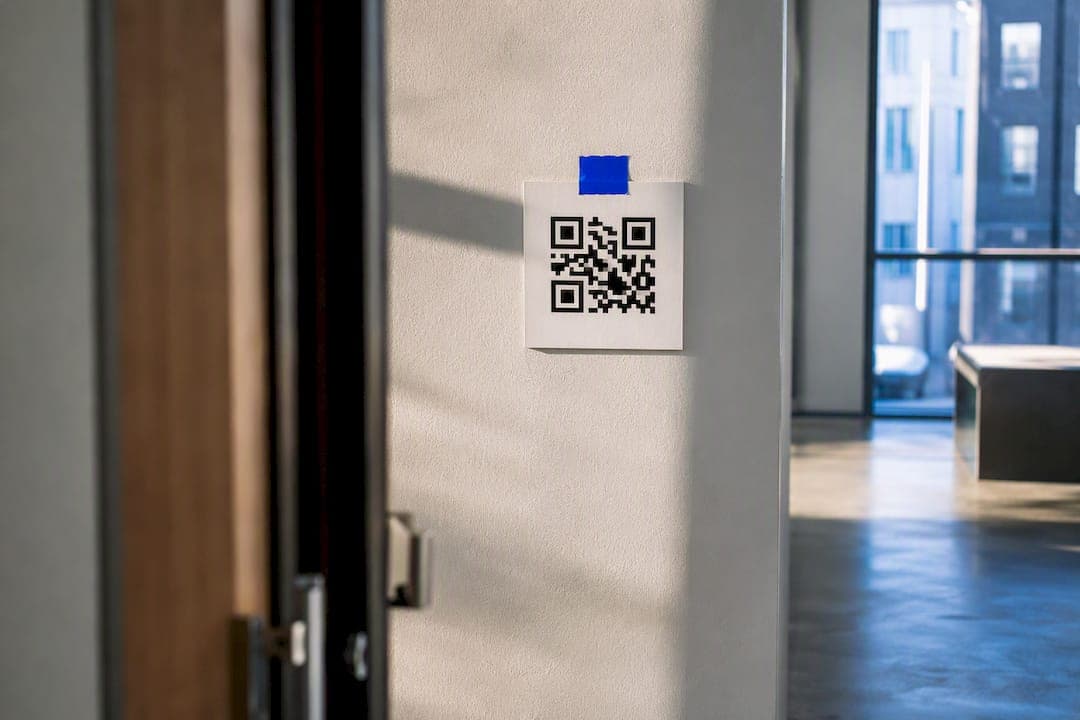
Put the code where someone has already stopped moving, can reach it without stretching, and knows exactly why they should point a camera at it. That's the whole principle. Everything else, height, size, lighting, is math you apply once you've picked that spot. Print one test version, walk to the exact distance a real customer would stand, and scan it yourself before you order 500 copies.
TL;DR:
- The optimal height for most QR codes is between 100 and 160 centimeters off the ground, depending on whether users are sitting or standing.
- QR codes should be approximately one-tenth the width of their expected scanning distance, with a minimum size of 2.5 to 3 centimeters for handheld scans.
- Placing codes near temporary waiting spots or stationary customer interactions significantly improves scan rates over locations where people are moving or driving.
- Use clear, high-contrast designs, matte finishes, and proper lighting conditions to ensure reliable scans, especially under diffuse indoor lighting.
- Dynamic QR codes enable quick placement testing across multiple locations without reprinting, saving time and allowing for data-driven optimization.
Table of Contents
- What Is the Best QR Code Placement Strategy?
- Where Should You Place QR Codes by Venue?
- What Size and Height Should a QR Code Be?
- How Should You Label and Design a QR Code for More Scans?
- How Do You Test and Track QR Code Placement?
- What Are the Most Common QR Code Placement Mistakes?
- Why Placement Beats Design Every Time
- Test Placements Without Reprinting a Single Code
- Sources
What Is the Best QR Code Placement Strategy?
Four rules cover almost every situation, and they're the same ones that separate a code nobody scans from one that gets used constantly.
Eye level, or close to it. People scan comfortably when a code sits between shoulder and eye height, and that band shifts depending on whether they're standing, seated, or waiting in line.
Size matches distance. A code should be sized proportionally to the expected scanning distance — codes viewed from closer can be smaller, while those viewed from farther away need to be larger to ensure readability on phone cameras.
Every code gets a label. A code with a short instruction next to it, something like "Scan for the menu," gets scanned far more than the same code with no text at all, according to QR Cake's placement research.
The user has to be able to stand still. This sounds obvious until you see a code taped to a moving escalator rail or printed on a billboard facing a 45 mph road. If someone can't pause, they can't scan.
- Standing displays: center the code around chest to eye height
- Seated setups (tables, booths): lower the code toward the natural sightline of someone sitting down
- Queue lines: place at a height reachable without bending, since people in line are holding bags, drinks, or kids
- Never place a code where foot or vehicle traffic won't stop long enough to focus a camera
Pro Tip: Hold your phone exactly where a real customer would stand and try to scan your own printed proof before it goes to production. If you have to lean, crouch, or squint, so will everyone else.
Where Should You Place QR Codes by Venue?
The four rules above are the framework. Here's how they play out once you're actually deciding between a table tent and a shelf edge.
- Restaurants. Table standees and menu inserts win because the diner is seated, stationary, and already holding their phone. Bar-top codes work for the same reason. Laminate anything on a table, since condensation and cleaning spray are constant threats to a paper code.
- Retail. Shelf-edge tags and checkout counter cards outperform endcap posters because the shopper is standing still, deciding, and has a free hand. Fitting rooms are underused real estate, a shopper waiting to try on clothes has nothing to do but look at the wall.
- Packaging. Put the code on a flat panel near the barcode, not folded across a seam or wrapped around a curve. A code bent across a bottle's curve often fails on the first scan attempt, according to GenerateOnlineQR's placement guidance, so give curved products a flat label patch instead.
- Signage and outdoor. Bus-stop shelters and queue lines work because people are forced to wait there. A billboard facing a highway does not, because nobody can stop a car to scan it.
- Events. Booth counters, unboxing inserts, and photo walls all share one trait: attendees pause there on purpose. A step-and-repeat photo wall at an experiential activation works well because guests are already standing still waiting for their turn.
What Size and Height Should a QR Code Be?
These are the numbers that turn "looks fine" into "actually scans."
Height first. For wall-mounted or freestanding displays, keep the center of the code between 100 and 160 centimeters (about 39 to 63 inches) off the floor, with 120 to 140 centimeters as the sweet spot for a mixed adult audience, per GenerateOnlineQR's placement research. Seated setups, table tents and bar-top cards, sit lower, closer to 90 to 100 centimeters when measured from the floor to the tabletop display.
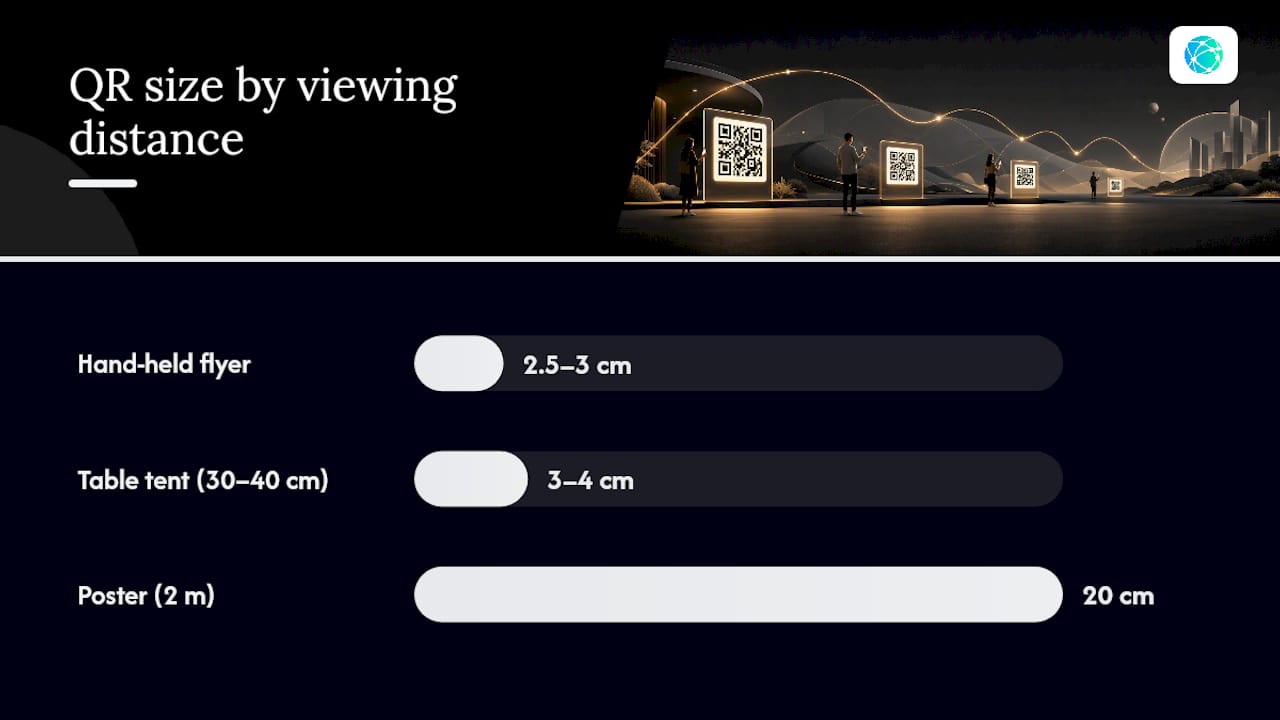
Size follows a simple 10:1 rule: the code needs to be roughly one-tenth the width of the scanning distance. A table tent viewed from 30 to 40 centimeters away can use a code as small as 3 to 4 centimeters wide. A poster viewed from 2 meters needs a code around 20 centimeters wide, following the same 10:1 sizing logic. For hand-held flyers, don't go below roughly 2.5 to 3 centimeters, even if the math says smaller would technically work.
- Keep a clear quiet zone, blank space at least four module widths, on all sides of the code
- Maintain strong contrast between the code and its background; light gray on white is a common failure
- Test under the lighting the code will actually live in, ideally diffuse light in the 100 to 200 lux range
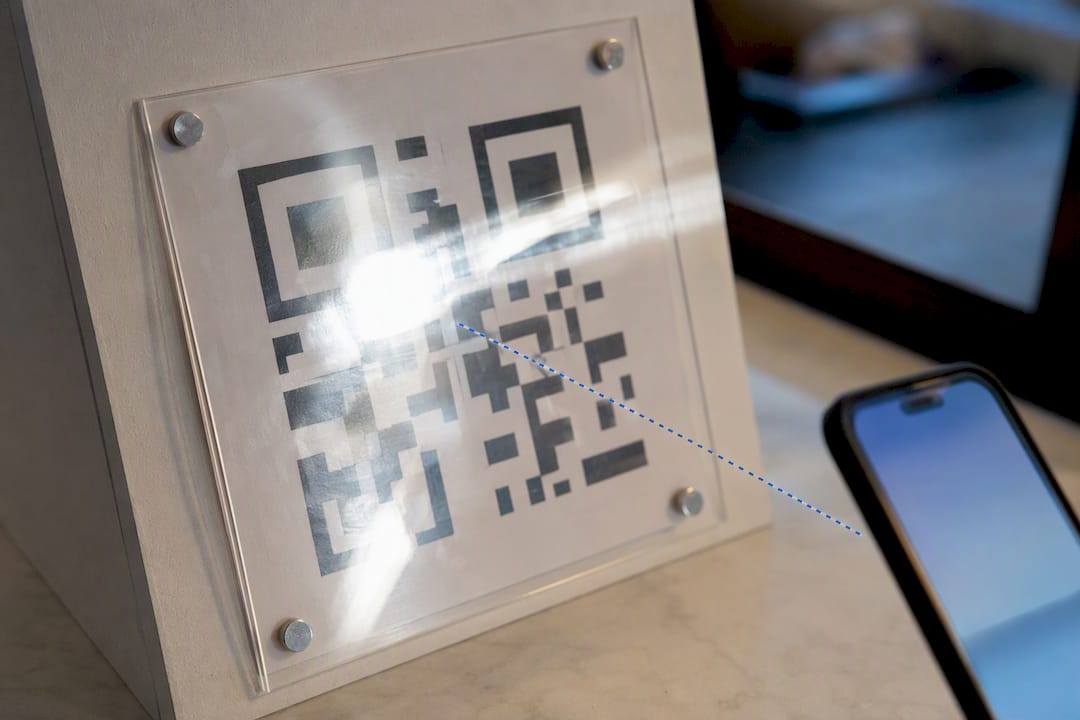
- Avoid glossy laminate and reflective surfaces that create glare and specular hot spots
Lighting and finish matter more than most people expect. A matte finish under diffuse light reads reliably, while a glossy sign under a spotlight can wash out the exact corner markers a camera needs to lock onto, per the same lighting and surface guidance.
How Should You Label and Design a QR Code for More Scans?
The code itself only does half the work. The words next to it decide whether someone bothers.
Keep the call to action to three to five words, and place it directly above the code rather than buried in a paragraph below it. Set that text large enough to read at arm's length, roughly 14 points or larger for printed materials viewed from a foot or two away.
- Add a short brand mark near the code, but never let a logo overlap or shrink the code's quiet zone
- Print a short backup URL under the code for people whose camera won't cooperate
- Make sure the landing page is mobile-optimized, since almost every scan happens on a phone
- Use real color contrast, dark modules against a light background, not a subtle tone-on-tone design choice
A labeled code reliably outperforms an unlabeled one, and Nielsen Norman Group's usability research backs the underlying reason: people scan things that sit along their natural eye path right after the headline or offer, not codes stranded in a corner with no context. Accessibility matters here too, high contrast and legible type help everyone, not just people scanning quickly, a point covered in broader accessibility guidance worth applying to any printed CTA.
How Do You Test and Track QR Code Placement?
Placement decisions shouldn't be permanent guesses. Treat each one as a small experiment.
- Generate a separate dynamic code for each placement, table tent, shelf edge, and door decal, so scans from each location show up separately in your analytics.
- Run two versions side by side for the same window of time, same days, same hours, and compare scan rate and conversion, not just raw scan count.
- Track device mix and time of day alongside the scan count itself; a placement that scans well at lunch might flop during a dinner rush with worse lighting.
- Before final print, test the mounted, laminated version with a few different phone models, since camera quality varies more than people assume.
A dynamic code lets you change the destination without reprinting anything, which matters when a placement test tells you to swap the landing page halfway through a campaign.
Pro Tip: Test the final laminated or mounted version, not the proof on your screen. Lamination and mounting glare change how a camera reads the code more than most people expect.
What Are the Most Common QR Code Placement Mistakes?
Most failed scans trace back to one of a handful of avoidable errors: a code too small for its distance, mounted at the wrong height, laminated in a way that creates glare, folded across a seam, placed where nobody can stop moving, missing a CTA, or linking to a page that isn't mobile-friendly.
Run this before anything goes to print:
- Confirm height sits in the standing or seated range for the setting
- Check size against the 10:1 distance rule
- Verify a clean quiet zone and strong contrast
- Add a short CTA above or below the code
- Test under real lighting with the actual finish
- Confirm the landing page loads fast on mobile
Why Placement Beats Design Every Time
Most guides obsess over color and logo integration when the real failure point is almost always physical: wrong height, wrong distance, wrong moment in someone's day. Creators have fixed a stalled scan rate simply by moving a code from a wall poster to a checkout counter card, no redesign required, just a better spot and a clear label. Testing that shift takes minutes with a free QR generator and real-time scan analytics, not a reprint order.
— Axion
Test Placements Without Reprinting a Single Code
Reprinting a flyer every time you want to try a new spot gets expensive fast, and most small teams give up testing before they find a placement that actually works. Lflow's free QR code generator solves that specific problem: because every code is dynamic, you can move the destination link, the offer, or even the landing page without touching the printed material.

Set up one code, place it at three different spots, table tent, checkout counter, window decal, and watch which one drives more scans in your dashboard. Analytics break scans down by time and volume so you can see which placement is actually earning its space, not just guessing. Start with the free link-in-bio and QR tool and generate your first trackable code in under two minutes.
Sources
- QR code guidelines | Nielsen Norman Group
- The QR Code Placement Playbook | QR Cake
- QR Code Placement Best Practices: Eye Level, Size, Surface & Lighting | GenerateOnlineQR