

You have twenty browser tabs open, a notes app full of pasted URLs, and a "saved links" folder that stopped making sense three months ago. Learning how to organize multiple links isn't just a productivity habit. It's the difference between a digital presence that works for you and one that wastes your time every single day. Whether you're a content creator juggling social profiles, a marketer managing campaign URLs, or a business owner sharing resources with your audience, the same principles apply: fewer categories, smarter labels, consistent habits.
Table of Contents
- Key takeaways
- How to organize multiple links: start with the right tools
- Step-by-step method to categorize and label your links
- Maintaining your organized links over time
- Advanced strategies for businesses and power users
- Troubleshooting common link organization problems
- My honest take on link management
- Put your links to work with Lflow
- FAQ
Key takeaways
| Point | Details |
|---|---|
| Centralize before categorizing | Use a single tool or platform to collect all links before building any folder structure. |
| Limit primary folders to 5–8 | Keeping categories within human memory capacity makes retrieval fast and sustainable. |
| Tag at the moment of saving | Adding one tag when you save a link eliminates wasted search time later. |
| Prune on a regular schedule | Removing outdated links monthly keeps your system lean and actually usable. |
| Use platforms built for link management | Tools with analytics and branding features give businesses far more control than browser bookmarks alone. |
How to organize multiple links: start with the right tools
Before you touch a single folder, you need to pick one home for your links. The biggest mistake people make is spreading links across browser bookmarks, a notes app, a spreadsheet, and three different saved-post features on social media. Using a single tool reduces fragmentation and makes searching dramatically simpler.
Your tool options fall into three broad categories:
- Browser bookmark managers (Chrome, Firefox, Safari): Free, always available, but limited in tagging and cross-device syncing. Good for personal browsing, not for sharing links publicly.
- Dedicated bookmark apps (Raindrop.io, Pocket, Instapaper): Better tagging, search, and visual organization. Most offer a free tier with enough features for individuals.
- Link in bio platforms: Designed to consolidate and share multiple links publicly, ideal for creators and businesses who need their audience to access a curated set of URLs from one place.
The choice depends on your goal. If you want to find links privately, a bookmark manager works. If you want to share links with an audience, a link in bio platform is built exactly for that. Many people actually need both, and that's fine. Just commit to one tool per use case.
Pro Tip: Before migrating or starting fresh, export a full list of your current bookmarks or saved links. Opening that raw list often reveals duplicate URLs, dead links, and entire categories you forgot existed. Clean the list first, then organize.
You also need to decide early whether you will use folders, tags, or both. Folders give you visible structure. Tags add flexible cross-referencing. The two are not mutually exclusive, but if you choose both, define clear rules for when each applies. Without rules, you'll end up with folders that overlap your tags and a system that confuses you in six months.
Step-by-step method to categorize and label your links
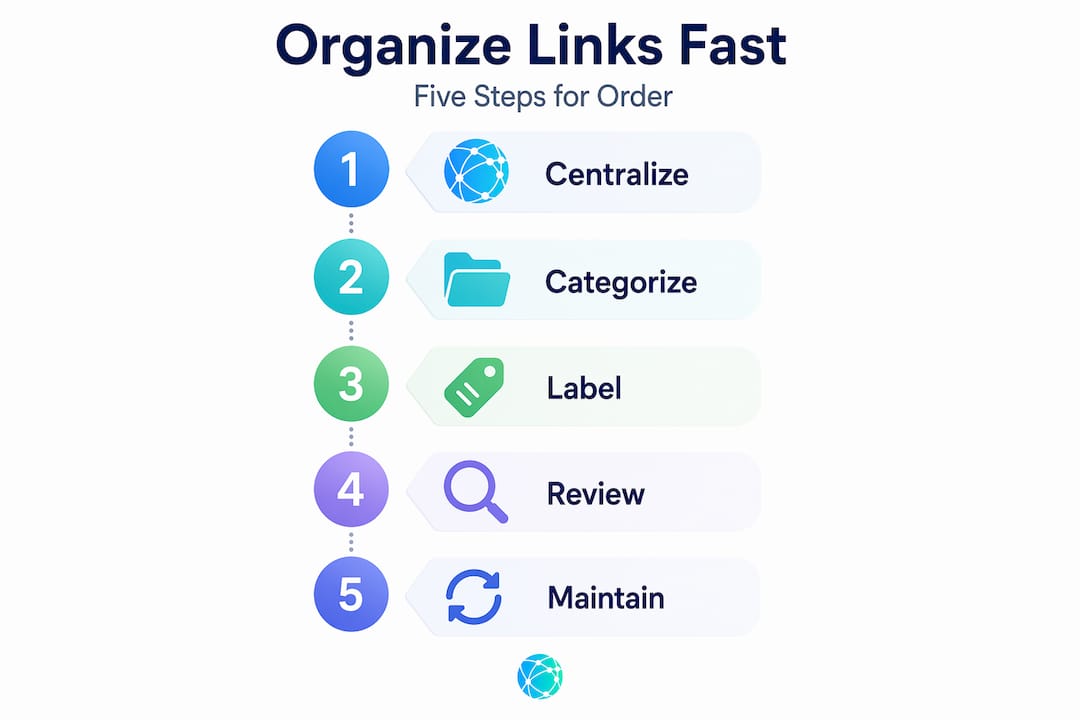
With your tool chosen, you can build the actual structure. Here is a method that works at any scale, from fifty bookmarks to five thousand.
- Audit what you have. Export or list every saved link. Don't delete anything yet. You're mapping the territory.
- Identify natural clusters. Group similar links by theme without naming them yet. You'll likely see patterns: articles you want to read, tools you use regularly, resources for specific projects, links you share with clients.
- Create 5 to 8 primary folders. Limiting your main categories to this range aligns with how human working memory actually functions. Go over eight and you start scanning every time instead of knowing where to look.
- Name folders by function, not topic. "Marketing Campaigns" beats "Marketing." "Client Resources" beats "Clients." Function-based names tell you exactly what belongs there.
- Add descriptive names to individual links. Never leave the auto-filled page title as the link name unless it's genuinely clear. Avoid vague labels like "click here" or "this article." Write something you'd understand six months from now: "Instagram algorithm guide Q1 2026" is infinitely more useful than "Blog post."
- Add one or two tags per link. Tags work as a second dimension. A link about Instagram analytics might live in the "Social Media" folder but carry tags like "analytics," "Instagram," and "2026." That way you can pull all your analytics resources across folders with one search.
- Move links into folders. Don't over-think placement. If a link could go in two places, pick the one you'd check first.
Pro Tip: Naming links with searchable keywords at the time of saving takes ten extra seconds. Skipping that step costs you ten minutes every time you search for something you vaguely remember saving.
Here's a practical folder structure for a small business or creator:
| Folder | What goes here |
|---|---|
| Content & Publishing | Blog drafts, editorial calendars, publishing tools |
| Social Media | Platform guides, scheduling tools, analytics links |
| Client Resources | Onboarding docs, shared assets, project references |
| Tools & Software | SaaS tools, browser extensions, dashboards |
| Research & Reading | Articles, reports, studies to read later |
| Campaign Links | Active campaign URLs, tracking links, landing pages |
Six folders. Clear names. No overlap. That's the target.
Maintaining your organized links over time
Building a system is the easy part. Keeping it working six months later is where most people fail. Here are the habits that make the difference.

The single most effective maintenance rule is the "pin two, prune two" habit: every time you add two new links to a folder, remove two that are outdated or no longer useful. It takes thirty seconds and prevents the slow accumulation of dead links that eventually makes you abandon the whole system.
Your bookmark bar deserves its own discipline. Reserve it only for links you access multiple times per week. Every other link goes in a folder, no exceptions. The bookmark bar is valuable real estate. Treat it that way.
A few other habits worth building:
- Set a monthly review. Put fifteen minutes on your calendar once a month. Check each primary folder, delete anything irrelevant, and update names that no longer make sense.
- Update tags when contexts shift. A link tagged "active campaign" needs that tag removed once the campaign ends. Tags only help when they reflect current reality.
- Use search as your backup, not your primary method. A well-organized system lets you browse to what you need. Search is for the times you can't remember where you filed something. If you're searching constantly, your folder structure needs adjustment.
- Resist adding folders. When you're tempted to create a new primary folder, ask whether a tag or a subfolder would do the job instead. New top-level folders are almost always the wrong answer.
Pro Tip: When you save a link you plan to read later, add a short personal note with it. "Product comparison for Q2 tool audit" is the kind of context that transforms a mysterious URL into a genuinely useful resource when you come back to it.
Advanced strategies for businesses and power users
Individual organization and business-scale link management are genuinely different problems. A creator with two hundred bookmarks needs a clean personal system. A marketing team managing thousands of tracking links across campaigns needs something closer to infrastructure.
The core principle at the business level is centralization with access control. Centralized link systems with role-based permissions prevent the link sprawl that happens when every team member uses their own method. When anyone can create a link anywhere, you end up with duplicates, broken references, and no clear source of truth.
Naming conventions matter even more at scale. Agreeing on a format like "[campaign][channel][date]` for tracking links turns a chaotic library into a searchable database. Without that convention, a team of ten produces ten different naming styles, and no one can find anything another person created.
For SEO-focused businesses, link organization extends beyond bookmarks into your site's architecture. Topic clusters improve rankings by up to 40% when you connect pillar pages to supporting content through deliberate internal linking. That kind of structure requires knowing what links exist on your site, where they point, and whether they serve a clear purpose. Disorganized internal linking is invisible to you but immediately visible to search engines. You can learn more about building this type of structure with a proven content cluster strategy that applies directly to link organization at the site level.
Professional link management platforms are worth the investment when your team tracks conversions, runs paid campaigns, or needs audit trails. Business-grade platforms start around $49 per month and provide conversion tracking, server-side SDKs, and link analytics that browser bookmarks simply cannot offer. Pair that with a clear internal linking strategy and you have a full-stack approach to managing links as a business asset.
Troubleshooting common link organization problems
Even a well-designed system runs into problems. Here's how to diagnose the most common ones.
- You can't find things without searching every time. This means your folder names are too abstract or you have too many primary folders. Cut down to six and rename with function-based labels.
- Multiple folders seem equally valid for a new link. This is the overlap problem. It signals that two folders are actually the same category from different angles. Merge them or create a clearer rule about what distinguishes them.
- Your tags have stopped meaning anything. Tags drift over time. If you have forty tags and most of them apply to everything, delete them all and restart with a maximum of ten tags that map to actual use cases.
- You keep forgetting to save links consistently. This is a friction problem, not a willpower problem. Reduce friction: use one tool, set it as your default, and make saving a link take no more than two clicks.
Good link organization is ultimately a retrieval system. The only real test is this: can you find a specific link in under thirty seconds without remembering exactly where you saved it? If yes, the system works. If no, something in the structure needs simplifying.
Effective link organization blends rough categorization with precise search. Don't try to categorize perfectly. Categorize well enough that search finds the rest.
My honest take on link management
I've watched a lot of people build elaborate taxonomies for their bookmarks and then quietly abandon them two months later. The systems that actually stick are almost always the boring ones: five or six folders, a handful of tags, and fifteen minutes of cleanup per month.
The mistake I see most often is treating link organization as a filing problem when it's actually a retrieval problem. You don't need links filed in the perfect place. You need to find them fast. Those are different goals, and the second one leads to simpler systems.
What I've learned from building and rebuilding my own system is that the naming moment is the highest-leverage point in the whole workflow. The two seconds you spend writing a clear, specific link name when you save it determine whether that link is useful or invisible a year from now. Vague names make bookmarks useless faster than any other single mistake.
If you take nothing else from this article, take this: your link organization system should require almost no maintenance if you name things well at the start. The folder structure is just scaffolding. The names are the actual investment.
— Axion
Put your links to work with Lflow
If you're managing links for your online presence, organizing them privately in a bookmark manager is only half the job. The other half is making sure your audience can find and access your most important links without friction.

Lflow was built exactly for this. You can consolidate all your key URLs into a single branded page, whether that's your website, store, social profiles, latest content, or seasonal campaigns. It takes under two minutes to set up, and you get real-time analytics showing which links your audience actually clicks. Explore the free link in bio templates to get started without any design work, or go straight to the free plan for unlimited links and a downloadable QR code you can use offline. For teams that need more control over branding and analytics, the pricing page lays out every option clearly.
FAQ
How many folders should I use to organize my links?
Research based on Miller's Law recommends keeping primary folders between 5 and 8 categories. This matches human working memory capacity and makes retrieval fast without forcing you to scan endless options.
What's the best way to manage multiple links for social media?
A link in bio platform lets you consolidate every important URL into one shareable page, which is far more practical than updating a single bio link every time you publish new content.
Should I use folders or tags to categorize my links?
Use both, but with defined rules. Folders create the primary structure and tags add a cross-referencing layer. Tags work best for attributes that cut across multiple folders, like "2026," "active," or "client-facing."
How often should I clean up my saved links?
A monthly review of fifteen minutes is enough to prevent link rot. The "pin two, prune two" habit, where you remove two old links every time you add two new ones, keeps collections manageable between reviews.
Why can't I find my saved links even though I organized them?
The most common cause is vague link names or too many overlapping folders. Rename links with specific, searchable descriptions and merge any folders that serve a similar purpose. Clear names matter more than perfect folder placement.