

Building a link in bio page that handles both social links and monetization without rigid paywalls or slow load times frustrates many creators. Many existing tools either gate basic analytics and custom links behind paid tiers or overlook features like fast mobile performance, QR codes, and commerce tools. This article sorts four alternatives to linknbio com so you can choose a builder that matches your workflow, branding needs, and growth priorities without running into hidden fees or missing features.
Table of Contents
Linkflow
At a Glance
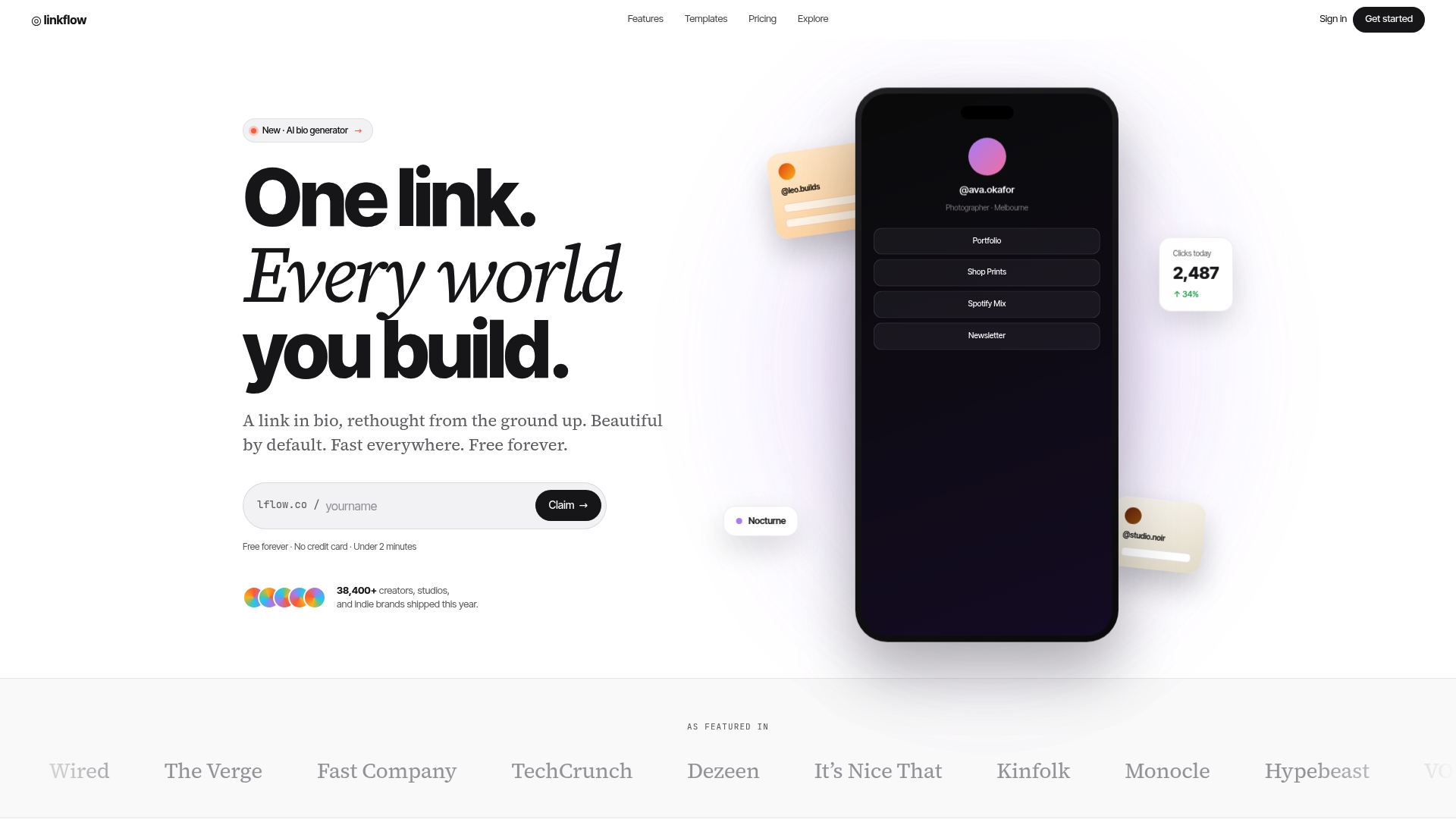
The vendor advertises a free forever plan that includes unlimited links, templates, and basic analytics, and it also claims onboarding in under two minutes. Linkflow pairs that pricing promise with fast edge-server delivery aimed at low page load times.
Core Features
- Unlimited links and QR codes for social bios and offline campaigns.
- Real-time analytics with geography and device breakdowns to see who clicks and from where.
- Customizable templates for bio pages and landing pages with themes, colors, and font controls.
- Branded custom domains and URL management plus scheduled linking and auto-archiving on paid plans.
- Free downloadable QR codes and fully responsive, mobile-optimized designs for every page.
Key Differentiator
Linkflow’s combination of a perpetually free tier and edge-server delivery is the standout. That pairing lets solo creators publish many links and campaigns without paying while keeping pages fast on mobile. The technical emphasis on speed changes the experience more than extra widgets do.
Pros
- Free plan gives you unlimited links and templates with no initial cost, so testing formats and CTAs costs nothing.
- Fast page loads from edge delivery reduce bounce on slow mobile networks, which matters for Instagram and TikTok audiences.
- Real-time analytics with geographic and device data make quick optimization decisions obvious rather than guesswork.
- Built-in QR code export lets you track offline posters and business cards alongside social campaigns.
- Setup is intuitive; the vendor claims onboarding under two minutes, so nontechnical creators start publishing quickly.
Cons
- Advanced features like branded custom domains and the AI bio generator require a paid plan, so professional branding needs an upgrade.
Who It's For
Solo creators, micro-influencers, photographers, podcasters, and small brands that need a single, branded link hub and simple analytics. Good fit for people promoting content on Instagram, TikTok, YouTube, Twitter/X, and LinkedIn who want quick setup and mobile performance.
Unique Value Proposition
Because the vendor advertises a free forever tier with unlimited links, creators can run multiple campaigns and QR code experiments without recurring cost. Coupled with edge-server delivery, that lowers the friction between idea and publish for lean teams managing several social profiles.
Real World Use Case
A freelance photographer builds a single bio page that links to a portfolio, booking calendar, and Instagram shop. They publish QR codes for print promos, track clicks by city, and adjust where they promote based on which links actually convert.
Pricing
Free forever tier available. Paid plans start at $7 per month and unlock custom domains, advanced analytics, scheduled linking, and longer data retention. The paid model keeps basic usage free while adding professional controls for growing creators.
Website: https://lflow.co
Pushbio
At a Glance
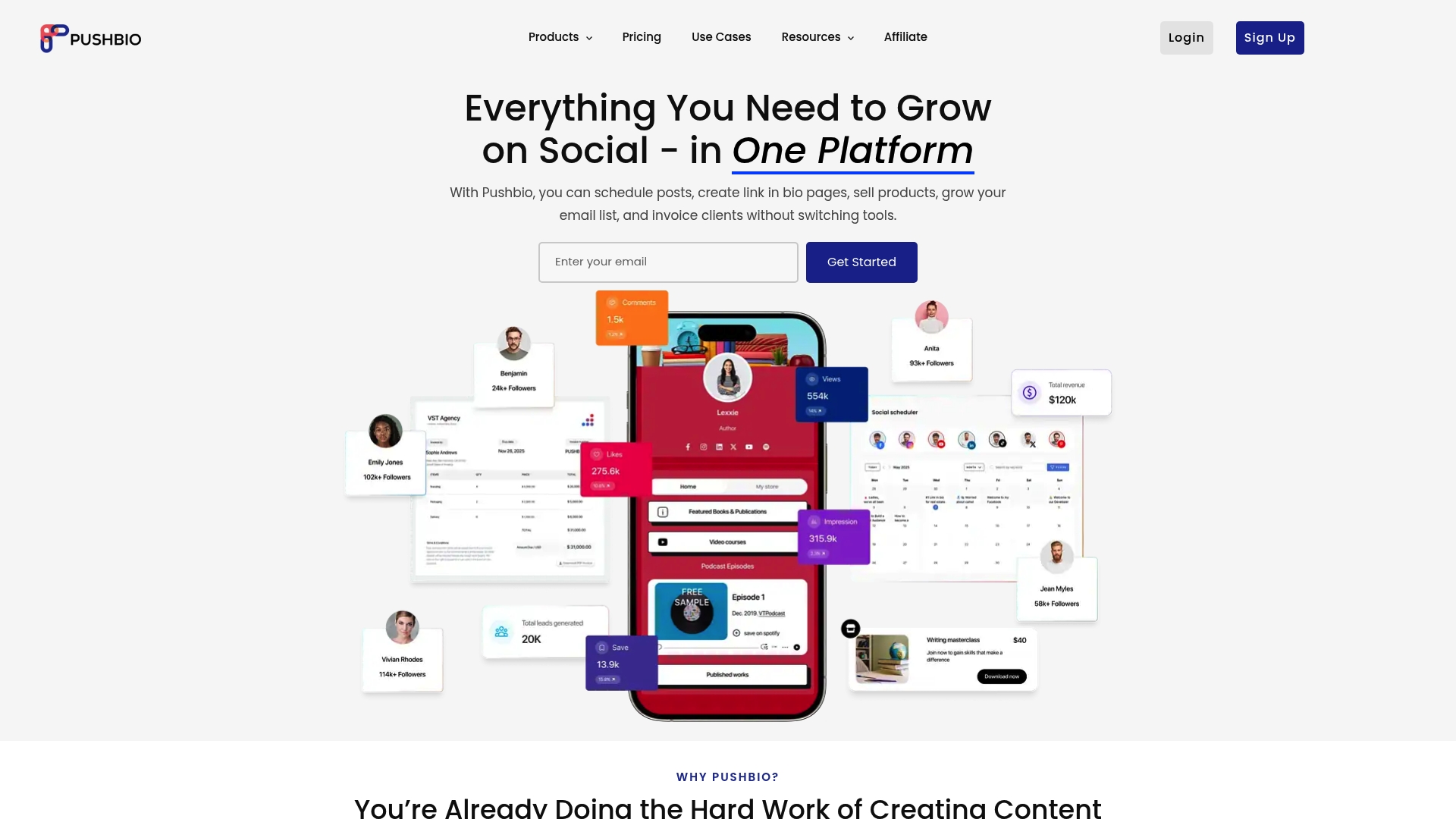
Pushbio brings link in bio, post scheduling, invoicing, email newsletters, and simple commerce tools into one dashboard so creators can avoid juggling separate subscriptions. It targets creators who want a single place to run growth and monetization workflows.
Core Features
- Custom link in bio pages that sell products, collect leads, and showcase content with block-based editing.
- Social scheduling with AI assistance to plan posts across platforms and reduce manual calendar work.
- Invoicing integrated with Stripe and PayPal so creators bill clients without leaving the app.
- Lead capture and built-in newsletters that remove the need for external mailing platforms.
- QR code generation, URL shortening with tracking, and virtual business cards for cross-channel promotion.
Key Differentiator
Pushbio’s angle is breadth. It combines core branding, selling, and scheduling capabilities in one product so a single dashboard handles publishing, payments, and audience capture. Compared with Lflow, which emphasizes deep link-in-bio customization and fast onboarding, Pushbio aims at users who prefer fewer point tools and a broader toolset in one place.
Pros
- The interface is intuitive and fast to learn. The block editor makes page assembly feel visual rather than form driven.
- Managing social posts, payments, and newsletters under one roof reduces subscription overhead and cut down on app switching.
- Flexible pricing choices include monthly, yearly, and lifetime license options for makers who prefer one-time payments.
- Built-in analytics and simple automations help you iterate on campaigns without exporting data to a separate analytics tool.
- Higher-tier plans add custom domains, team collaboration, and client management features useful for small agencies.
Cons
- Template selection leans minimal. Users chasing highly polished, agency-grade templates may find options limited.
- The vendor has rolled frequent updates and some users report bugs after new releases which can interrupt workflows.
- The breadth of tools creates onboarding friction. Without a short guided setup some users feel overwhelmed.
- Premium features for agencies push the price toward the higher end compared with single-purpose tools.
When It May Not Fit
If your priority is a deeply polished, branded link-in-bio page with advanced design templates, Pushbio’s template set may feel confining. If you need enterprise stability and a slow update cadence, the reported bugs during rapid releases could be a concern.
Who It's For
Content creators, influencers, small business owners, and freelancers who want a single place to publish links, schedule posts, invoice clients, and run simple email campaigns. Agencies that value an all-in-one dashboard over bespoke design controls will also find it relevant.
Real World Use Case
An independent creator hosts their bio link on Pushbio, sells digital products, schedules Instagram and Twitter posts from the same calendar, and emails buyers with built-in newsletters. That workflow reduces subscriptions and centralizes reporting in a single dashboard.
Pricing
Plans start at about $19 per month or $190 per year for the Mini tier and scale up to roughly $890 per year for agency plans. The vendor also advertises lifetime license options starting near $49.
Website: https://pushbio.io
Hopp
At a Glance
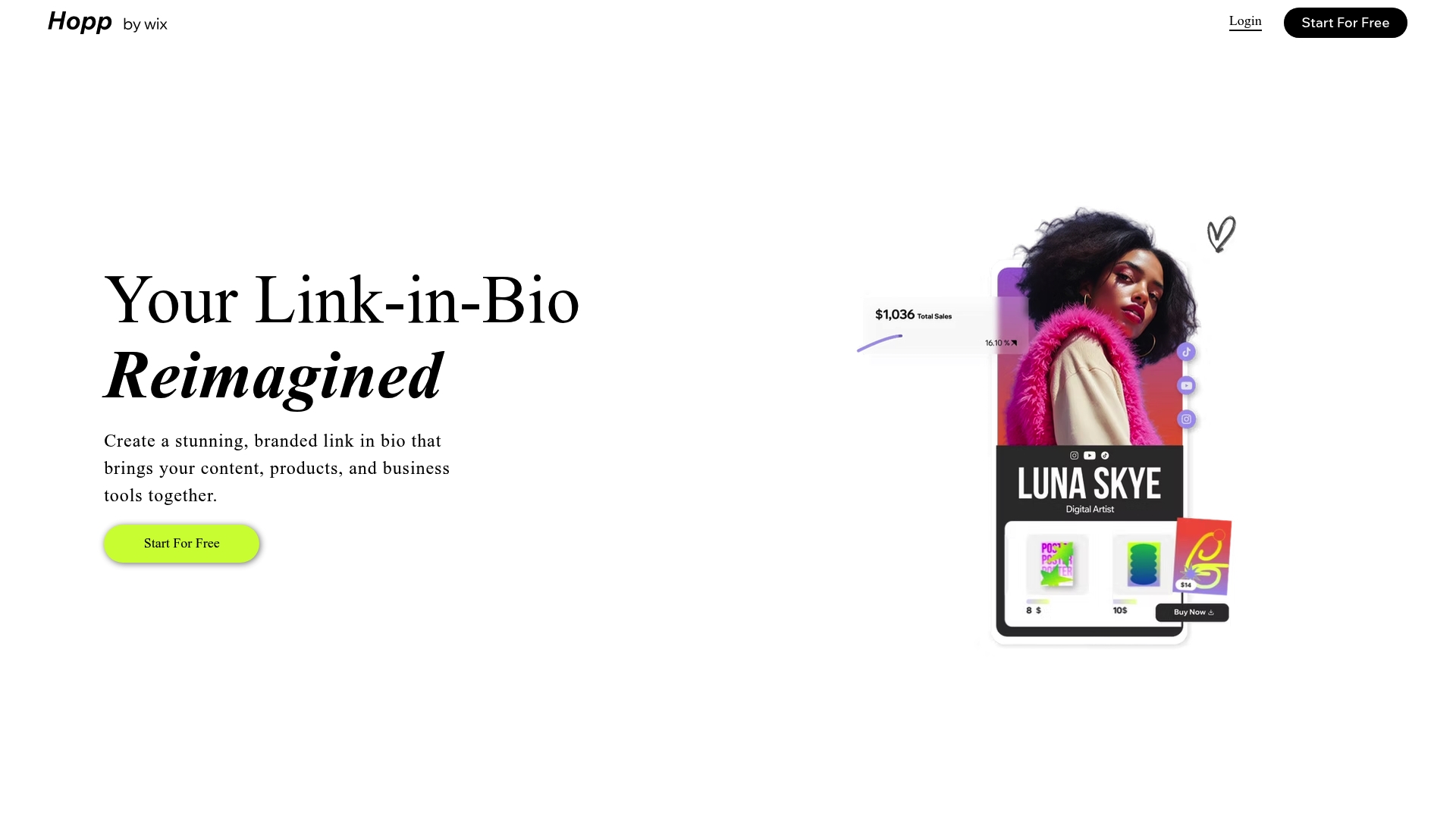
Powered by Wix, Hopp exposes Wix features inside a branded mini site while still working as a standalone option for creators who do not use Wix. It combines storefront, bookings, lead capture, and link management into a single member profile.
Core Features
Hopp gives each creator a customizable mini site that acts like a public profile and storefront. Members can sell digital and physical products, manage bookings and events, and collect leads with a built in CRM.
- Create a fully branded mini site with customizable layouts and a custom domain or free Wix subdomain.
- Sell merchandise, courses, and digital files directly from your profile.
- Manage bookings, events, and downloads alongside trackable short links and analytics.
- Built in monetization tools such as affiliate links and tips plus basic SEO tools.
Key Differentiator
Hopp’s main distinction is its deep Wix integration combined with standalone functionality. That means creators who already host pages or stores on Wix can reuse components and workflows, while non Wix members still get the same mini site features without importing a full website.
Pros
- The editor is intuitive and favors quick edits. The drag and drop feel makes it fast to arrange a profile page and publish updates.
- Built in commerce and bookings remove the need for an outside storefront for small scale sales and appointments.
- The integrated CRM and automation let members capture leads from social links and follow up without exporting contact lists.
- Analytics and trackable short links provide basic click and sales visibility so you can see what content drives revenue.
- Good branding control with custom domains and layout options keeps profiles looking professional.
Cons
- Several reports mention links being blocked on major social platforms which reduces traffic in some cases.
- Template variety is limited; creators who want many design starting points may find the selection small.
- Occasional technical issues affecting link reliability and workflow have been reported by members.
- Support response times can be slow when problems affect booking or sales flows.
When It May Not Fit
If your primary channel depends on unbroken links from platform A or platform B, the reported social blocking is a significant risk. Teams that require many template choices or rapid support for commerce issues will find Hopp restrictive. Also avoid Hopp if you need a full threaded community platform rather than profile pages.
Who It's For
Creators, influencers, and small businesses that prioritize a branded public profile with commerce and bookings will get the most from Hopp. It suits solo creators who want an all in one presence tied to social bios without building a full website.
Real World Use Case
A fitness coach builds a Hopp profile to list class times, sell digital workout plans, and let clients book one on one sessions. Payments, downloads, and lead capture all live on the same member profile so the coach spends less time juggling tools and more time creating content.
Website: https://hopp.co
MinglyLink
At a Glance
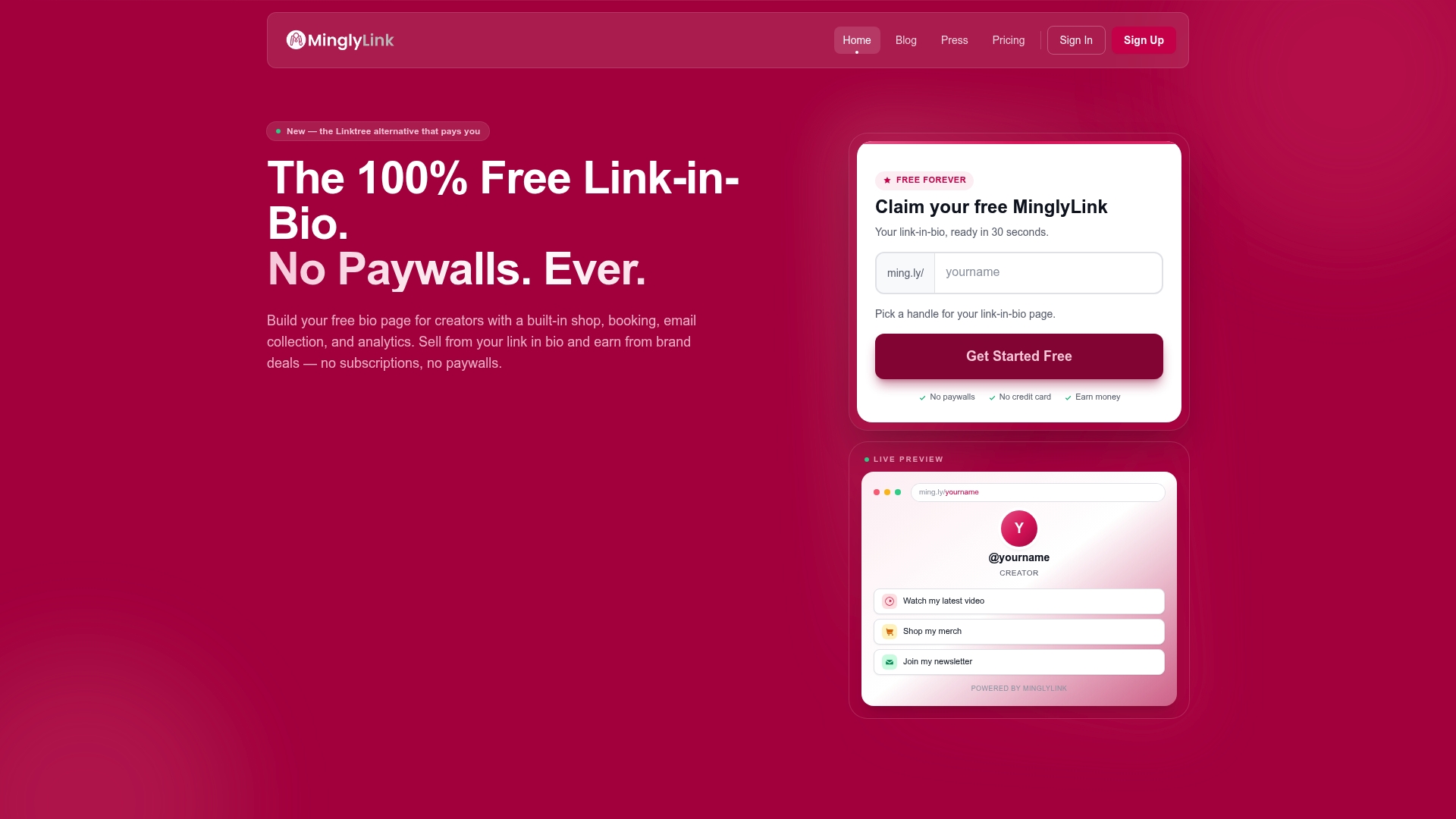
MinglyLink's marketing materials advertise a 60% revenue share on ad and affiliate income, with all features available at no subscription cost from day one. The pitch is creator first: built-in commerce, bookings, lead capture, and SEO-optimized pages in a single bio link. Reports of site accessibility and slow support response are a clear caveat.
Core Features
The product combines link-in-bio essentials with direct monetization and audience capture: customizable pages, embedded video, and performance metrics for clicks and earnings.
- Built-in shop for selling digital and physical products directly from your bio.
- Booking system to accept appointments and consultations without external software.
- Analytics dashboard tracking visits, clicks, and revenue alongside SEO performance.
- Email capture forms and SEO-optimized pages for discoverability in Google searches.
Key Differentiator
That 60 percent split makes the revenue model the obvious headline. For creators who want a take-home percentage rather than a subscription or tipping model, MinglyLink prioritizes direct monetization from the first visitor.
This positioning narrows the audience. It is aimed at people who expect immediate earnings from traffic and who value a clear payout model over enterprise reliability.
Pros
- Completely free to start and use, so you can publish a monetized bio link without upfront fees or trial limits.
- Built-in shop reduces friction between discovery and purchase, letting followers buy without leaving the profile.
- Email capture grows a mailing list directly from the link hub, keeping lead data in one place.
- SEO-friendly pages increase the chance that searches for your name or brand surface your bio page in Google.
- Customizable branding and on-page analytics let you test which offers convert and track earnings in one view.
Cons
- Multiple reviewers report the site is often inaccessible and that support is hard to reach, which risks lost sales and bookings during spikes.
- Few independent user reviews exist, so long term satisfaction and operational stability are not well documented.
- Because commerce and bookings run on the platform, any downtime directly affects revenue and user trust.
When It May Not Fit
If your work depends on guaranteed uptime, a formal SLA, or fast support for payment disputes, MinglyLink's reported accessibility problems make it a risky primary sales channel. If you need deep third-party integrations or enterprise security assurances, this offering may feel too lightweight.
Who It's For
Creators, micro-influencers, and artists who want to monetize links without paying subscription fees. It fits people who prioritize an immediately monetized bio, direct sales, and simple lead capture more than enterprise grade reliability.
Real World Use Case
A micro-influencer embeds an online shop, affiliate offers, and a booking calendar into a single MinglyLink page. Followers buy merch, reserve coaching slots, and subscribe to the email list, while the creator receives ad and affiliate commissions without monthly fees.
Website: https://mingly.link
Comparing Link-in-Bio Platforms: Key Insights
Choosing the right link-in-bio platform depends on how well the platform aligns with your goals, audience, and operational needs. This analysis compares the standout features, value propositions, and targeted use cases of Linkflow, Pushbio, Hopp, and MinglyLink to help you make an informed decision.
Feature Breadth vs. Performance Optimization
Linkflow fosters a focus on link-based content optimization. Its free plan provides practical tools such as unlimited links and real-time analytics. However, Pushbio caters to those seeking an all-encompassing dashboard that combines post scheduling, email management, and invoicing. Both differ in their highlight features, with Linkflow appealing to users who prioritize fast, accessible platforms for link aggregation and Pushbio suiting creators aiming to centralize content and business activities.
Design Versatility and Monetization
Hopp stands out with its integration into the Wix ecosystem, lending itself well to design-rich profiles with built-in e-commerce capabilities. This makes it advantageous for users with visual branding demands. Conversely, MinglyLink’s revenue-share model aligns with creators who prioritize monetization from affiliate or ad revenue, but its stability concerns might deter creators needing consistent operability.
Best Fit Recommendations
- Choose Linkflow if performance consistency and a user experience for social media promotions are your main focus.
- Opt for Pushbio when consolidating content scheduling, client billing, and interaction into one platform is critical.
- Use Hopp for visually impactful profiles that capitalize on design support and light e-commerce needs.
- Select MinglyLink to leverage immediate monetization benefits for affiliate links or ad revenue without upfront costs.
Why Linkflow Aligns Well
Linkflow’s perpetually free access combined with a highly responsive experience uniquely supports agile content promoters who require an accessible, lightweight platform. Yet, creators needing multi-dimensional features like billing or newsletter management may find alternatives better tailored to their complex workflows.
This balanced analysis allows room for the specifics of each creator's strategy while recognizing the keen appeal of Linkflow’s streamlined efficiency and competitive offerings.
Link in Bio Page Builders Compared
Compare various "Link in Bio" tools based on their core features, pricing, and usability to select the right platform for your needs.
| Platform | Core Feature | Key Differentiator | Best For | Pricing | Notable Limitation |
|---|---|---|---|---|---|
| Lflow | Unlimited links and QR codes | Free forever tier with edge-platform delivery | Solo creators, micro-influencers | Free tier; Paid plans from $7/month | Advanced branding tools require a paid plan |
| Pushbio | Social scheduling with AI assistance | Comprehensive dashboard for links, commerce, and post scheduling | Freelancers, small businesses | From $19/month | Limited template selection |
| Hopp | Customizable mini site | Integration with Wix for added functionality | Wix users, small businesses | Not disclosed | Reported link reliability issues |
| MinglyLink | SEO-optimised bio pages | Revenue sharing at 60% for seamless monetization | Monetization-driven creators | Free to start | Accessibility issues and inconsistent support |
Discover a Smarter Link in Bio Solution with Lflow
Choosing the right link in bio platform can feel frustrating when you want fast setup, unlimited links, and clear analytics all in one place. Many creators struggle with limited free plans or slow page loads that drive potential followers away. Lflow offers a free forever plan where you get unlimited links, customizable templates, and real-time analytics with fast edge-server delivery designed for mobile speed. This means you can create a branded link hub that loads quickly no matter where your audience is.
!
Take control of your social presence with Lflow today. Visit Lflow to create your customized link in bio page in under two minutes. Test multiple CTAs, monitor real-time user engagement, and download free QR codes for offline promotion all from one easy dashboard. Start building your professional link hub now and see which links truly convert your audience.
Frequently Asked Questions
How does Lflow's free plan compare to Pushbio's pricing model?
Lflow offers a free forever plan that includes unlimited links and templates, allowing anyone to start without any cost. This contrasts with Pushbio, which has plans starting around $19 per month for its Mini tier, making Lflow a more approachable option for those testing out link-in-bio pages. Consider starting with Lflow to explore its capabilities without financial commitment.
What is the difference between Lflow's speed and Hopp's integration with Wix?
Lflow provides fast page loads due to its edge-server delivery, which is beneficial for low-latency interactions on mobile networks. Hopp, on the other hand, is deeply integrated with Wix and caters to users who are already within the Wix ecosystem, focusing on combining storefront features and bookings. For users prioritizing speed for their audience, Lflow might be the better choice.
Can I use Lflow for tracking offline campaigns like QR codes?
Yes, Lflow includes downloadable QR codes that track offline interactions alongside online efforts. This feature aligns with the increasing trend of utilizing QR codes in print marketing, making it a great tool for creators looking to unify their analytics. Consider this functionality if you plan to promote content across multiple channels, including print.
What additional features does Pushbio offer for social scheduling compared to Lflow?
Pushbio includes AI assistance for social scheduling, allowing creators to plan and automate their posts across various platforms. While Lflow focuses on link management and analytics primarily, users who need comprehensive social media tools may find Pushbio's scheduling advantages beneficial for managing their content. If social media automation is a priority, you may want to explore what Pushbio provides.
Which platform is better for detailed analytics tracking between Lflow and MinglyLink?
Lflow excels in providing real-time analytics with geographic and device breakdowns, making it easier for creators to understand their audience's behavior. In comparison, MinglyLink offers analytics but emphasizes ecommerce and lead capture instead. If in-depth analysis is essential for your campaigns, Lflow seems to be the optimal choice.