

Getting a fully branded link in bio page with analytics, payment options, and QR code support is complicated when each tool restricts features behind multiple paid tiers. Free plans often cap the number of links, limit customization, or block integrations for media and payments, leaving creators and small businesses scrambling to piece together their profiles. This comparison details pricing, customization, and feature sets across four top link in bio and creator landing page tools so you can quickly pick one that matches your branding, analytics, and monetization needs.
Table of Contents
- Linkflow
- Linktree
- Milkshake
- Taplink
- Comparative Analysis: Selecting the Right Link Management Platform
Linkflow
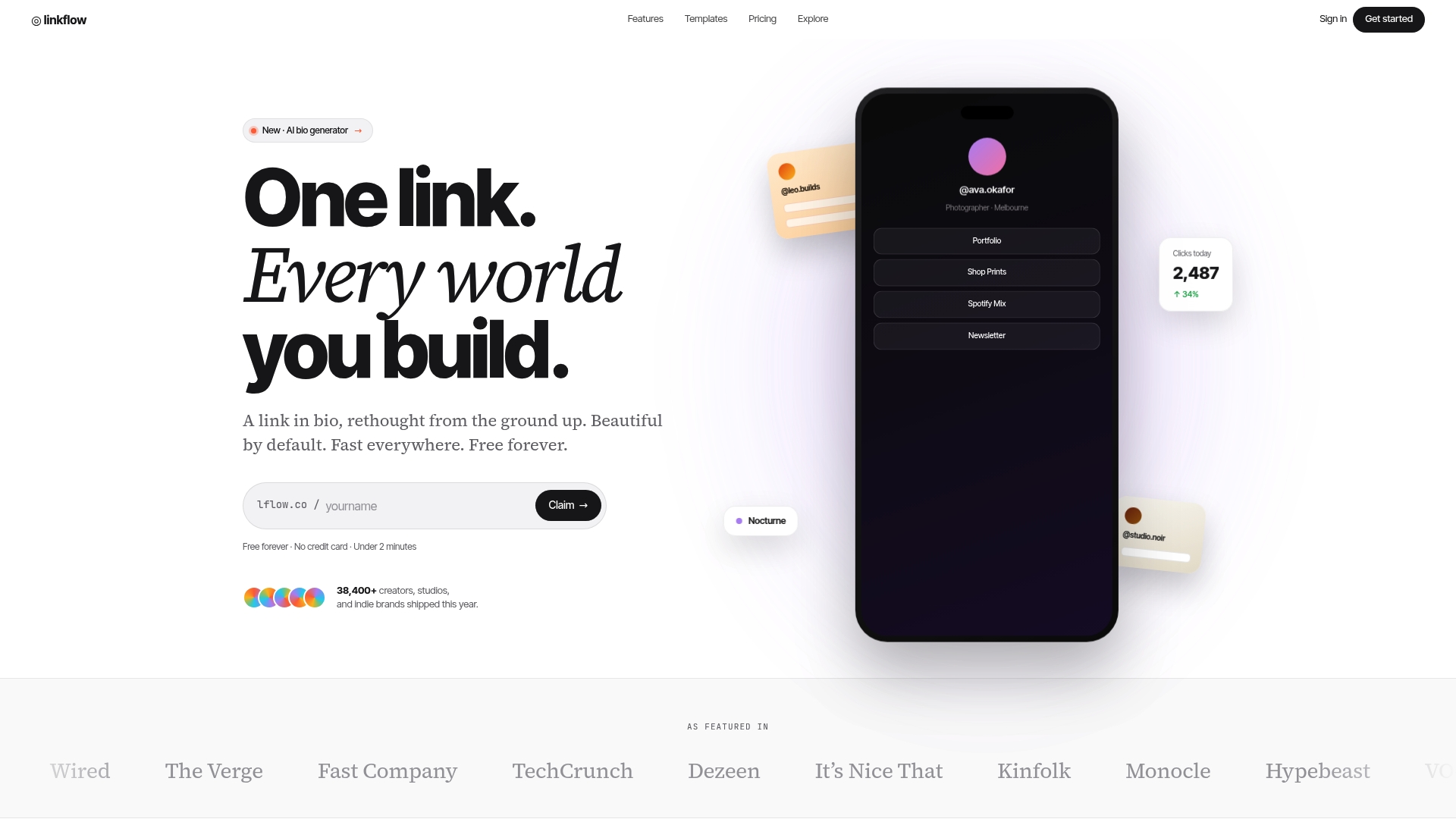
At a Glance
Free forever with no credit card required, and a setup flow that gets you live in under two minutes. Linkflow combines link in bio pages, branded short links, and downloadable QR codes into a single tool creators can use from day one.
Core Features
- Unlimited links on bio pages and short URL tools plus customizable templates for fast page builds.
- Real-time analytics that show clicks and scans with geolocation and device info for each link.
- Branded short links and support for custom domains on paid tiers.
- QR code generation with dynamic updating so offline materials can point to changing campaigns.
Key Differentiator
Linkflow’s defining move is offering the core link management toolkit and QR capability without a paywall. The vendor positions the product as free forever, which lets creators test pages, short links, and analytics before committing to a paid plan.
Pros
- Quick setup makes a working bio page achievable in minutes. That lets you publish a link hub between stories or during a live stream without delay.
- The free tier includes generous limits on links, templates, and scans so small creators rarely hit caps while building an audience.
- Analytics include geolocation and device breakdowns, which helps you tailor content per region and platform behavior.
- Paid plans unlock branding controls and custom domains, so the same workflow scales from hobbyist to studio-grade pages.
- Dynamic QR codes remove the need to reprint assets when a campaign changes, a practical time saver for events.
Cons
- Advanced analytics and full custom branding are gated behind paid plans; creators relying on deep attribution or white label pages will need the Studio tier.
Who It's For
Solo creators, social media influencers, photographers, small brands, and freelancers who want a low-friction way to centralize links and track engagement. Good for users who prefer to start free and add branding and analytics as they grow.
Unique Value Proposition
Onboarding in under two minutes. That speed matters when you need a link hub live before a post or event. Combine that with free downloadable QR codes and you get both online link consolidation and offline promotion without extra tools.
Real World Use Case
A photographer publishes a single Linkflow bio page linking portfolio, prints store, and booking form. They hand out a QR code at shows and watch geolocation in the analytics to see which cities generate clicks. The account starts free and upgrades when custom branding is required.
Pricing
Free for basic use. Paid plans start at $7 per month for the Studio tier, which adds custom domains, branding removal, deeper analytics, and an AI bio generator according to the vendor.
Website: https://lflow.co
Linktree
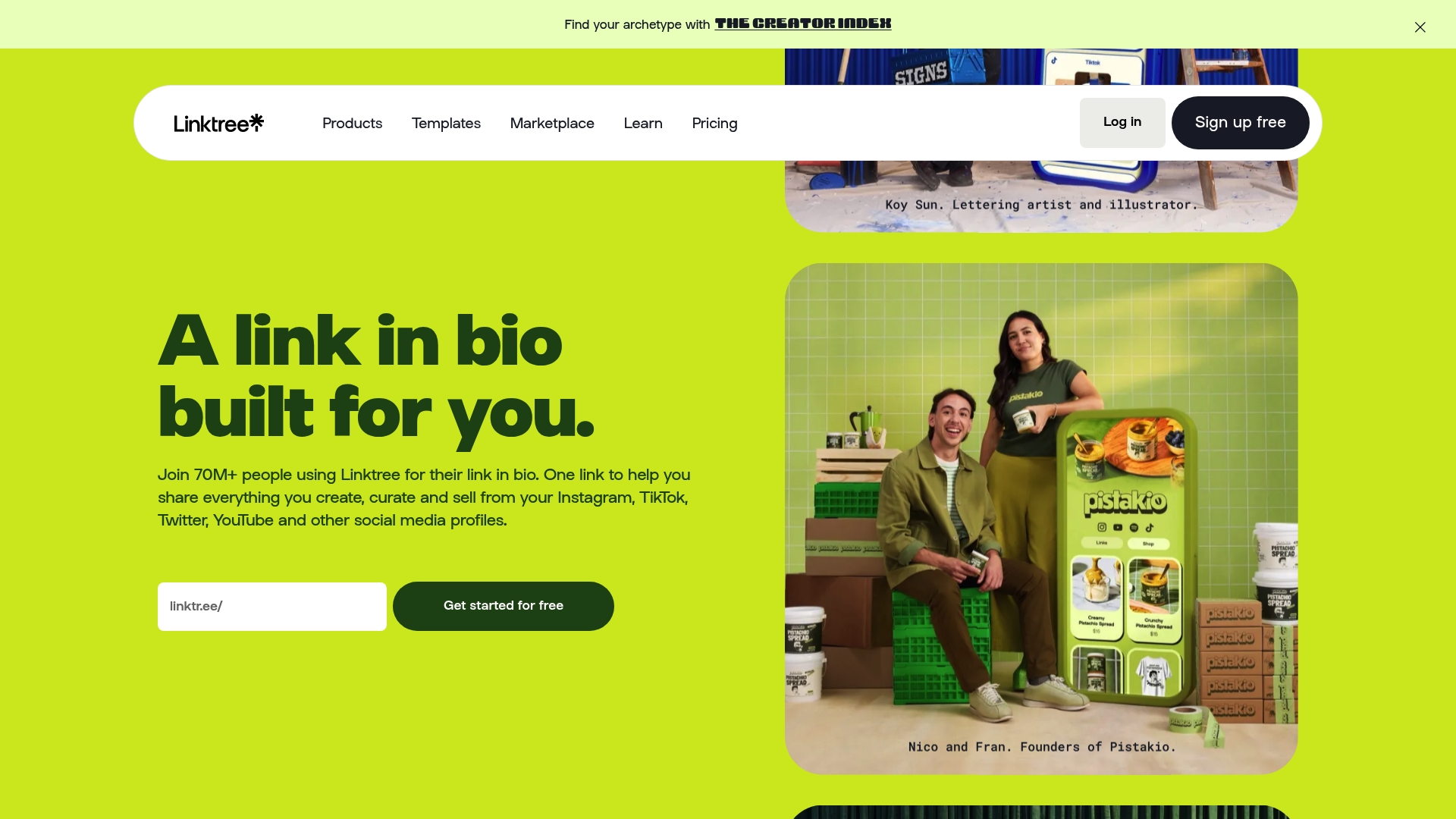
At a Glance
Linktree reports over 70 million users, a scale that explains why so many creators default to it when they need a quick link hub with monetization options. The product pairs fast setup with built-in audience tools and analytics that cover clicks, referrals, and device metrics.
Core Features
Link management and profile customization sit at the core. The product supports unlimited links and lets you rearrange, schedule, and embed media inside a single public profile.
- Unlimited links: add buttons for sites, stores, courses, and donor pages.
- Content embedding for video and social feeds so visitors see media inline.
- Analytics tracking for clicks, referral sources, device and location breakdowns with deeper data on paid tiers or via Google Analytics.
- Monetization tools for selling digital goods, hosting sponsored links, and collecting payments.
- Audience tools for email and phone collection, contact forms, and SMS campaign starters.
Key Differentiator
Linktree’s marketing emphasizes being the original link-in-bio service with broad third-party integrations, a long track record, and built-in monetization features. That positioning makes it a go-to when you need an out-of-the-box link hub that supports payments and affiliate links. Compared with Lflow, Linktree leans toward rapid monetization and ecosystem reach rather than deeper visual branding and two-minute onboarding focused on white-label flexibility.
Pros
-
Fast to launch. The interface and templates let you publish a working link profile in minutes without technical setup.
-
Monetization-ready. Built-in options for selling content, sponsored placements, and affiliate links reduce the number of tools you must stitch together.
-
Flexible content embeds. Videos and social feeds render inside the profile so visitors engage without leaving the page.
-
Tiered analytics. Basic click data is free and pro tiers add lifetime referral, device, and conversion analytics suitable for campaign reporting.
-
Familiar ecosystem. That wide adoption means many creators, affiliates, and platforms already know how to link to a Linktree profile.
Cons
-
Cancellation and billing problems appear in third-party reviews and can frustrate creators dealing with unexpected charges.
-
Customer support responsiveness is inconsistent according to external reports which can delay access or dispute resolution.
-
Some users report account restrictions or bans without clear explanations which complicates long-term reliance on a single profile.
-
Perceived value at higher tiers. A number of users judge advanced plans as expensive relative to the features provided.
When It May Not Fit
If you need full visual control, custom domains with unmatched branding, or downloadable QR assets for offline campaigns, Linktree may feel limiting. The support and billing issues reported by third-party reviewers also make it a risky sole point of presence for businesses that cannot tolerate downtime or access problems.
Who It's For
Influencers, solo creators, and small brands who want a fast, familiar link-in-bio page that can take payments and host sponsored links. It fits teams that prioritize speed and ecosystem reach over pixel-perfect brand control.
Real World Use Case
A creator links a new course, a merch store, and a donation button in a single profile, embeds a promo video, and uses built-in analytics to see which social channel drove the most enrollments during a weeklong campaign.
Website: https://linktr.ee
Milkshake
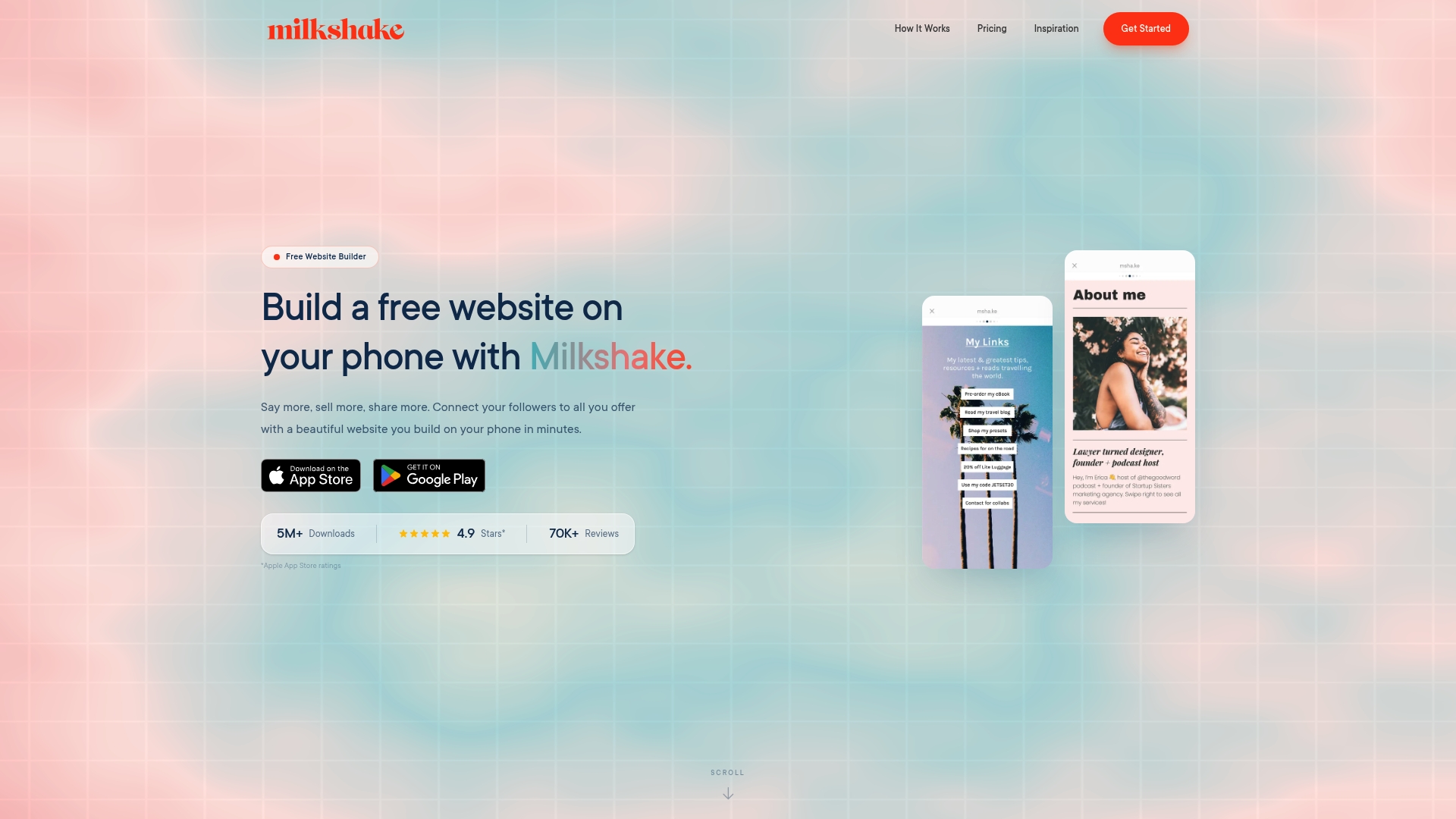
At a Glance
Create a full mobile website from your phone in minutes with no coding and free hosting. Milkshake targets creators and influencers who need a polished link in bio or mini portfolio that looks native to social feeds and loads on mobile instantly.
Core Features
- Swipeable Cards that act as pages and present content in a mobile-first, scrollable stack.
- Customizable looks with brand colors, fonts, and logos so your site matches your social identity.
- Support for text, images, videos, links, and contact forms to build portfolios, promo pages, or link hubs.
- Analytics to track clicks and engagement, plus the ability to connect a custom domain on Pro plans.
- Manage multiple sites from one account and share via social links or QR codes.
Key Differentiator
Milkshake focuses on mobile-first site creation using a card-based editor that runs on your phone. That swipeable structure is optimized for social profiles and followers who browse on handheld devices, which makes it faster to publish and share than desktop-first builders.
Pros
- Fast to launch. The app flow lets you publish a link in bio site in under ten minutes without design skills.
- Visuals feel modern and native to social feeds, so your content appears cohesive when followers tap your profile link.
- High customization without code. You control fonts, colors, imagery, and the order of cards from the app.
- Multiple sites management is handy if you run separate projects, stores, or client pages from a single account.
- Generous free tier. Free hosting and unlimited cards let you experiment before committing to a paid plan.
Cons
- Advanced layout control is limited. If you need pixel-perfect desktop pages or complex templates, Milkshake will feel restrictive.
- Features like Google Analytics and custom domains require upgrading to paid tiers, which some users view as necessary rather than optional.
- Built for mobile first. Building on a phone is convenient but editing large media libraries or complex content is easier on desktop tools.
When It May Not Fit
If you need a full desktop site, deep CSS control, or advanced SEO tooling, Milkshake will not meet those technical requirements. Teams that rely on custom plugins or integrated e-commerce carts will find the platform too focused on simple, mobile experiences.
Who It's For
Creators, influencers, small business owners, and hobbyists who want mobile-friendly portfolios and link in bio pages built quickly from a phone. Ideal for people who prioritize speed, visuals, and social sharing over advanced web development features.
Real World Use Case
A photographer assembles a swipeable portfolio with image galleries, a contact card, and direct links to Instagram and booking forms, all created and published from her phone between shoots.
Pricing
Free to start. Paid plans begin at US$2.99 per month and rise to US$8.33 per month when billed yearly for features such as custom domains and Google Analytics integration.
Website: https://milkshake.app
Taplink
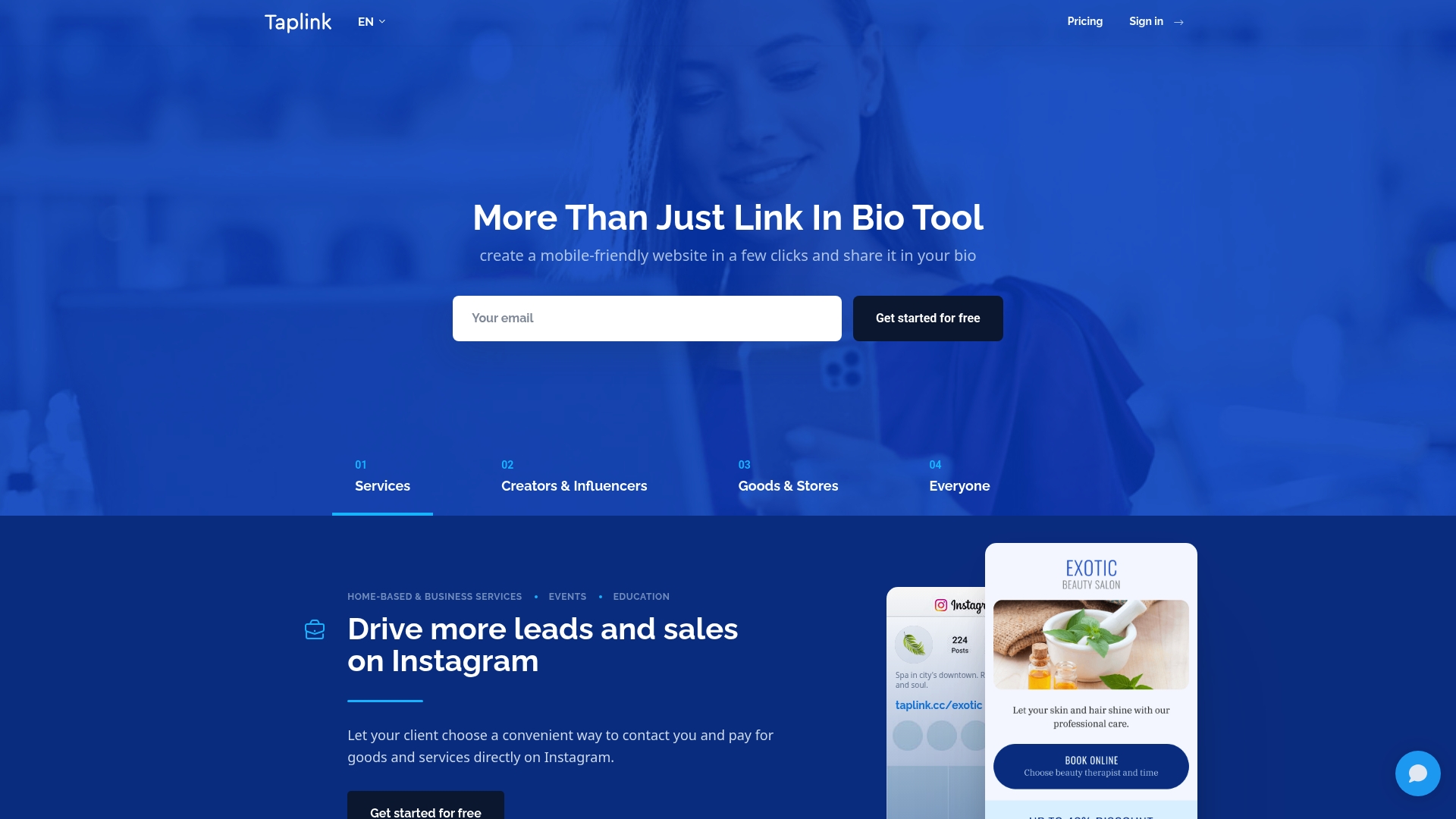
At a Glance
Over 30 built in tools let you drop forms, payment buttons, messaging links, and product blocks into a single link in bio page without coding. Setup is fast and template driven, which suits creators who want utility over custom branding.
Core Features
- Over 30 tools for blocks such as contact buttons, product cards, and embedded video that you can mix on one page.
- Unlimited links and pages so you can host multiple campaigns or language versions under one profile.
- Forms and payments with CRM export and notifications to capture leads and take sales directly from the page.
- Pre designed themes and basic customization for colors and layouts to get live quickly.
Key Differentiator
Taplink’s angle is breadth of ready made tools plus templates that let non technical users build conversion focused pages in minutes. Compared with Lflow, Taplink leans toward tool variety and compact commerce features rather than deep branding controls like advanced typography or custom domain routing.
Pros
- Fast setup and editing make it practical for creators launching seasonal promotions or a new affiliate push without a designer.
- A broad kit of blocks and templates reduces the need for third party widgets when you want messaging, forms, and payments in one place.
- Multilanguage support means a single profile can serve several audiences, which helps small brands selling across regions.
- The platform supports direct commerce workflows with CRM export and notifications for order handling and follow up.
- Works on mobile and desktop so you can tweak a page from your phone between shoots or while traveling.
Cons
- Some users report unhelpful or slow customer service, which can be a problem when payments or forms break at peak times.
- Trial pages have been reported to display unpaid status publicly, an awkward experience for creators who rely on appearance.
- Text styling is limited compared with full site builders, so brand teams that need precise typography will feel constrained.
- Occasional bugs and unexpected feature deactivations have been reported, which creates maintenance overhead for busy accounts.
When It May Not Fit
If you require pixel level control over fonts and layout for a brand style guide, Taplink’s limited text customization will be frustrating. If you need enterprise grade stability and responsive support for payment processing, the reported support issues make Taplink a poor match.
Who It's For
Solo content creators, influencers, and small business owners who need a fast, low cost way to consolidate links, accept payments, and capture leads from social profiles. Ideal when you want function and speed over deep branding polish.
Real World Use Case
A micro influencer compiles YouTube, Instagram, email contact, affiliate links, and an event RSVP form into one Taplink page. Followers land on a single page, message instantly, and complete purchases with the integrated payment block.
Pricing
Free basic plan available. PRO at $8/month and BUSINESS at $16/month with discounts for longer commitments. The tiers add advanced tools and commerce options as you upgrade.
Website: https://taplink.at
Comparative Analysis: Selecting the Right Link Management Platform
When deciding among the available link management platforms, creators and small businesses must weigh features, pricing, and the operational priorities each product supports. Here’s an analysis comparing Lflow.co, Linktree, Milkshake, and Taplink across their unique advantages and challenges.
Setup and User Experience Efficiency
Lflow.co emphasizes speed and access with onboarding that delivers a live link hub in under two minutes. This efficiency makes it suitable for fast-paced environments such as live broadcasts or time-sensitive promotions. While Linktree and Milkshake also provide expedited setup processes, Lflow.co combines this speed with free initial access without any credit card commitment, showcasing a simplicity that resonates with new users balancing cost concerns. Milkshake, tailored for mobile-first usage, edges out the competition for social media-oriented workflows due to its swipeable card design. However, it limits customization options compared to Lflow.co or Linktree desktop interfaces.
Branding and Visual Control
When it comes to visual customization and aligning with branding requirements, Lflow.co delivers tools such as customizable templates and branded short links within its pricing tiers. This appeals to users gradually transitioning from free use to higher branding sophistication. On the other hand, Taplink provides utility-focused templates that support wide accessibility features and ecommerce elements. The tradeoff lies in Taplink's limited text styling capabilities, which restrict strict adherence to particular brand aesthetics. Therefore, Lflow.co takes preference when in-depth branding matters, whereas Taplink caters better to users valuing functionality over appearance.
Best Fit Scenarios
- Lflow.co: Perfect for solo entrepreneurs and small brands needing rapid onboarding paired with support for both offline and online campaigns via dynamic QR codes.
- Linktree: Recommended for creators prioritizing monetization tools, such as digital sales and affiliate links, alongside moderate customization options.
- Milkshake: Best for influencers seeking visually engaging link hubs optimized for mobile browsing rather than deep domain control.
- Taplink: Useful for small businesses integrating payment processing and multilingual pages with broad conversion setups.
Our Pick: lflow.co
Lflow.co's standout ability to combine a free start with dynamic QR codes capable of adapting to changing campaigns makes it highly suited for creators managing both online and offline outreach. Users prioritizing deep video monetization may side with Linktree, particularly given its affiliate capabilities. However, for individuals seeking ease of use topped with scalable branding and analytics incrementally, Lflow.co provides the ideal balance in both pricing and features adjustments.
Link Management Tools Comparison
Choosing a platform revolves around setup speed and link versatility paired with free capabilities.
| Product | Core Feature | Key Differentiator | Pricing | Notable Limitation |
|---|---|---|---|---|
| Lflow | Combines links, QR codes, and analytics | Free forever with essential tools included | Free basic Paid plans from $7/month | Advanced analytics gated behind paid tiers |
| Linktree | Link hubs with monetization options | Original service with ecosystem integrations | Not disclosed | Reported customer support responsiveness issues |
| Milkshake | Mobile-first portfolio creation | Swipeable cards optimized for mobile | Free basic Paid plans from $2.99/month | Limited advanced layout control for desktop preferences |
| Taplink | Forms and payments support in pages | Over 30 tools for blocks and customization | Free basic Paid plans from $8/month | Reports of bugs and occasional feature deactivations |
Simplify Your Link Management with Lflow
Choosing the right link in bio solution can feel overwhelming when you want quick setup, strong branding, and insightful analytics all in one place. This article highlights common challenges like limited customization, slow onboarding, and paywalls blocking key features. Lflow meets those needs by offering a free service designed for creators and brands to establish a branded link hub in under two minutes.

Take control with unlimited links, real-time analytics showing where and how your audience engages, plus downloadable QR codes for offline use. Don’t let complex tools or hidden costs hold you back. Visit Lflow.co now to create your own professional link page and start tracking your impact today.
Frequently Asked Questions
How quickly can I set up a profile with Lflow?
Lflow allows you to set up a link hub in under two minutes. The quick onboarding process means you can publish a working bio page immediately, making it ideal for urgent needs such as posting links during live events.
What is the difference between Lflow and Linktree in terms of monetization features?
Linktree offers built-in monetization options like selling digital goods and hosting sponsored links, making it a go-to for creators focused on generating revenue. Lflow, on the other hand, is designed for those seeking a free option to test link management without immediate financial commitment.
Can I use Lflow for QR code generation?
Lflow does support QR code generation, allowing for dynamic updates that link to different campaigns. This feature is particularly useful for offline promotions that need to change frequently without the hassle of reprinting materials.
What analytics features does Lflow provide compared to Taplink?
Lflow includes real-time analytics showing clicks, scans, geolocation, and device info for each link. This level of detail helps creators tailor their content strategies effectively.
Are there customizable options in Lflow for personal branding?
Lflow does offer branding controls and supports custom domains at the paid tier, allowing users to scale their profiles from basic to studio-grade appearances as they grow their audience. This flexibility is beneficial if you’re looking to enhance your brand’s presence later on.