

A bio page is a single, mobile-optimized web page that consolidates your most important links, identity statement, and call to action into one shareable URL. Every creator on Instagram, TikTok, YouTube, or LinkedIn faces the same constraint: one link slot in their profile. A proper step by step bio page setup turns that single slot into a full navigation hub for your audience. Platforms like TikTok limit bios to 160 characters, which means your linked page carries the weight your profile text cannot. Tools like ChatGPT, Claude, and Lflow make the process faster and more accessible than ever before.
What are the essential components of a bio page?
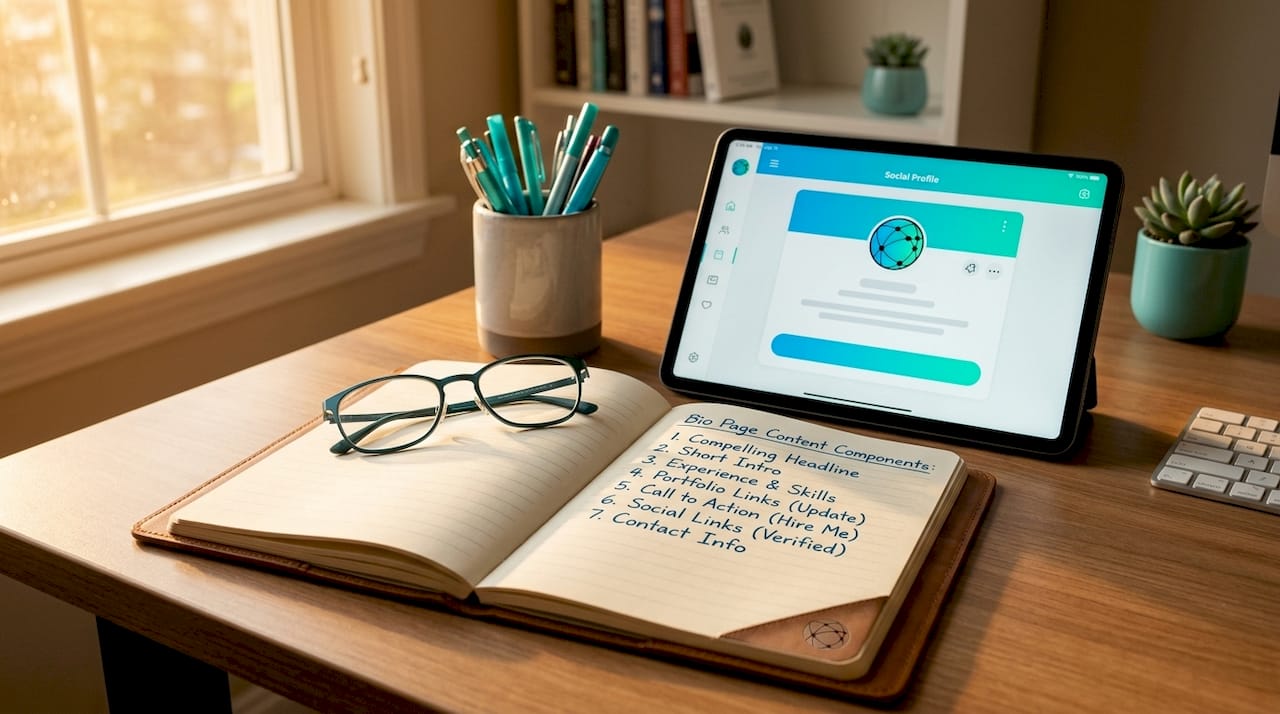
The industry term for what most creators call a "bio page" is a link-in-bio page, and the two terms are used interchangeably throughout this guide. Before you write a single line of code or click a single button, you need four pieces of content locked down.
The four content pillars every bio page needs:
- Identity statement: Who you are in one sentence. "Fitness coach helping busy parents lose weight without a gym."
- Value proposition: What your audience gets from following you. This is not your job title. It is the outcome you deliver.
- Credibility marker: One proof point. A follower count, a brand partnership, a published book, or a media mention.
- Clear CTA: One primary action you want visitors to take. "Shop my presets," "Book a free call," or "Watch my latest video."
Effective bios follow this framework consistently, and the structure applies whether you are writing the bio text itself or organizing the links on your page.
Recommended content length and tone depend on your platform. For the bio text that appears in your social profile, stay under 160 characters. For the bio page itself, keep it scannable. Visitors spend an average of a few seconds deciding whether to click. Every element on the page should either reinforce your identity or push the visitor toward your CTA.
Tools you need before starting:
| Tool Category | Free Options | Paid/Pro Options |
|---|---|---|
| AI text generator | ChatGPT (free tier), Claude (free tier) | ChatGPT Plus, Claude Pro |
| Bio page builder | Lflow (free plan) | Lflow Pro, custom domain plans |
| Static hosting | GitHub Pages, tiiny.host | Netlify, Vercel |
| Code editor (optional) | VS Code, Notepad++ | n/a |
| Analytics | Lflow built-in, Google Analytics | Lflow Pro analytics |
You do not need all of these. Pick one AI tool, one hosting solution, and one builder. Complexity at this stage kills momentum.
How to generate and customize your bio page using AI tools
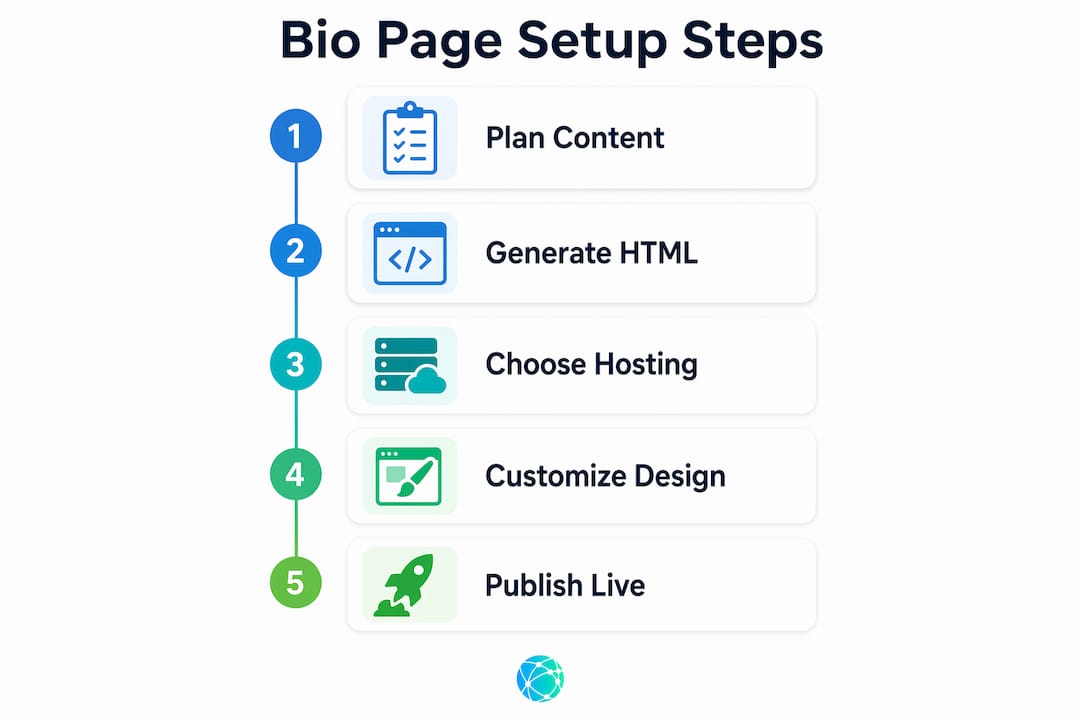
Building a custom bio page in 30 minutes is realistic when you use AI to generate the HTML code directly. This approach skips subscription costs and avoids branded templates that dilute your identity. Here is the exact process.
-
Write your AI prompt. Open ChatGPT or Claude and paste a prompt like this: "Create a single-page HTML bio page for a travel photographer named Maya Chen. Include a profile photo placeholder, a short bio, and four link buttons: Instagram, YouTube, Lightroom presets shop, and email newsletter. Use a warm, minimal design with off-white background and dark brown text. Make it fully mobile responsive."
-
Copy the output and save it as index.html. Open a plain text editor like VS Code or even Notepad. Paste the code. Save the file with the name index.html. Do not save it as a .txt file.
-
Preview it locally. Double-click the index.html file. It opens in your browser. You will immediately see what works and what does not. Check the layout on your phone by emailing the file to yourself or using your browser's mobile preview mode (press F12 in Chrome, then toggle the device toolbar).
-
Run iterative feedback rounds with the AI. Go back to ChatGPT or Claude and describe what needs fixing. "The buttons are too small on mobile. Make them at least 48px tall. Also change the font to Inter." Rapid iteration through feedback rounds can produce a page you are proud of in 10 to 15 minutes.
-
Add your real content. Replace placeholder text with your actual bio, real links, and your profile photo. This is the step most creators skip. AI-generated bios need personal editing to build genuine trust with your audience. Add a specific achievement, a personal detail, or a phrase that sounds like you.
-
Test every link. Click each button in the browser. Confirm the URLs open correctly. A broken link on a bio page is the equivalent of a dead phone number on a business card.
Pro Tip: Ask the AI to include an Open Graph meta tag in the HTML so your bio page generates a preview image and title when shared on WhatsApp, Slack, or iMessage. Most creators miss this, and it makes a measurable difference in click-through rates.
Where and how to host your bio page
Hosting is where most bio page tutorials stop giving useful advice. The choice you make here affects your brand authority, your SEO, and how fast your page loads for mobile visitors.
| Hosting Option | Cost | Custom Domain | Setup Time | Best For |
|---|---|---|---|---|
| GitHub Pages | Free | Yes (with CNAME) | 10 min | Developers, long-term projects |
| tiiny.host | Free tier available | Paid plans | 2 min | Quick launches, non-technical users |
| Lflow | Free | Yes (Pro plan) | Under 2 min | Creators wanting analytics + QR codes |
| Squarespace | Paid | Yes | 15 min | Brands wanting full website integration |
| Netlify | Free tier | Yes | 5 min | Developers with static HTML files |
Static hosting on GitHub Pages or tiiny.host deploys a live bio page in minutes by uploading a single HTML file. No server configuration required. For creators who want a no-code path, Lflow handles hosting, analytics, and QR code generation in one place.
The SEO argument for self-hosting is real. Hosting on your own domain preserves link equity and keeps traffic on your digital property rather than sending it to a third-party platform. If you already own a domain like yourname.com, publishing your bio page at yourname.com/links or links.yourname.com costs nothing extra and builds long-term authority.
Performance is not optional. Top-tier bio pages load in under 400 milliseconds, and anything slower loses mobile visitors before they see your CTA. Keep your HTML file lightweight. Compress images before uploading. Avoid loading external JavaScript libraries unless they are absolutely necessary.
Custom URLs build credibility and trust in a way that generic third-party links do not. A URL like lflow.co/yourname reads as professional. A URL like randomplatform.com/u/12345abc does not.
Pro Tip: Use Lflow's free QR code generator to create a downloadable QR code that points to your bio page. Print it on business cards, packaging, or event materials to drive offline traffic to your online hub.
How to optimize and maintain your bio page for ongoing engagement
A bio page that never changes is a missed opportunity. Treating your bio page as a dynamic navigation tool aligned with your current campaigns consistently drives better results than a static link collection. Here is what ongoing optimization looks like in practice.
Check these items every two weeks:
- Load time and mobile responsiveness. Open your bio page on your actual phone, not just a desktop browser. Regular performance testing catches layout or CTA placement problems that quietly reduce conversion rates on mobile devices.
- Link accuracy. Confirm every link still works and points to the right destination. Campaigns end, products sell out, and URLs change.
- CTA alignment. Your primary CTA should match your current priority. If you are promoting a new course this month, that button should be at the top of your page, not buried below three other links.
- Analytics review. Check which links get the most clicks. If your "Book a Call" button gets zero clicks but your "Free Download" button gets 80% of traffic, that tells you something important about what your audience wants.
Common mistakes that kill bio page performance:
- Using a generic platform URL instead of a custom domain or branded short link
- Listing more than five or six links without any visual hierarchy
- Forgetting to update the page after a campaign ends, leaving visitors to click dead or irrelevant links
- Ignoring mobile layout entirely and only checking the desktop version
Bio page conversion depends on how clearly your page communicates one primary action. Creators who treat their bio page as a growth tool rather than a static directory see measurably better results from the same amount of social traffic.
Key takeaways
A bio page setup succeeds when you combine a clear four-part content framework, AI-assisted design, fast mobile hosting, and consistent campaign-aligned updates.
| Point | Details |
|---|---|
| Start with four content pillars | Identity, value proposition, credibility marker, and CTA must be defined before building. |
| Use AI for rapid prototyping | ChatGPT or Claude can generate a complete index.html bio page in under 30 minutes. |
| Host on your own domain | Self-hosting preserves SEO authority and builds brand credibility over third-party platforms. |
| Prioritize mobile load speed | Pages loading under 400ms retain more mobile visitors and convert at higher rates. |
| Treat it as a living page | Update CTAs and links with every new campaign to keep engagement high. |
Why most bio pages underperform (and what I've learned from fixing them)
After working with dozens of creators and small business owners on their digital presence, the pattern I see most often is not bad design. It is a static mindset. Someone spends two hours perfecting their bio page in January, then checks back in October to find it still promoting a product they stopped selling in March.
The second most common mistake is over-linking. I have seen bio pages with 14 buttons. Visitors do not know where to click, so they leave. The research backs this up: one primary CTA with two or three supporting links consistently outperforms a long list of equal-weight options.
What actually works is treating your bio page the way a good homepage treats its hero section. One clear headline, one clear action, and supporting proof. The AI-generated approach I described above is genuinely fast, but the creators who get the best results are the ones who spend an extra ten minutes replacing every generic AI phrase with something specific to their story. "Helped 200 students pass their bar exam" beats "experienced legal educator" every single time.
The flexible bio page approach is not about adding more features. It is about making the page reflect where you are right now, not where you were six months ago. That discipline, more than any design choice, is what separates high-performing bio pages from forgettable ones.
— Axion
Build your bio page with Lflow in under two minutes

Lflow gives content creators, influencers, and small business owners a free, fully branded bio page with unlimited links, built-in analytics, and a downloadable QR code. No code required. No subscription needed to get started. The setup takes under two minutes, and you get real-time click tracking from day one. Lflow's customization options cover themes, fonts, colors, and custom domains, so your page looks like you, not a generic template. If you want to skip the HTML route and go straight to a live, professional page, start your free bio page on Lflow today. For creators ready to unlock advanced analytics and a custom domain, the Pro plan pricing is built to scale with your audience.
FAQ
What is a bio page and why do I need one?
A bio page is a single web page that consolidates all your important links into one shareable URL, solving the one-link limit on platforms like Instagram and TikTok. It acts as a mobile-optimized hub that directs your audience to your content, products, and social profiles.
How long does a step by step bio page setup take?
Using an AI tool like ChatGPT or Claude to generate the HTML, you can build and deploy a custom bio page in 30 minutes or less. Platforms like Lflow reduce that to under two minutes with no coding required.
Should I host my bio page on my own domain or use a platform?
Hosting on your own domain preserves SEO authority and keeps traffic on your digital property, which is the better long-term choice. For creators who prioritize speed and built-in analytics, a platform like Lflow with a custom domain option delivers both benefits.
How many links should I include on my bio page?
One primary CTA with two to four supporting links is the most effective structure. More than five or six links without clear visual hierarchy reduces click-through rates because visitors cannot identify the most important action.
How often should I update my bio page?
Review and update your bio page every two weeks, or whenever you launch a new campaign, product, or piece of content. Dynamic, campaign-aligned bio pages consistently outperform static ones in engagement and conversion.